If you need to access your Vtiger CRM system files, just follow these steps:
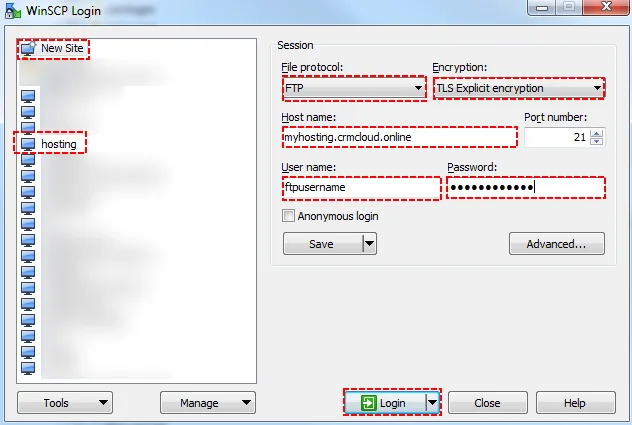
- You will open WinSCP (or another client to remote folders)
If you do not have WinSCP, there is download link: WinSCP Download - Choose New Site (saved data if you have saved them before – in this case you can skip to a point 9)
- Choose FTP
- Choose TLS encryption
- Host name is url
- Fill User name (You will receive this information after prolonged hosting)
- Fill Password (You will receive this information after prolonged hosting)
- Click on Login
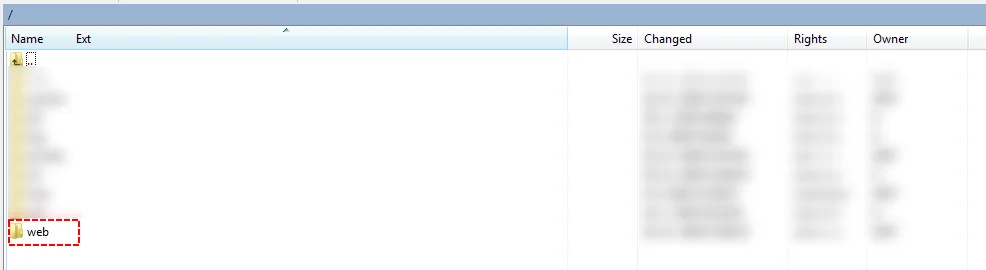
- Súbory nájdete v zložke “web”
Need help with Vtiger CRM?
We develop extensions, integrations and custom solutions for Vtiger CRM. Tell us what you need and we will suggest the next step.