
Chat for Vtiger CRM
Keep team communication inside your CRM. Send direct messages, create public channels and private groups, share files, mention colleagues and discuss specific contacts, opportunities, tickets or other CRM records without switching to another application.
Discuss customers and work without leaving Vtiger
Chat adds a real time communication panel to every Vtiger CRM page. Your users can open it from the round chat button, continue working with CRM records and communicate without moving conversations to external tools.
The extension supports one to one conversations, public channels, private groups and conversations connected to a specific CRM record. This keeps team decisions close to the customer, deal, ticket or project they belong to.
- Available from every CRM page
- Direct messages between CRM users
- Public channels for company wide topics
- Private groups for selected team members
- Conversations connected to Vtiger CRM records
- Unread counters, favorites, archive and mute options
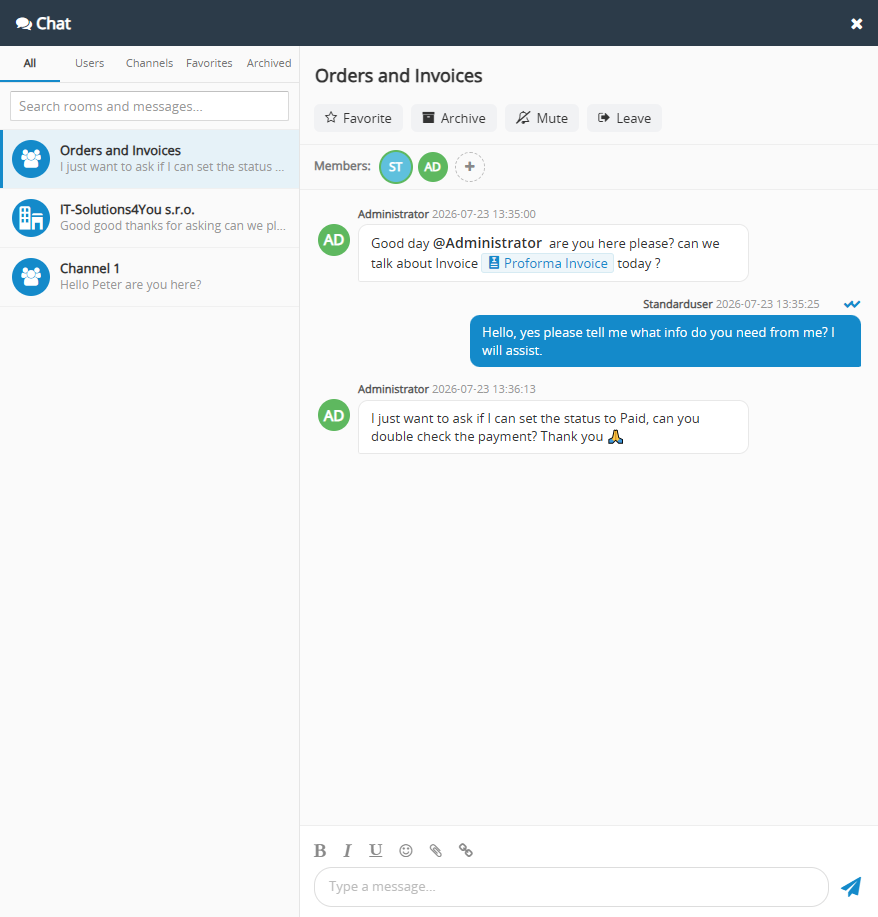
Main Chat Features
Everything your team needs for everyday communication, organized directly inside Vtiger CRM.
Direct Messages
Start a private one to one conversation with any active CRM user.
Public Channels
Create open channels that any CRM user can find and join.
Private Groups
Keep sensitive conversations visible only to selected members.
Record Conversations
Create a chat linked to a contact, opportunity, ticket or another CRM record.
User Mentions
Mention conversation members so important messages are easy to notice.
Message Replies
Reply to a specific message and keep context visible in busy discussions.
Files and Screenshots
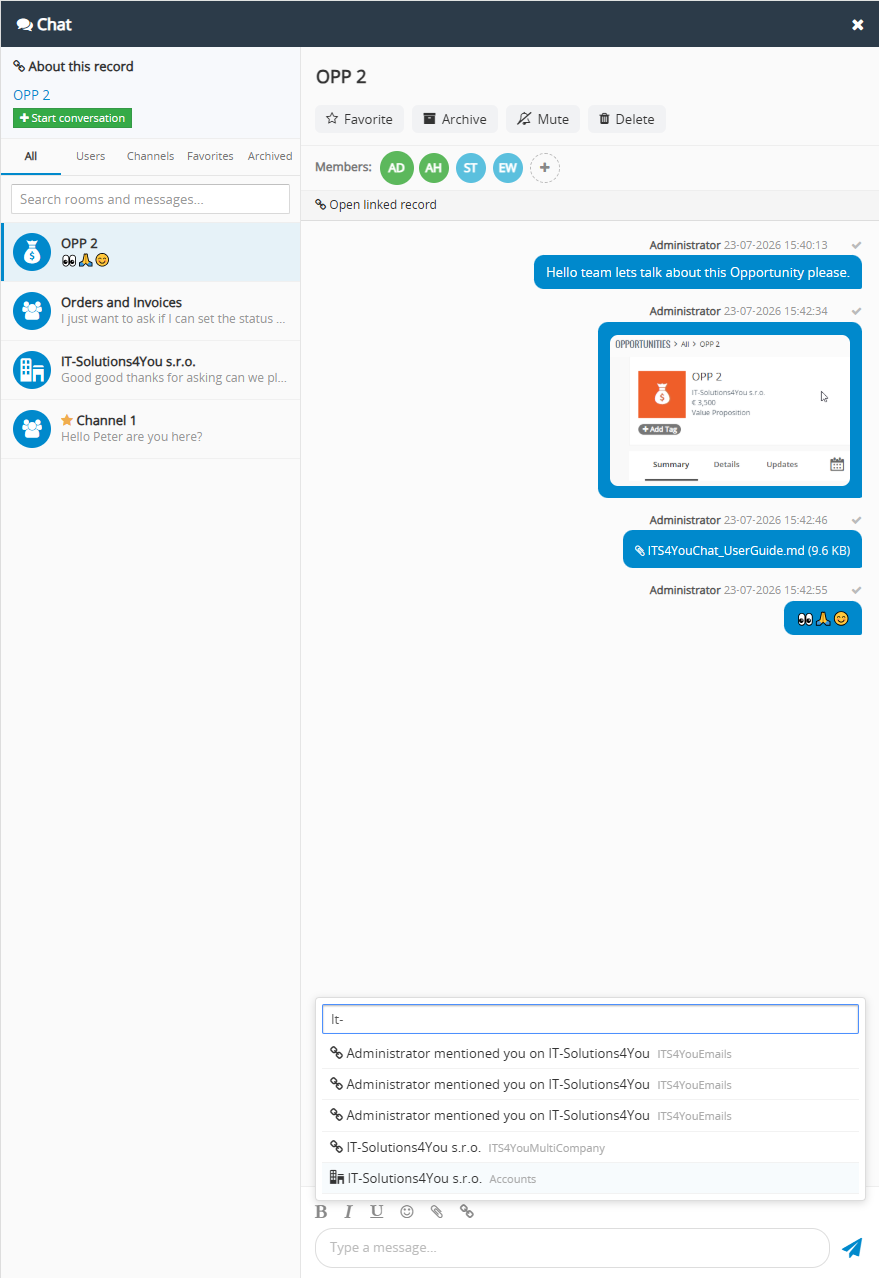
Attach files or paste screenshots directly into the message box.
Read Receipts
See when a message was sent and when all other members have read it.
Typing Indicator
See when another member is actively writing a reply.
Smart Notifications
Receive in app message bubbles and browser desktop notifications.
Favorites and Archive
Keep important chats close and hide inactive conversations from your main list.
CRM Record Links
Search for CRM records and insert clickable links directly into messages.
Attach conversations to Vtiger CRM records
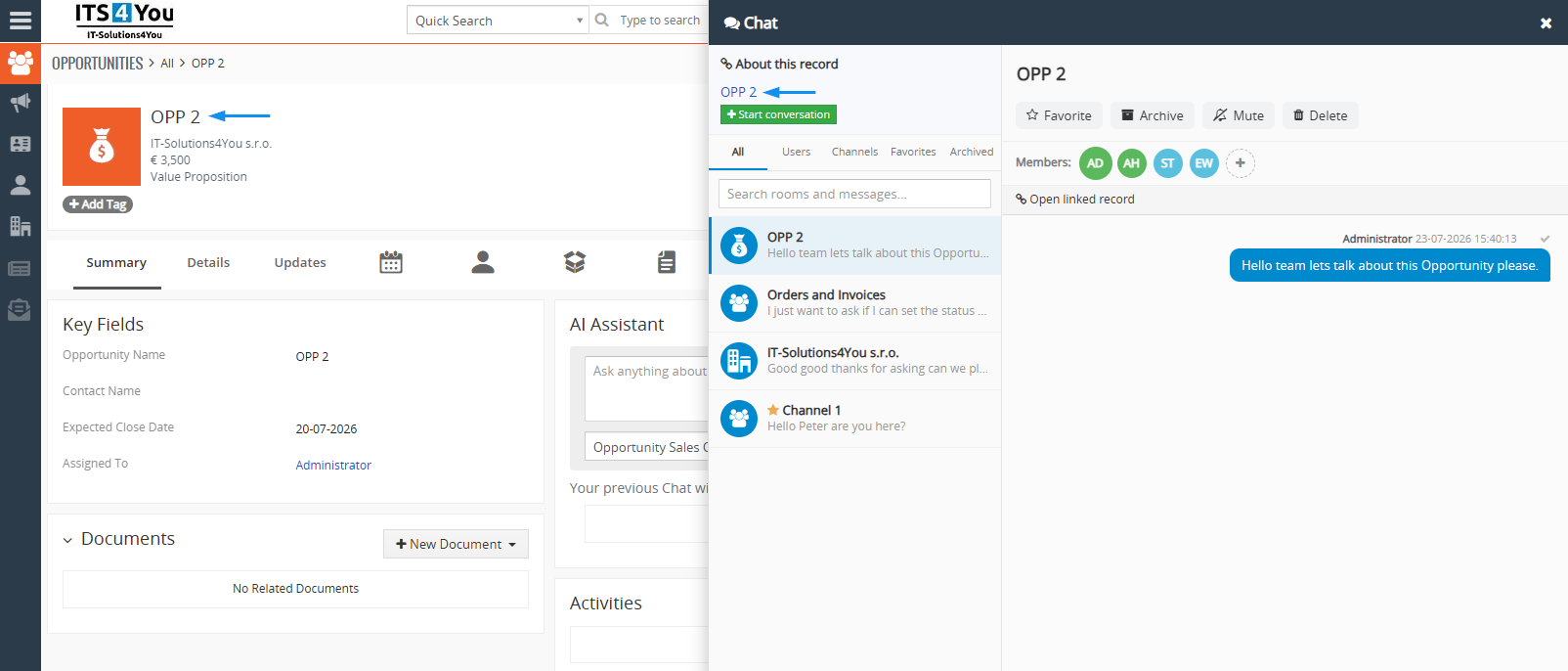
Open a contact, organization, opportunity, ticket or another CRM record and start a conversation about that exact record. The linked discussion remains available in the Chat panel and can be opened again directly from the CRM record.
Team members can return from the conversation to the linked record with one click. This reduces lost context and makes it easier to understand why a decision was made.
- Start a conversation from a CRM record
- See existing conversations linked to the current record
- Open the linked record directly from the chat
- Keep the same conversation available in All and Channels tabs
- Use private membership for record related discussions
Chat for Vtiger CRM Use Cases
Use Chat to shorten internal communication, solve problems faster and keep discussions connected to the CRM data your team is already using.
Sales opportunity collaboration
Create a private conversation linked to an opportunity. Sales, management and technical colleagues can discuss pricing, requirements and the next step without losing the deal context.
Support ticket escalation
Link a conversation to a HelpDesk ticket when support needs input from a developer, consultant or manager. Everyone can review the ticket and answer in the same place.
Fast approval requests
Mention a responsible colleague in a group and share a direct CRM record link when a quote, discount, contract or customer request needs a quick decision.
Company announcements
Use a public channel for internal updates, process changes, release notes or information that should be easy for every CRM user to find.
Project coordination
Create a private group for a project team, share files and screenshots, mention owners and keep daily communication available inside the CRM.
Knowledge sharing
Create topic based channels where users can ask questions, share solutions and reuse practical knowledge instead of keeping answers in separate personal messages.
Start a conversation in a few clicks
Chat stays available from every CRM page, so users can move between records and conversations without interrupting their work.
Open Chat
Click the round chat button in the bottom right corner of any Vtiger CRM page.
Choose the conversation type
Message a user, join a public channel, create a private group or start a record conversation.
Share the context
Write a message, mention a colleague, attach a file or insert a clickable CRM record link.
Continue working
Close or minimize the panel and receive unread counters, message bubbles or desktop notifications.
Share files, screenshots, formatted text and CRM links
Chat supports the content teams commonly need during CRM work. Users can format text, use emoji, attach files, paste screenshots directly from the clipboard and link records from supported CRM modules.
- Bold, italic and underline formatting
- Emoji picker for quick reactions
- File attachments up to 25 MB
- Paste screenshots with Ctrl + V
- Image preview with full size opening
- Clickable links to Vtiger CRM records
- Blocked executable and script file types for safer sharing
Stay informed without keeping Chat open
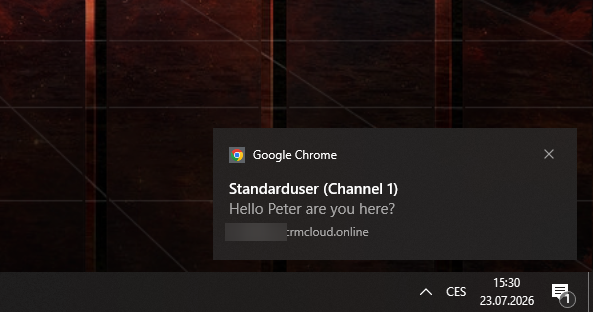
New messages continue to arrive when the panel is closed. An in app bubble can show the sender and message preview, while optional desktop notifications can alert users when the CRM tab is in the background.
- Unread message badge on conversations
- In app message preview above the Chat button
- Quick reply from the notification bubble
- Optional browser desktop notifications
- Muted conversations do not trigger notifications
Desktop notifications must be allowed both in the web browser and in the operating system notification settings. If notifications are not displayed correctly, we recommend checking permissions for the CRM website in the browser and verifying that notifications are enabled for the browser in Windows, macOS or the operating system you use. Also check that Do Not Disturb or Focus mode is not blocking them.
Direct messages, channels, groups and record chats
Each conversation type is designed for a different communication need.
| Conversation type | Visibility | Best for | Linked to CRM record |
|---|---|---|---|
| Direct message | Two CRM users | Private questions, quick coordination and individual follow up | No |
| Public channel | Any CRM user can find and join | Company announcements, shared topics and open collaboration | No |
| Private group | Invited members only | Projects, departments, approvals and sensitive internal topics | No |
| Record conversation | Invited members only | Discussion about a contact, deal, ticket, project or another CRM record | Yes |
Included from Extended Package
Chat for Vtiger CRM is included in the Extended Package and All Access Package. It can also be purchased separately with monthly or yearly billing.
Chat for Vtiger CRM FAQ
Answers to common questions about internal messaging and collaboration in Vtiger CRM.
What is Chat for Vtiger CRM?
Chat is a Vtiger CRM extension that adds real time internal messaging to the CRM. Users can send direct messages, create channels and private groups, share files and start conversations linked to CRM records.
Which Vtiger versions are supported?
Chat supports Vtiger CRM 7.5 and all Vtiger CRM 8.x versions.
Can users chat without leaving the current CRM page?
Yes. The Chat panel is available from the round button in the bottom right corner of every CRM page and opens over the current content.
Can a conversation be linked to a CRM record?
Yes. Users can start a private conversation from a CRM record and later reopen the linked record directly from that conversation.
Does Chat support direct messages and group chats?
Yes. It supports private direct messages, public channels, private groups and private conversations linked to CRM records.
Can users attach files and screenshots?
Yes. Users can attach most files up to 25 MB and can paste screenshots directly into the message box from the clipboard.
Does Chat support user mentions?
Yes. Type @ followed by a member name to mention that person in the conversation.
Are read receipts available?
Yes. A sent message shows one grey tick, while two blue ticks indicate that all other conversation members have read up to that message.
Will users receive notifications when Chat is closed?
Yes. New messages can appear in an in app notification bubble, and users can enable native desktop notifications in their browser.
Can conversations be muted or archived?
Yes. Muting and archiving are personal settings, so they change only the current user's own conversation list and notifications.
Who can delete a channel or group?
A channel or group can be deleted by its creator or by a CRM administrator. Direct conversations can be deleted only by an administrator.
Is Chat included in an extension package?
Yes. Chat is included in the Extended Package and All Access Package. It is also available as a separate monthly or yearly subscription.
Have questions before purchase?
Contact us if you need to confirm compatibility, discuss installation or decide whether Chat is suitable for your internal Vtiger CRM communication workflow.
- Compatibility check for Vtiger 7.5 and Vtiger 8.x
- Installation and activation assistance
- Advice for channels, private groups and record conversations
- Help with notifications and user access
Start using Chat for Vtiger CRM
Bring direct messages, team channels, private groups and record linked communication into your Vtiger CRM. Compatible with Vtiger 7.5 and all Vtiger 8.x versions.
Explore all Vtiger extensions
Combine Chat with other Vtiger CRM extensions for PDF generation, email templates, reporting, automation, AI features and advanced CRM customization.