
Summary Widget Management for Vtiger CRM
Extension which allows users to quickly create widgets in summary view and manage them
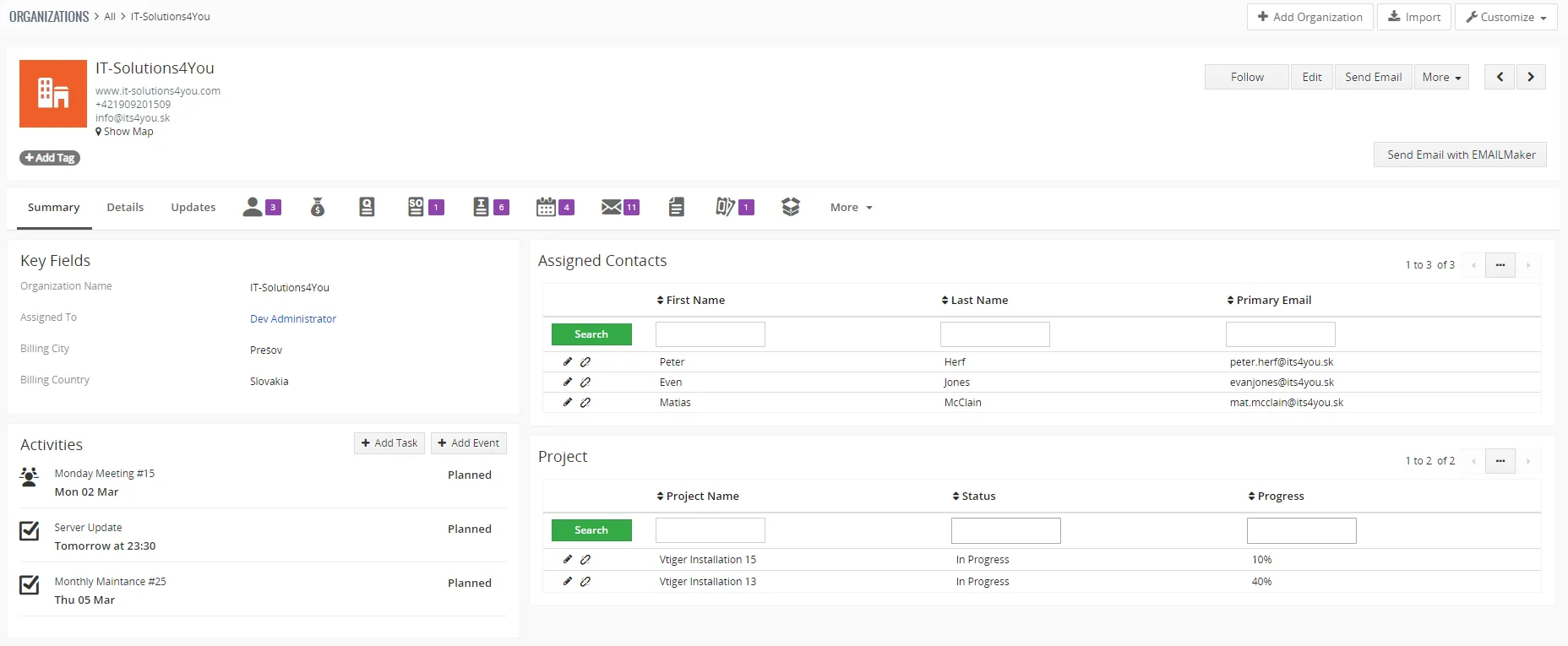
Make the record summary look fresher and include the widgets you require!
Summary Widget Management features
- Manage widgets within a few clicks
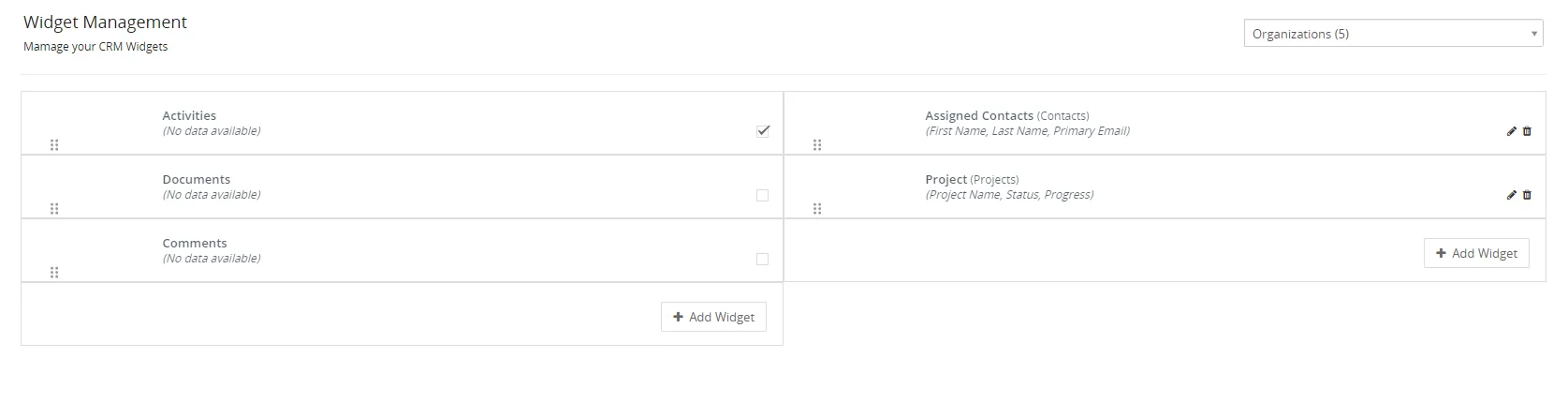
- Rearrange widgets in summary view of records
- Add widgets or hide them
- Select which type of records will be shown in widgets
(from default or custom list views) - Choose fields & layouts which will be shown in the widget
- Define custom names for newly created widgets
- Compatibility with Field Mapping
- All Standard & Custom modules are supported
- Vtiger 7.x/8.x compatibility
- Included in our packages: Extended, All Access

Note: Widgets are created in the Summary view of the records, NOT on the Dashboard
Start using Summary Widget Management now!

Installation & Usage
Installation & Validation is via our Free Extension Installer
For detailed guide how to validate and install our modules visit guide below:
When the Installation is finished, you are able to access installed module settings via menu:
- Settings - CRM Settings - OTHER SETTINGS - Widget Management 4 You
How to create widgets for modules
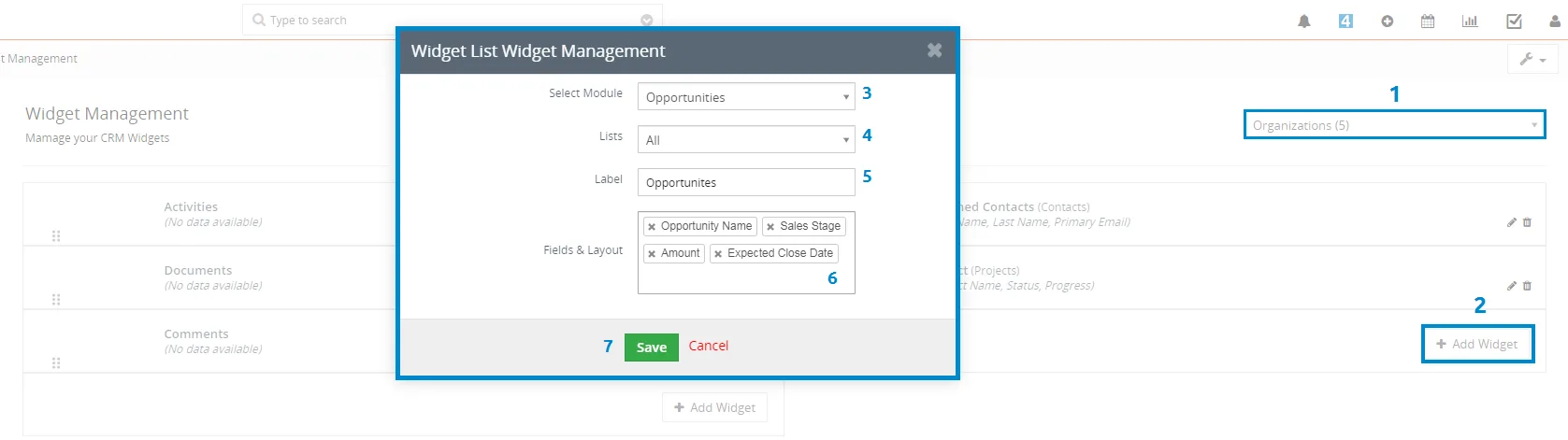
- After accessing the module, on the right side of the screen, select the Module for which you want to create a widget.
 Note: Default widgets can't be edited, you can only activate/deactivate them or move them.
All modules which have summary view are supported.
*(3) The number indicates how many widgets are in the module summary view.

- Next step is to add a widget, you can perform it via
 button. It's up to you where you want to create a widget, on the right side or on the left side. You can arrange it later.
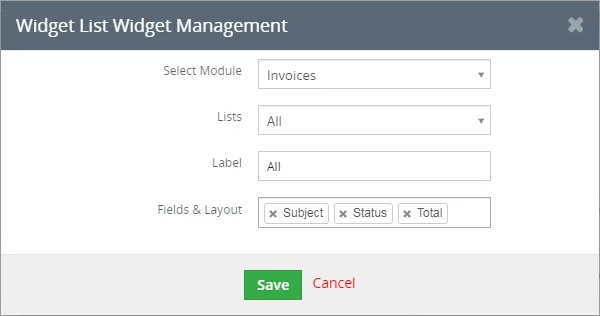
- A pop-up screen (shown below) will appear with the following required information to create a widget:
Select Module - pick the module, from which records will be loaded in to the widget.
Lists (click for more info) - select list, from which records will be loaded, you can choose your own lists or the default ones, for example: Invoice module, you can choose Open Invoices list.
Label - represents the name of the widget which will be shown in summary view.
Fields & Layouts - pick up the labels which will be shown in the widget.
- Confirm creating widget via
 button.
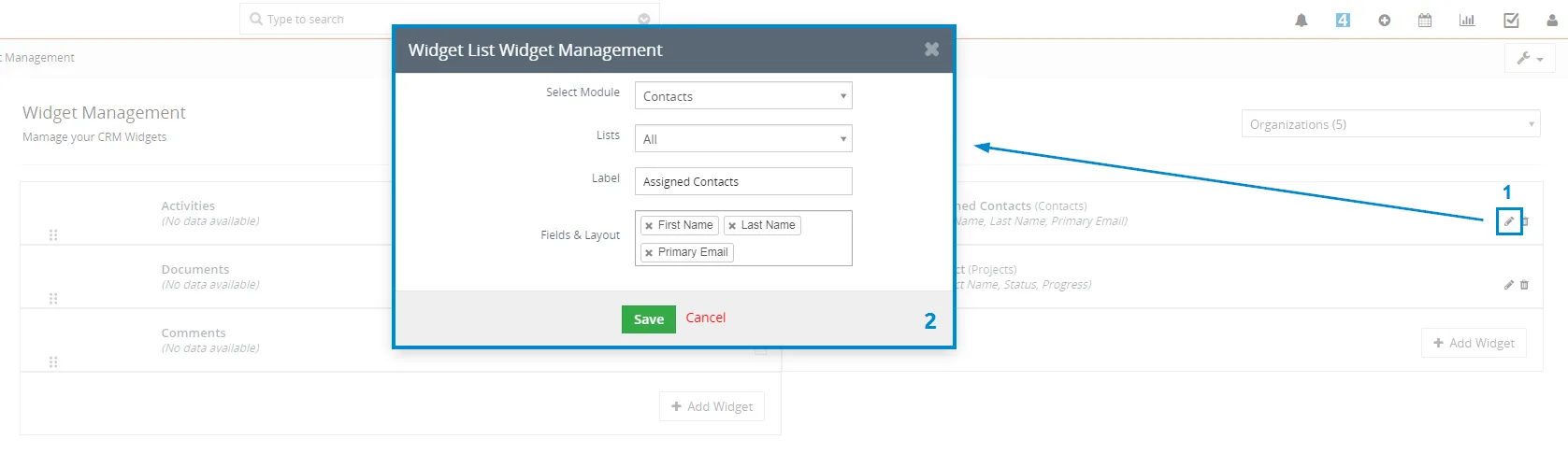
- The widget is created, now you have options like: Activate/Deactivate it, Move, Edit or Delete widget.
Arranging Widgets
When you created widgets, you can arrange them (move them) by clicking on the specific widget and drag it to the position where you want it.
Resetting widgets to default
This feature was added in version 4.3 on 02 June 2020 so make sure your extension is up to date.
If you want to reset the widgets to default, you can do it via  button found in the Summary Widget Management near module selection.
See below:
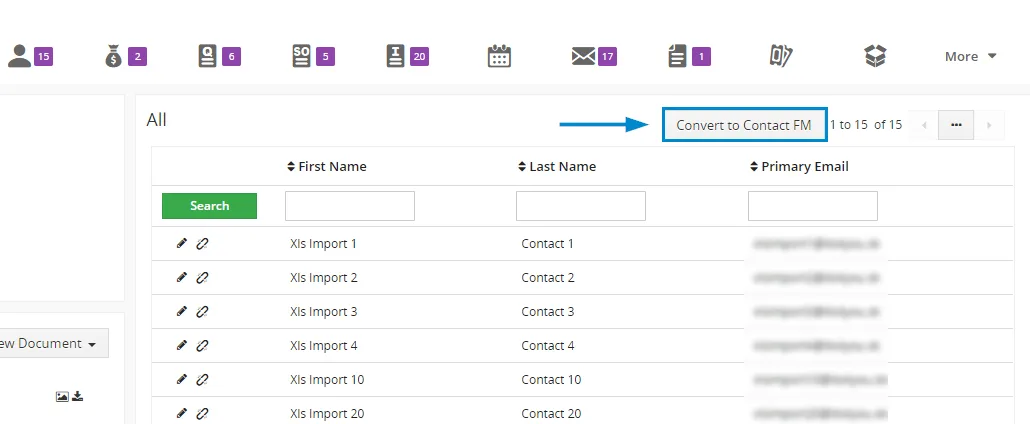
Summary Widget Management is also compatible with our Field Mapping extension. What does that mean?
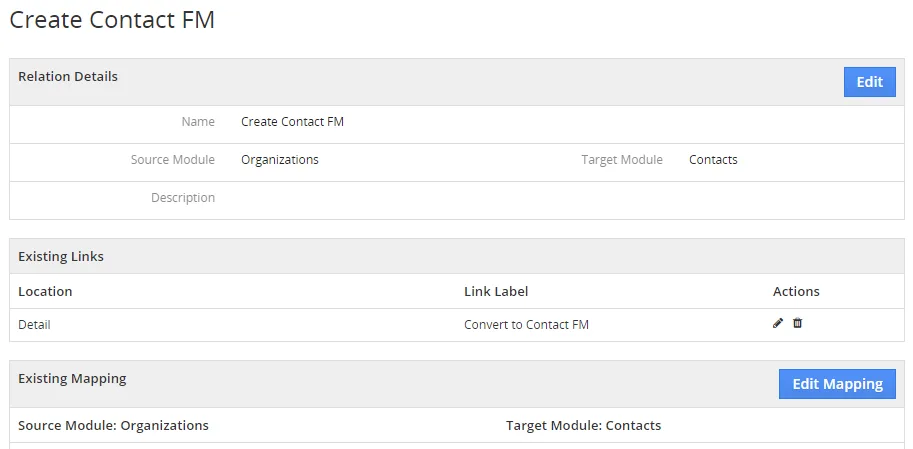
When a link/mapping is created via Field Mapping, the Summary Widget Management will contain a button to create a related record.
Created Field Mapping:
Button to create related records in the widget:
- 8 November 2022: 4.7
- default Vtiger CRM widgets in the Summary Widget Management are visible again and it is possible to re-organize them
(the issue is related to outdated Vtiger SimpleHtmlDom, if users have our PDF Maker installed, the issue will be fixed for them within this version as we are using our SimpleHtmlDom instead of Vtiger)
- default Vtiger CRM widgets in the Summary Widget Management are visible again and it is possible to re-organize them
--- 2021 ---
- 31 March 2021: 4.6
- Field Mapping compatibility
--- 2020 ---
- 23 November 2020: 4.5
- fixed issue where custom/my list records with filters/conditions were not loading in widgets
- fixed alignment of currency fields in the widgets
- 23 June 2020: 4.4
- fixed issue where the detail view caused "loop" (long loading times) sometimes after changing widgets
- 02 June 2020: 4.3
- added option to reset the widgets to default via
 button
- fixed an issue where the field "Assigned to" was not displayed correctly if used when creating a new widget
- added option to reset the widgets to default via
- 26 February 2020 - 3 March 2020: 4.1-4.2
- minor bug fixes
- 25 February 2020: 4.0
- release for Vtiger 7.x version
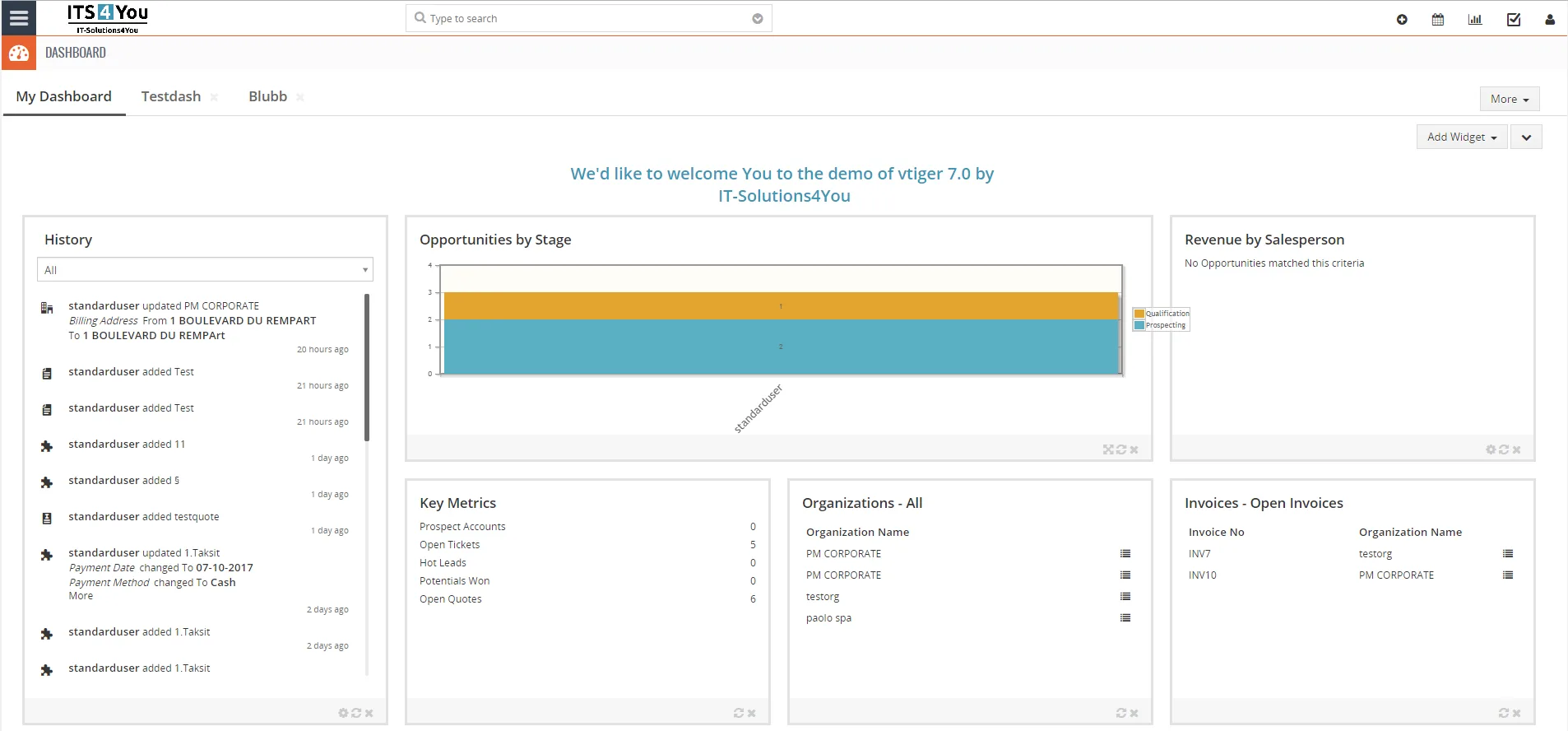
Try Summary Widget Management in our Vtiger CRM demo
See how Summary Widget Management works in practice before you buy.
 Vtiger CRM DemoView Demo
Explore all Vtiger extensions
Browse our complete collection of Vtiger extensions and discover more tools for your CRM.