
Custom Login Page for Vtiger CRM
Replace the standard Vtiger login screen with your own branded design. Upload your logo, choose a background, adjust colours, edit texts and prepare several login page templates without coding.
Welcome back
Sign in to your CRM workspace.
Turn the default Vtiger login into a branded page
Custom Login Page gives administrators a simple way to prepare professional login screens directly inside Vtiger CRM settings. You can work with layouts, logo, background image, solid colour, gradient, welcome texts, visual heading, description, accent colour and footer text.
- Customize the Vtiger CRM login page without coding
- Upload your company logo and adjust logo size
- Use image, colour or gradient background
- Edit welcome texts, heading and description directly in the preview
- Set the accent colour for button, links and input focus
- Create several templates and switch the active one
- Restore the standard Vtiger login page when needed
Main Features of Custom Login Page
A compact tool for CRM administrators who want a cleaner, branded and more professional login screen for Vtiger CRM users.
Multiple Templates
Prepare several login page designs and switch the active version when needed.
Live Preview
Edit the login page in a visual preview and see the design while you work.
Layout Options
Choose half screen layout, one third layout or a centered login card.
Logo Upload
Upload your logo, reuse existing images and adjust the displayed logo size.
Background Image
Use a branded background image and darken it with an overlay for better readability.
Colour Background
Use a solid colour when you want a simple and clean branded login page.
Gradient Background
Create a two tone gradient and control its visual direction with an angle setting.
Accent Colour
Customize the colour used for the sign in button, input focus and links.
Editable Texts
Edit welcome text, heading, description and footer text directly in the editor.
Reuse Images
Choose existing logos and backgrounds already uploaded for other templates.
Set as Active
Make a template live from the editor or from the template list with one action.
Restore Default
Return to the standard Vtiger login page without deleting prepared templates.
Compare custom login with the default Vtiger login
Move the slider to compare the branded Custom Login Page on the left with the standard Vtiger login page on the right.
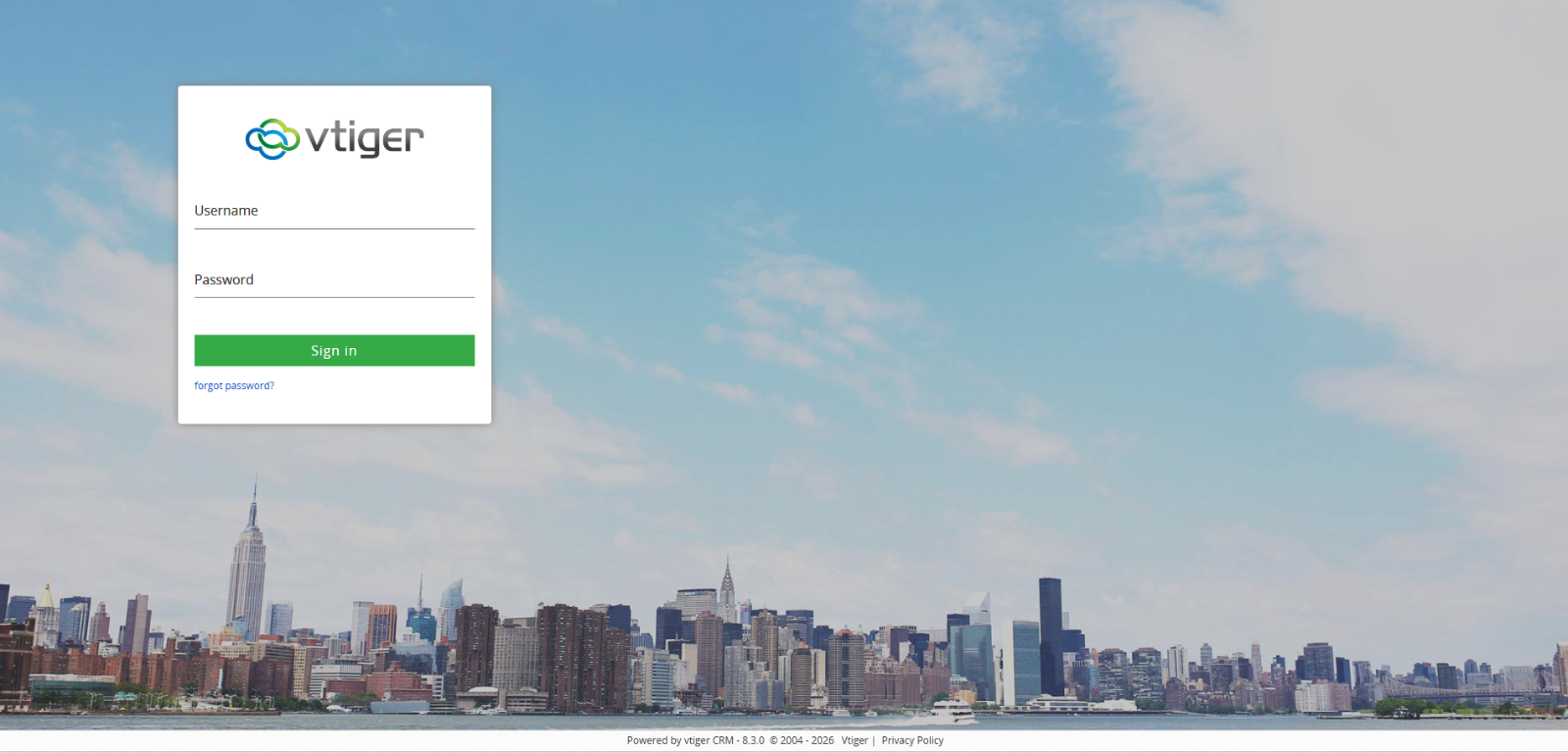
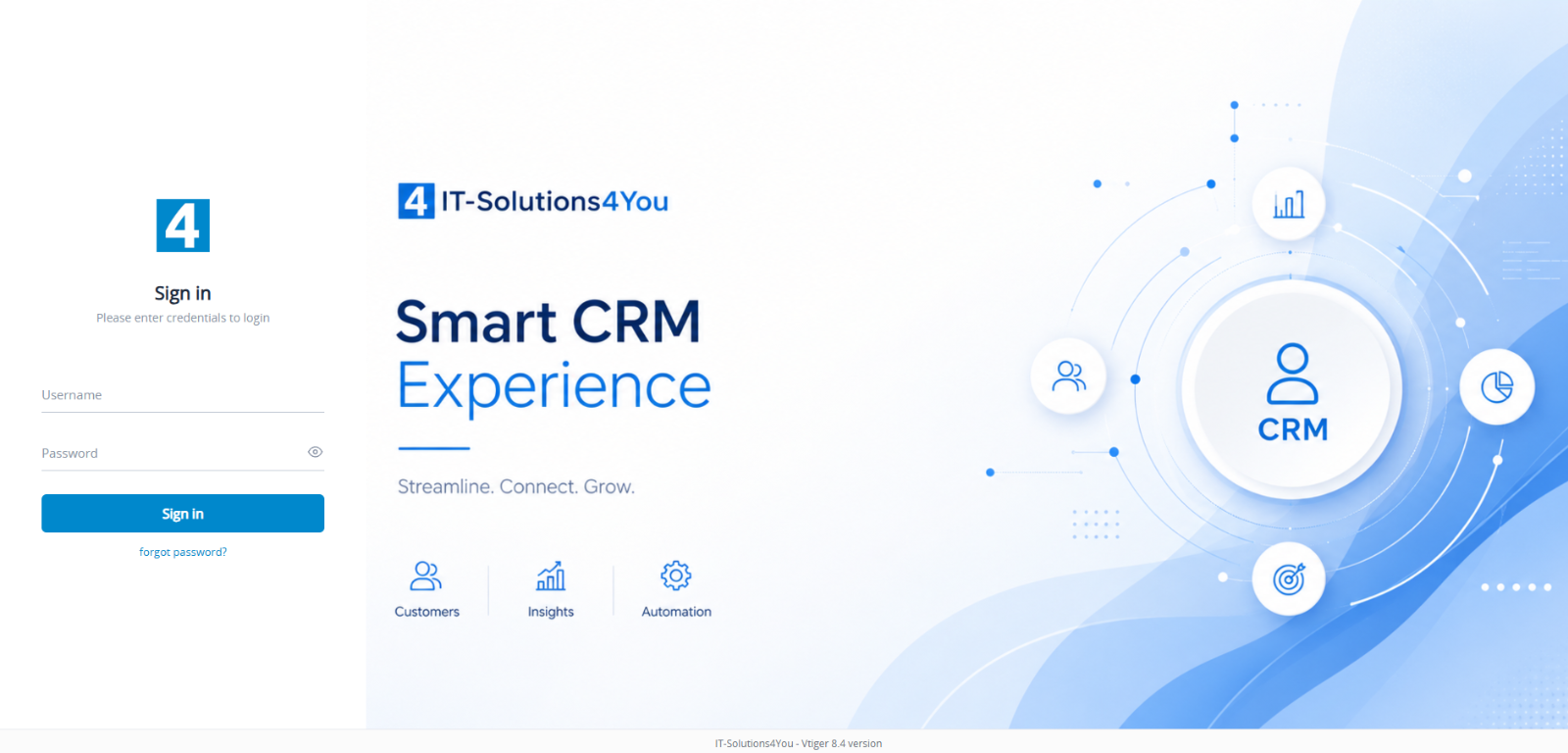
Drag across the image to compare custom and default login page design.
How Custom Login Page is managed
The extension is managed from Vtiger settings. Administrators can create templates, choose layouts, upload visual assets, edit text content and activate the final design.
Custom Login Page
The template list shows created login pages, active status and actions for editing, activating or removing a design.
Description
Description
Description
Description
Choose from several layout types including form on the left, form on the right and centered login card.
Recommended size 1920x1080 px JPG/PNG.
Background settings allow you to use colour, image or gradient, upload a new background, reuse an existing image and adjust the overlay.
Configure the login page directly in the preview
The preview configuration window gives administrators practical branding controls for the real Vtiger CRM login page without editing template files or writing code.
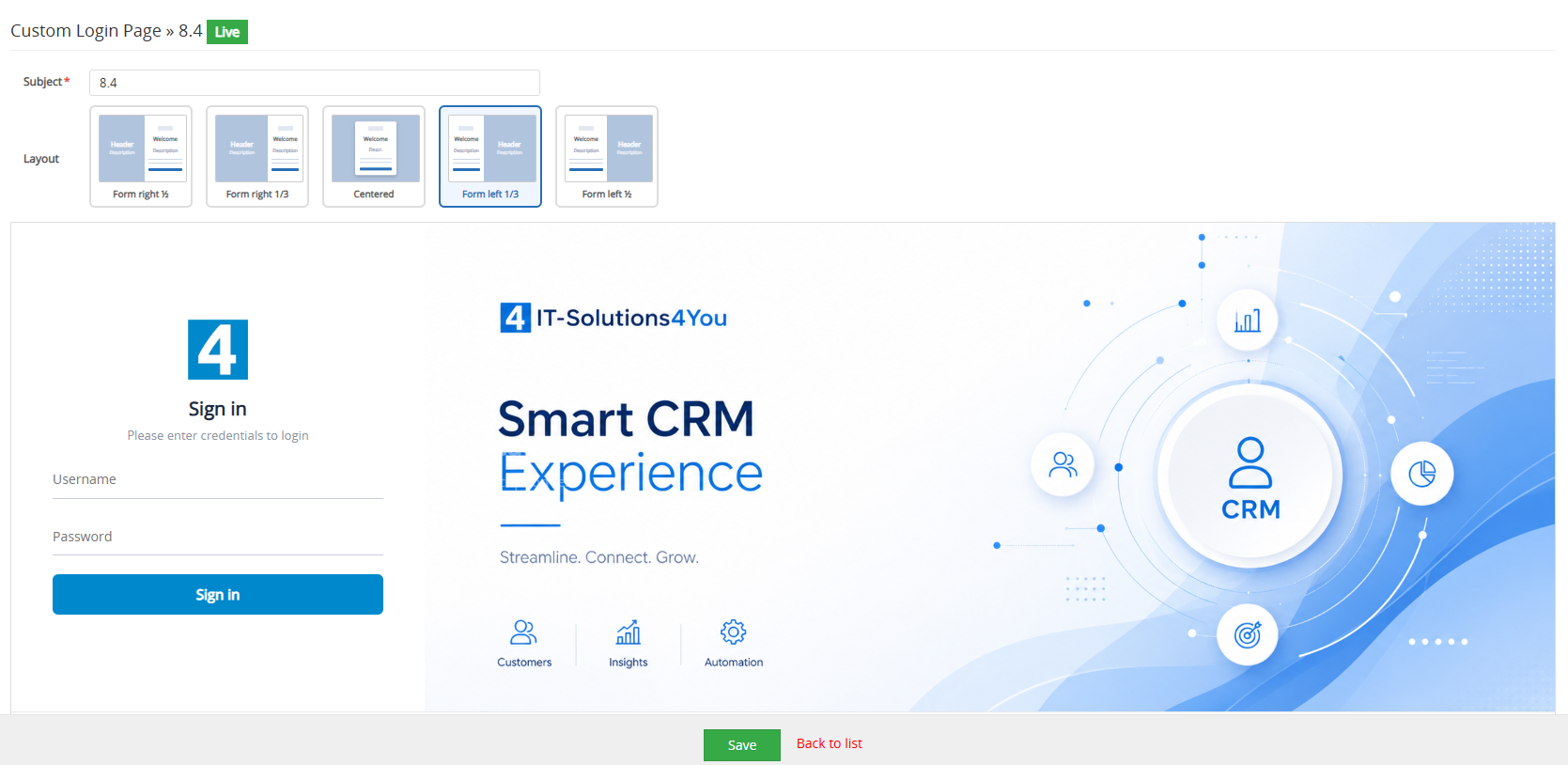
Logo and background
Upload a logo, choose existing images, adjust logo size and set image, colour or gradient background.
Texts and colours
Edit heading, description, welcome text and footer. Adjust text colours and accent colour.
Overlay and layout
Use overlay for better readability and select the layout that best fits your brand style.
Save as Active
Save the configuration and apply it as the active login page on the real CRM login screen.
Create, save and activate a login design in a few steps
Open the extension in Vtiger settings, add a new login page template, choose a layout, customize the design in the visual login editor and save it as the active login page.
- Open Settings, Extensions and Custom Login Page
- Create a new login page template
- Choose layout and update visual settings
- Upload logo and background images
- Edit welcome texts, heading, description and footer
- Save and set the template as active
Need help creating a professional login page?
If you already purchased the Custom Login Page module but you are not sure how to prepare the right design, we can help you with the login page setup. We can suggest the layout, prepare background images, improve texts, adjust logo usage and create a cleaner branded login experience for your Vtiger CRM.
This is a paid service and requires an active Custom Login Page module license.
Included in all Vtiger extension packages
Custom Login Page is included from the Starter Package and is also available in Mini, Extended and All Access. It can also be purchased separately with monthly or yearly billing.
Custom Login Page documentation
The documentation explains how to open the module, create a login page template, choose layout, configure logo, background, texts, colours, footer and set the template as active.
Custom Login Page FAQ
Short answers for Vtiger CRM administrators who want to customize the login screen and keep the CRM branding consistent.
What is Custom Login Page for Vtiger CRM?
Custom Login Page is an extension that lets you replace the default Vtiger login screen with your own branded design using a visual login editor.
Which Vtiger versions are supported?
The extension is prepared for Vtiger CRM 7.4, 7.5 and 8.x.
Do I need coding knowledge?
No. The extension is designed for administrators and uses a visual login editor with editable logo, background, colours, layout and texts.
Can I create more than one login design?
Yes. You can create multiple templates and activate only one template at a time.
Can I return to the standard Vtiger login page?
Yes. The Restore Default action brings back the original Vtiger login screen without deleting your prepared templates.
Can I reuse uploaded images?
Yes. You can choose existing logos and background images already used in your templates, so you do not need to upload the same image again.
What background options are available?
You can use a background image, solid colour or two tone gradient. For images, an overlay slider helps keep text readable.
Is Custom Login Page included in packages?
Yes. It is included in Starter, Mini, Extended and All Access packages. It can also be purchased separately.
Have questions or need assistance?
Not sure how to prepare the right login page layout, background or branding setup? Contact us and we will help you choose a clean design for your Vtiger CRM login screen.
- Help with login page branding
- Advice for choosing layout and background type
- Support with setup, images and activation
Start using Custom Login Page for Vtiger CRM
Customize the Vtiger CRM login screen with your logo, background, colours, layout and texts. Compatible with Vtiger CRM 7.4, 7.5 and 8.x.
Explore all Vtiger extensions
Combine Custom Login Page with other Vtiger CRM extensions for reporting, PDF generation, automation, document handling, AI features and advanced CRM customization.