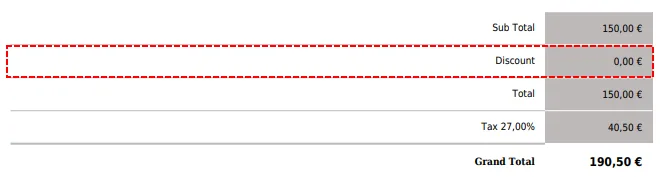
If your answer is Yes then this article certainly helps you.
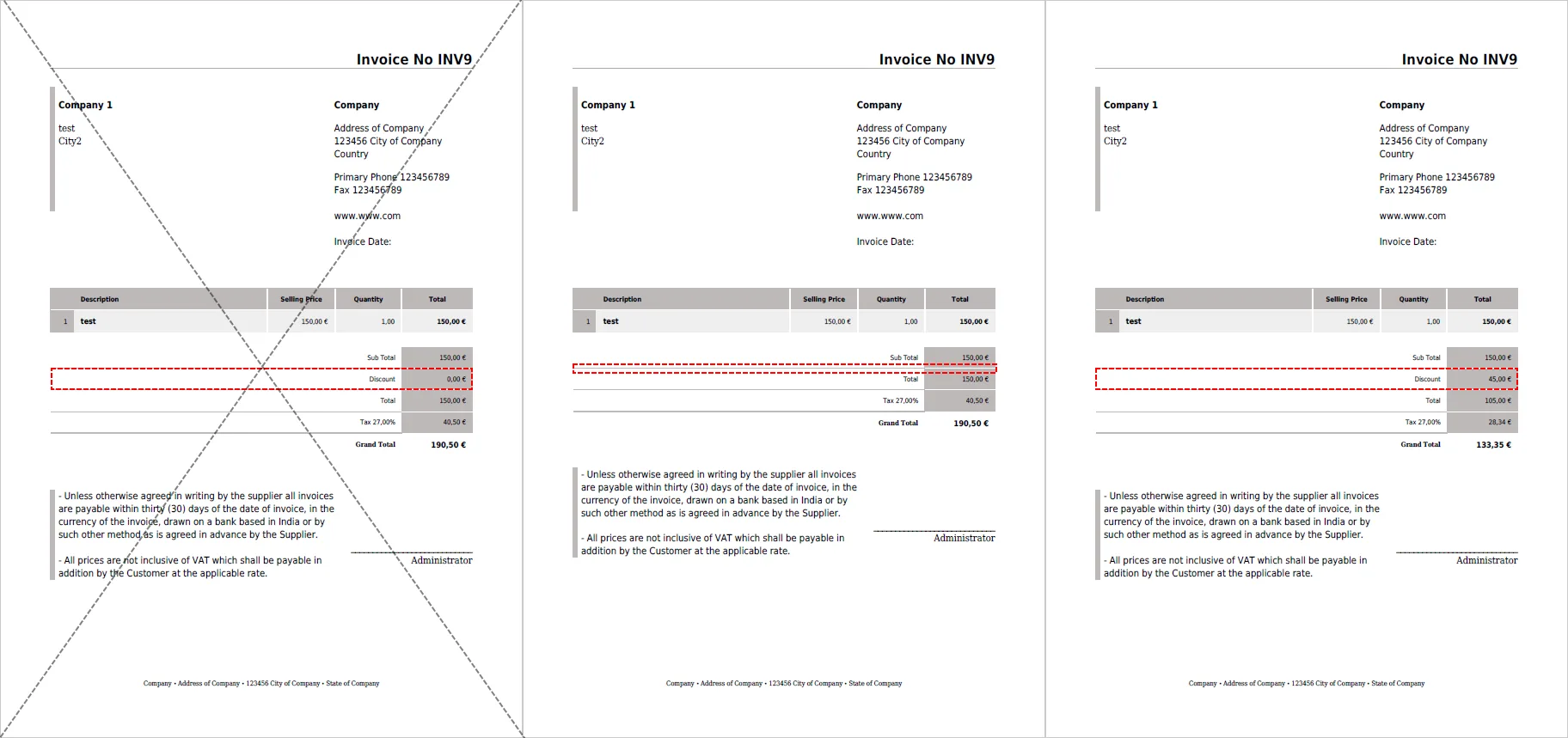
So how to edit your template to hide/show line based on field?
First at all, I have to say that this manual is only for PDF Maker Professional because you need to use Custom Function.
Let’s start:
- Find in your template line in table that you want to hide/show and click into this line
- Go to Other information tab
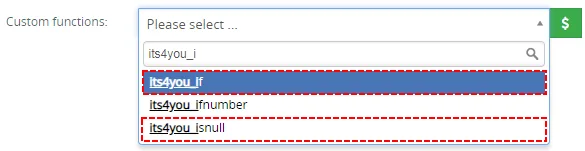
- And click on Custom functions
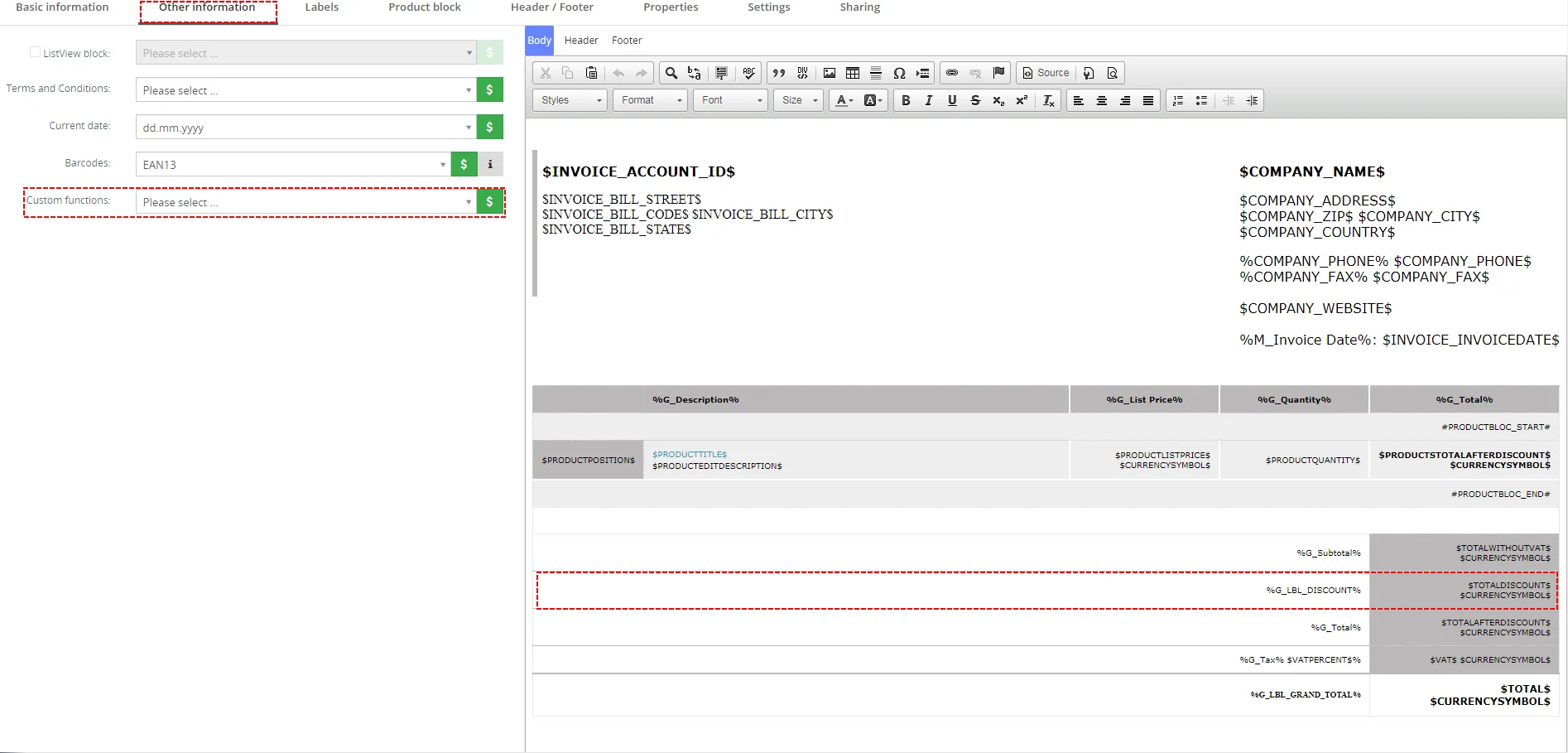
- Find its4you_if or its4you_isnull function and add into line you want to hide/shows (I recommend to use is4you_isnull)
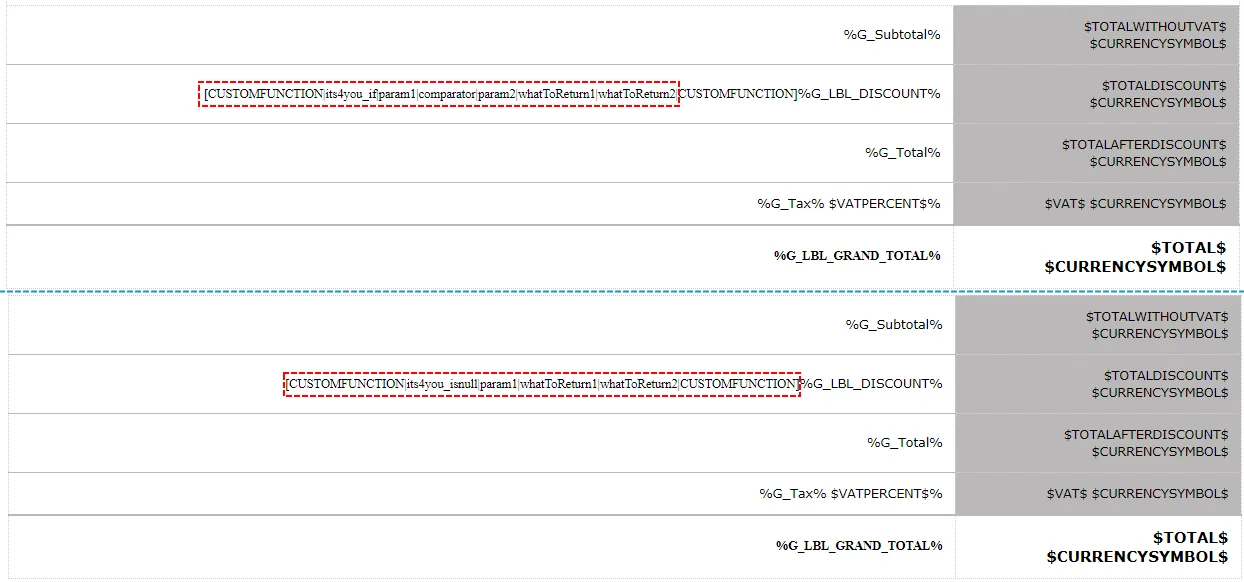
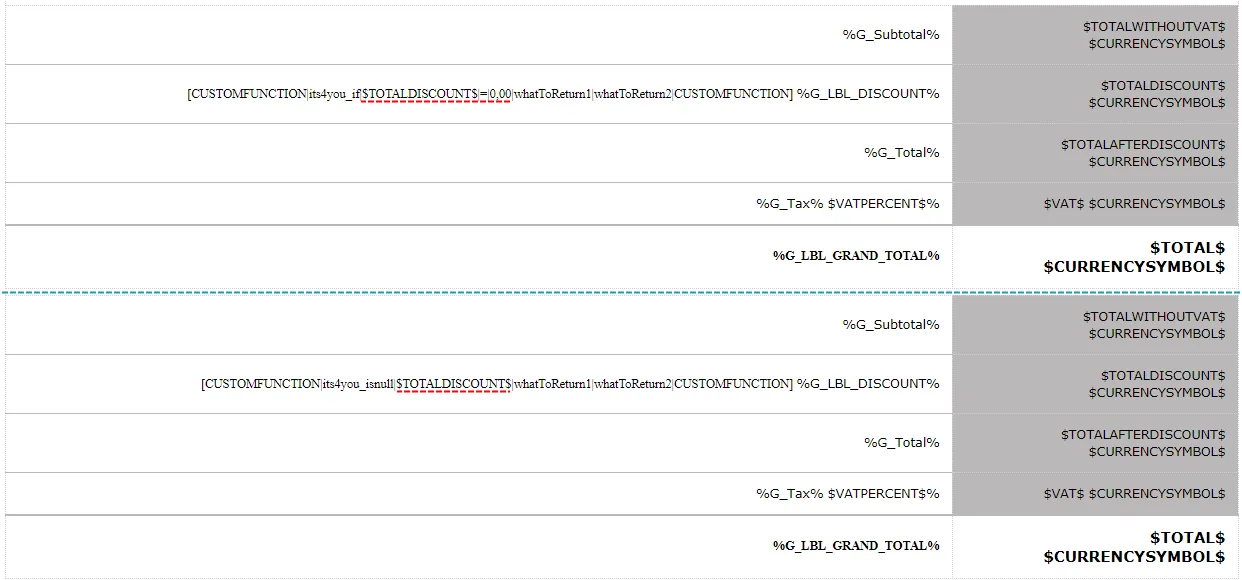
- Now add your field (for example: $TOTALDISCOUNT$) into function:
- its4you_if: [CUSTOMFUNCTION|its4you_if|$TOTALDISCOUNT$|=|0,00|whatToReturn1|whatToReturn2|CUSTOMFUNCTION]
or - its4you_isnull: [CUSTOMFUNCTION|its4you_isnull|$TOTALDISCOUNT$|whatToReturn1|whatToReturn2|CUSTOMFUNCTION]
- its4you_if: [CUSTOMFUNCTION|its4you_if|$TOTALDISCOUNT$|=|0,00|whatToReturn1|whatToReturn2|CUSTOMFUNCTION]
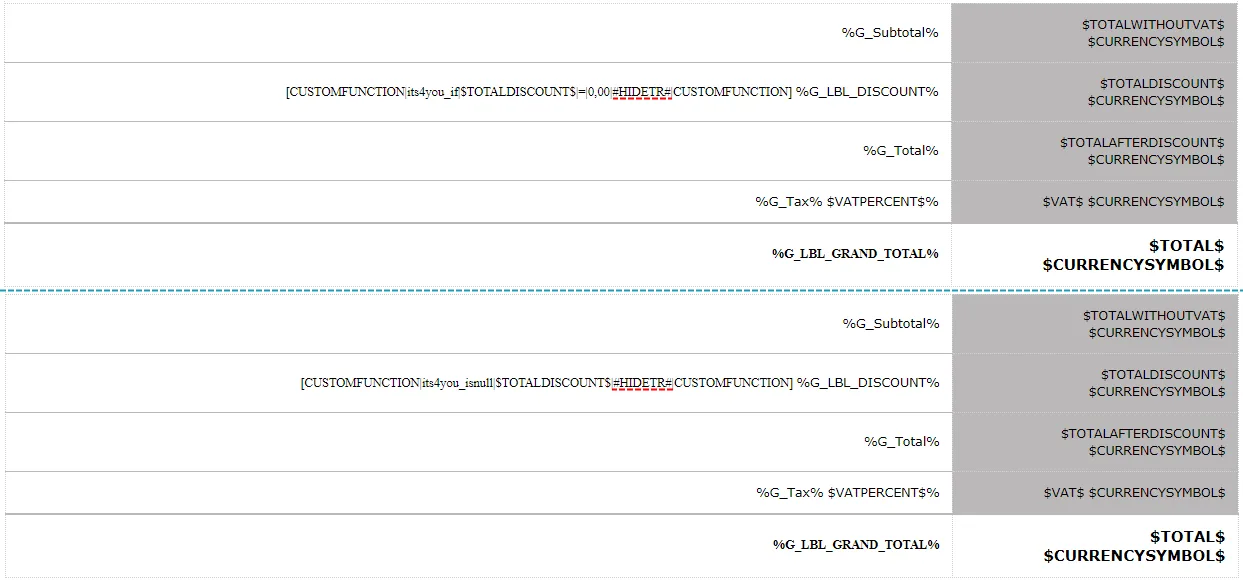
- Replace whatToReturn1 with #HIDETR# and delete whatToReturn2
- Save your template and enjoy your PDF file
Need help with Vtiger CRM?
We develop extensions, integrations and custom solutions for Vtiger CRM. Tell us what you need and we will suggest the next step.