Vtiger Blog

Header/Footer templates for PDF Maker

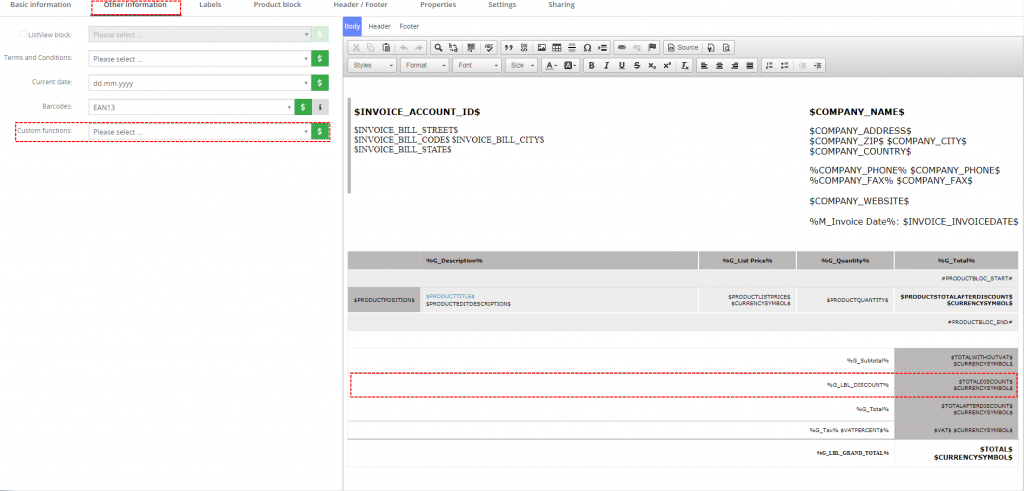
Hello dear customers, We received some requests how to save time with editing PDF template when little changes need to be made in Header or Footer. Nowadays I’m using about 85 templates within PDF-Maker. I guess most professionals using combined vtiger/PDFMaker, need quite a bunch of different PDFMaker templates for their business needs. May not for all templates but I bet, you do not need more then 2-3 different header and footer contents over all your templates. May you need different settings, but the content is often or always quite the same. Isn’t it? In the very beginning, the current PDFMaker header/footer handling is not a big problem for anyone. One can copy and paste the header/footer html-code from one template to another....

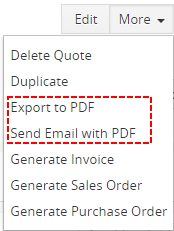
How to remove standard vtiger “Send Email with PDF” and “Export to PDF” from More button?

Hello dear our customers. Have you ever met with this situation? You or your company bought PDF Maker, create beautiful PDF template. Everything works like charm. But  some of your employes say you that they still export standard vtiger template? You know that they use standard vtiger Export to PDF from More button instead of PDF Maker export button. But how to hide this button and leave only PDF Maker button to export template that you want? How to hide standard vtiger Export to PDF or Send Email with PDF We must not change vtiger source code with our extensions but you, as customer, can change whatever you want. To hide "Send Email with PDF" and "Export to PDF" you need to make small changes in source code...

How to display PHP configuration of your vtiger?

Sometimes you need to check and increase your php variables but how to find currently php variables? You can find the PHP configuration by placing a page with a phpinfo() function along with your website. To create a phinfo site with this command, first change into the directory that contains your website files. For example, the default directory for webpage files for Apache on Ubuntu is /var/www/html/: $cd /var/www/html Then, create the info.php file: $sudo nano info.php Paste the following lines into this file and save it: <!--?php phpinfo(); ?--> Then, in your browser open: http://yoururl/info.php phpinfo

How to change php variables for your vtiger CRM?

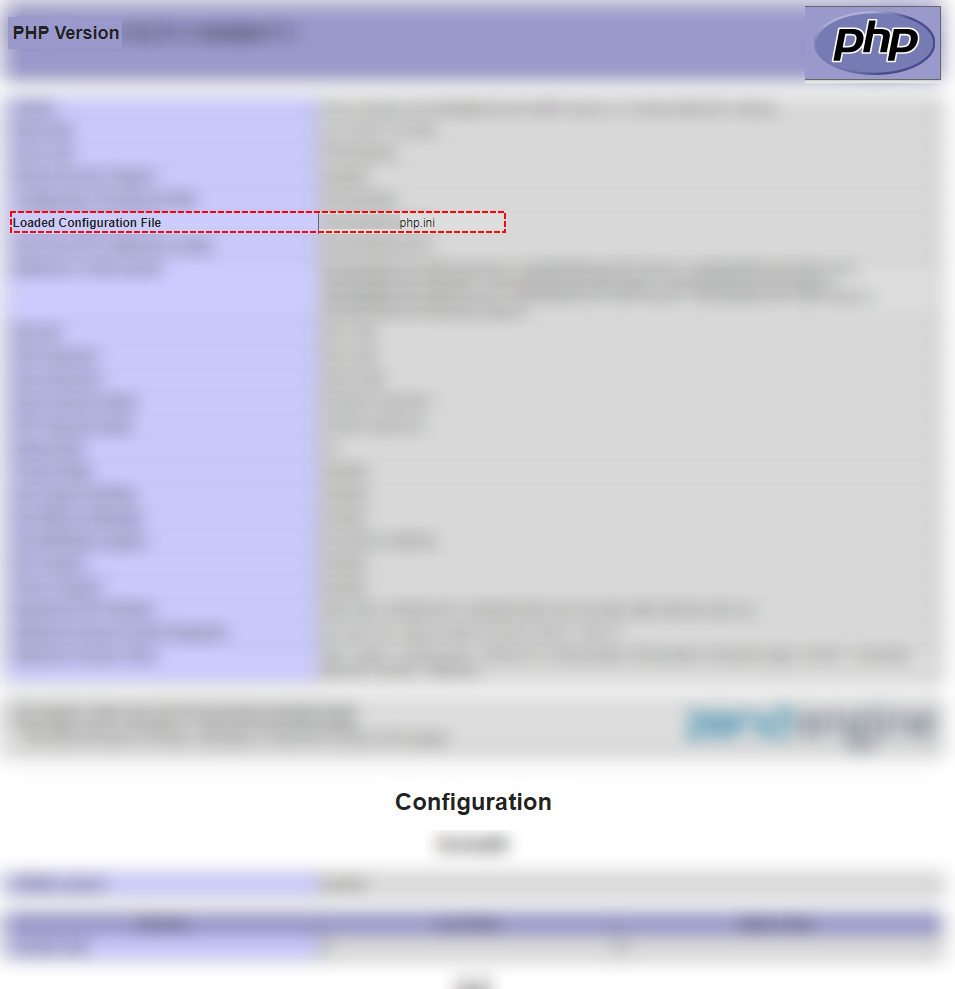
Sometimes you need to increase your php variables because you need it to properly working of vtiger (or other services) but How to do it? You have 3 option how to change php variables. change php.ini .htaccess config.inc.php First at all, it is good to know how to display current PHP variables and settings. Please read our blog: How to display PHP configuration of your vtiger? Change variables in php.ini Locate your php.ini. You can find it when you open info.php file How to find php.ini file Open your php.ini file nano /yourpathfrominfophp/php.ini Find please your variables that you want to change. post_max_size = 8M upload_max_filesize = 2M Change values post_max_size = 512M upload_max_filesize = 5M Save php.ini Restart server sudo service apache2 restart How to edit .htaccess? Find .htaccess file Open this file Edit value or add new line php_value...

How to create own Custom function for PDF Maker or EMAIL Maker?

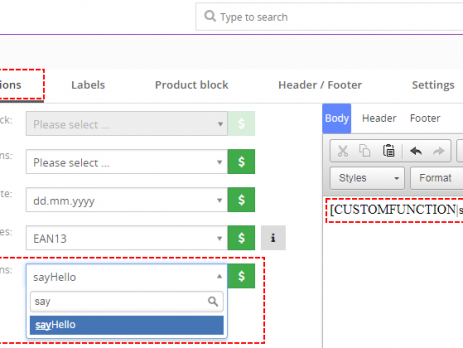
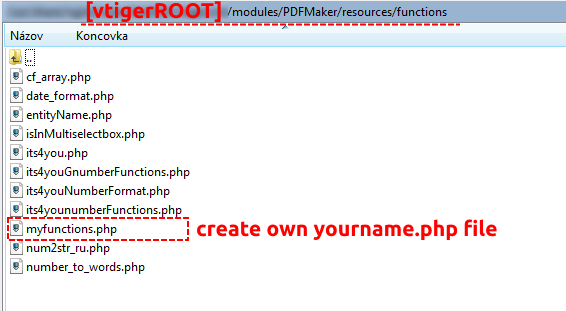
Hello Guys, lot of our customers ask me how to create custom function for PDF Maker or EMAIL Maker. Even thought it is described in our manuals (you can read it here) of these extensions, I will show you it one more time with simple example. First at all, you need to create own .php file because with update of PDF Maker or EMAIL Maker our standard files are re-written and you can lose your function. Please create your new file in: [vtigerROOT]/modules/PDFMaker(EMAILMaker)/resources/functions How to create own custom function At least, your file have to contains <?php You can also copy these lines to your new file: if (!function_exists('nameofyourfunction')) { function nameofyourfunction( ) { ...

Do you want to start your vtiger cron more often instead of default 15 min?

Sometimes, you need to start your cron more often instead of each 15 min. First at all, you need to allow executing of  workflow often. How to allow vtiger workflow more often To allows it please open your config.inc.php and insert there $MINIMUM_CRON_FREQUENCY = your time interval; $MINIMUM_CRON_FREQUENCY = 1; Now, it is possible to set workflow frequency more often. How to allow vtiger workflow more often You did it but workflow still not run more often. How to allow vtiger workflow more often Why? It is because your cron is usually set to execute each 15 min or it was not configured yet. You need to also edit your cron configuration. What is cron? Cron is standard vtiger funcionality. You can read more about cron and how to set cron...

Can’t you see PDF Maker in menu after migration to vtiger 7?

In these days, lot of our customers migrate to vtiger 7. Then install PDF Maker (EMAIL Maker) for vtiger 7 but PDF Maker (EMAIL Maker) is missing in menu. PDF Maker missing in vtiger 7 menu For some reasons installation does not write record into vtiger_app2tab table. To show PDF Maker (EMAIL Maker) in your menu just provide few simple steps: Open your database PDF Maker missing in vtiger 7 menu Click on SQL PDF Maker missing in vtiger 7 menu Copy following queries and execute these queries for PDF Maker set @oId = (select tabid from vtiger_tab Where name = 'PDFMaker' limit 1); set @newSeq = (select max(sequence)+1 from vtiger_app2tab where appname = 'PROJECT' limit 1); insert into vtiger_app2tab (tabid, appname, sequence, visible) values (@oId, 'PROJECT',...