
The Multi SMTP extension offers additional features and ensures compatibility with our other extensions. We will get into the details of each compatible extension in the following topics.
4.1 Compatibility with ITS4You extensions
Multi SMTP is compatible with a few of our extensions.
More information can be found in the sections below for each extension.
So which extensions are compatible with Multi SMTP? See below:
- Email Marketing
- Multi-Company
- PDF Maker
- EMAIL Maker
4.1.1 Email Marketing
Our Multi SMTP extension is as well compatible with our other extensions, one of them is Email Marketing.
This all together works perfectly and it is really easy to setup, no need to adjust lots of settings.

 Note: Once you select a Multi SMTP in the first step of creating Email Marketing campaign, the Multi SMTP values From Name and From Email will be transfered to same Email Marketing fields.
(Default Email Marketing From Name and From Email fields will be hidden if SMTP is selected)
See below how adding SMTP servers/emails works:
Selecting the SMTP in the first step of Email Marketing campaign:
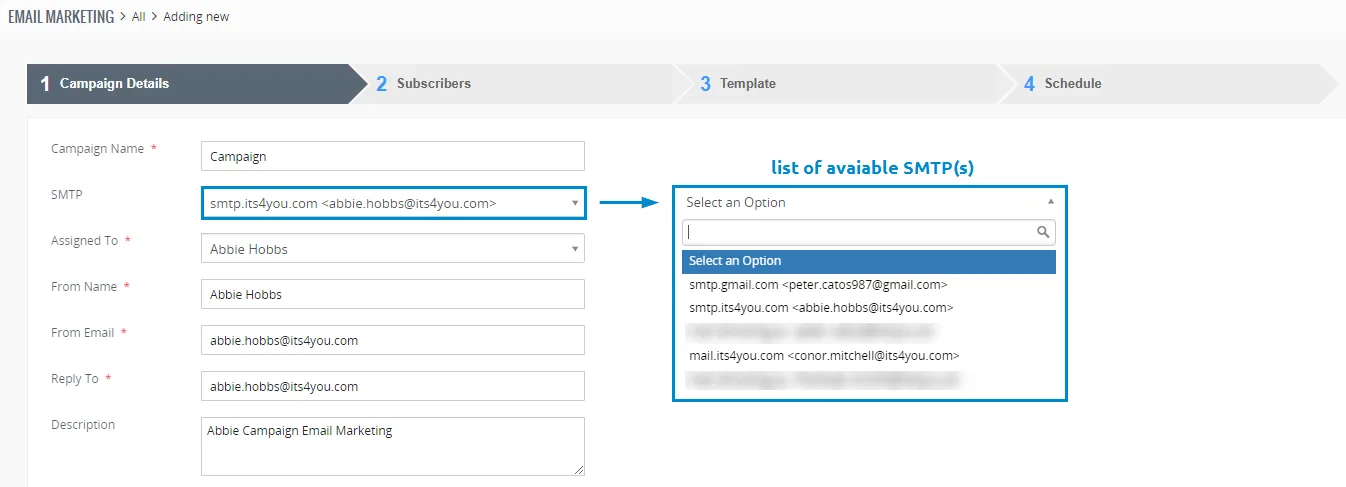
- As mentioned earlier, the Multi SMTP parameters are now loaded for the Email Marketing campaign.
This means fields like From Nameand From Email are loaded from Multi SMTP extension settings. - From Nameand From Email showing in the first step above is ignored and overwritten by Multi SMTP.
- Reply To field normally and should be always filled as mandatory.
4.1.2 Multi - Company
The Multi-Company extension is capable of working in conjunction with Multi SMTP.
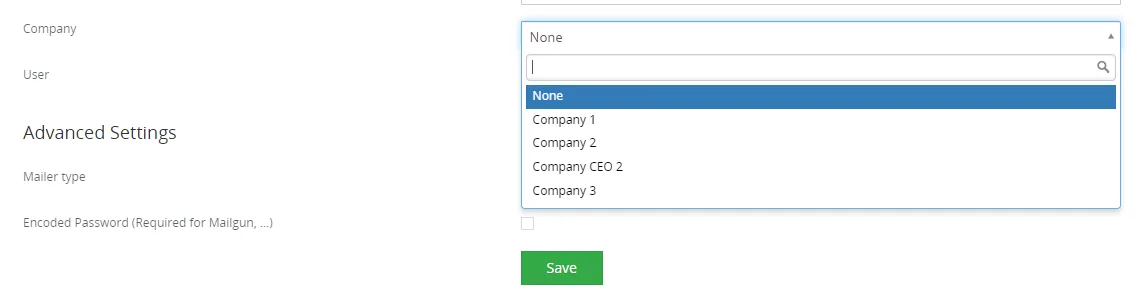
When creating an SMTP, users have the option to select the already created Multi-Company and specific users.
As we know Multi-Company is based on Roles and Users, that’s how the assignment of the records works. This is aswell the same for SMTP.
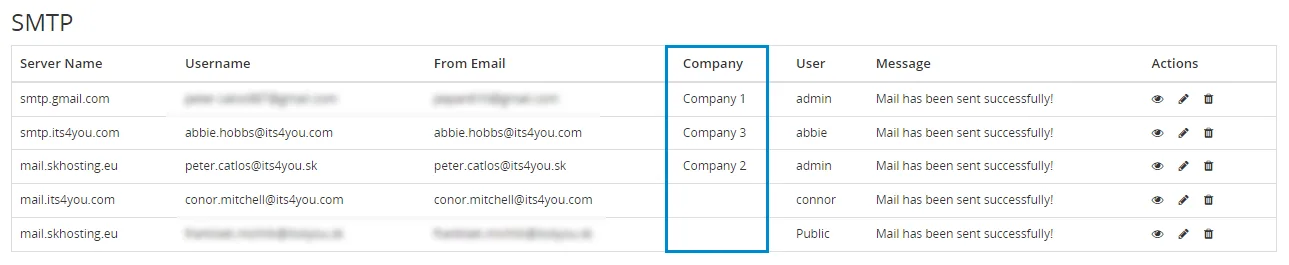
We can explain some situations down below when specific SMTP/s can be selected:
(MC – Multi Company)

SMTP 1 is assigned to MC 1 and User 1 – User 1 can only see his assigned SMTP 1 and can’t see User 2 SMTP

SMTP 2 is assigned to MC 2 and User 2 – User 2 can only see his assigned SMTP 2 and can’t see User 1 SMTP

SMTP 3 is assigned to MC 3 but is Public – Shows the SMTP 3 to all Users which belong to Company 3 (Users which have the same role as MC 3), but only user which is Assigned to MC 3 can edit SMTP 3

SMTP 4 is not assigned to any MC and it is Public – SMTP 4 can be used by all users as it is defined as a Public, but can be edited only by Admin
4.1.3 PDF Maker
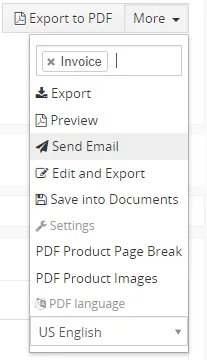
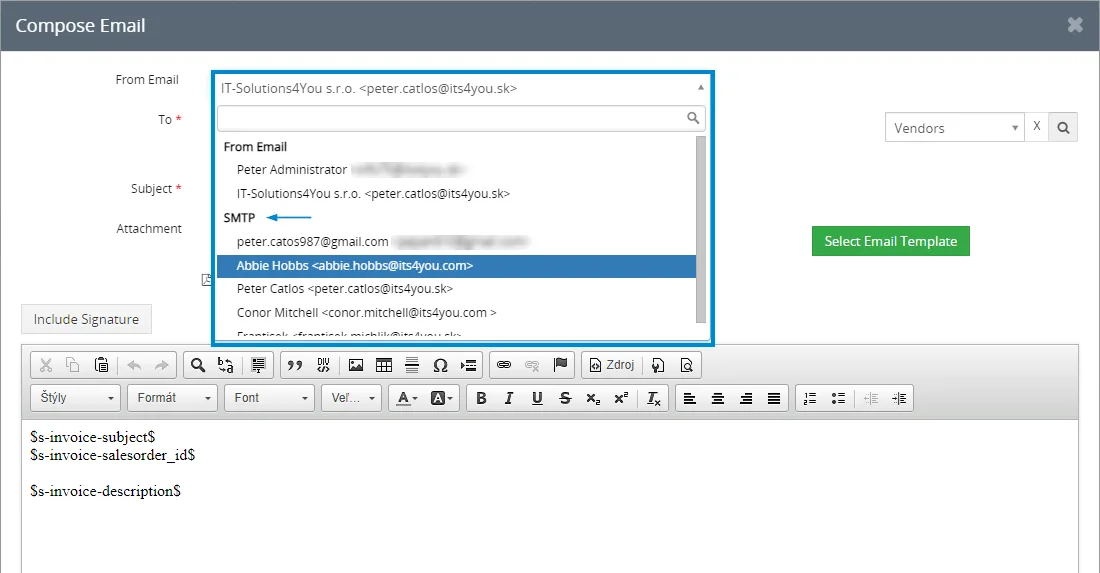
When utilizing the Send Email function to send emails, PDF Maker has the capability to utilize SMTP as well. We have the option to select either standard default Emails or our own SMTPs for the From Email.
4.1.4 EMAIL Maker
Just like PDF Maker, EMAIL Maker also has the ability to utilize SMTP.
When using the EMAILMaker button to send emails, we can choose between standard default Emails or our own SMTPs for the From Email.
Everything else remains the same as in PDF Maker, with the only difference being that we are sending emails via  button in the Detail view or via Actions in the List view.
Need help with Multi SMTP?
Our support team answers questions about installation, templates and settings.