

4.1 Create Credit Note from Invoice
The mostly way to create Credit Note, is generate Credit Notes from existing Invoice. To create Credit Note from Invoice you have to provide following steps:
- Go to Invoice ListView and choose an Invoice

Create Credit Note from Invoice – Credit Notes 4 You Vtiger 7 - Click on button

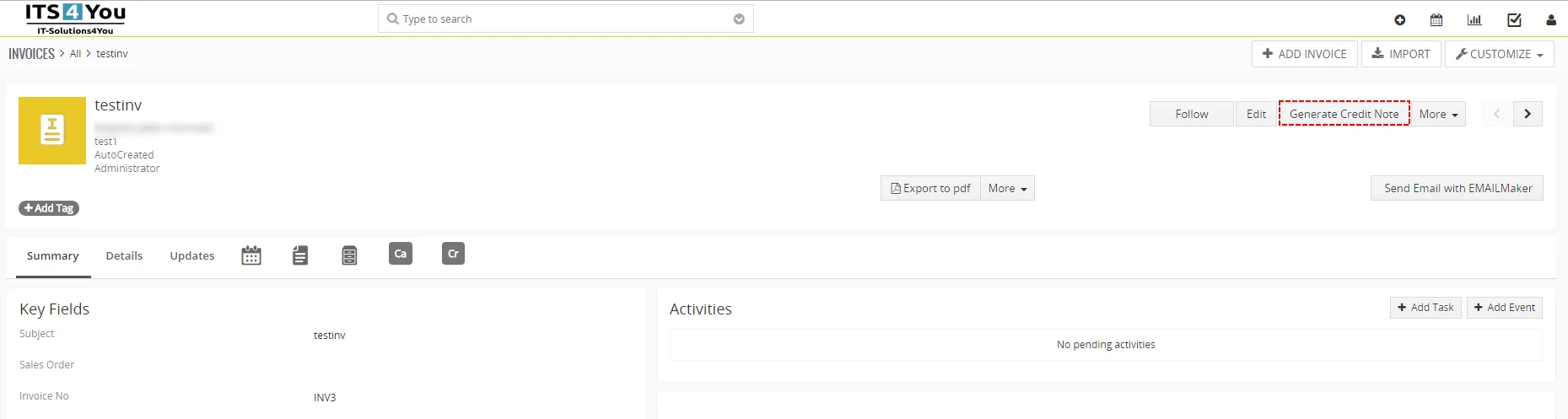
Create Credit Note from Invoice – Credit Notes 4 You Vtiger 7 - In appeared window please specify Credit Note details according to your needs and click on
 button
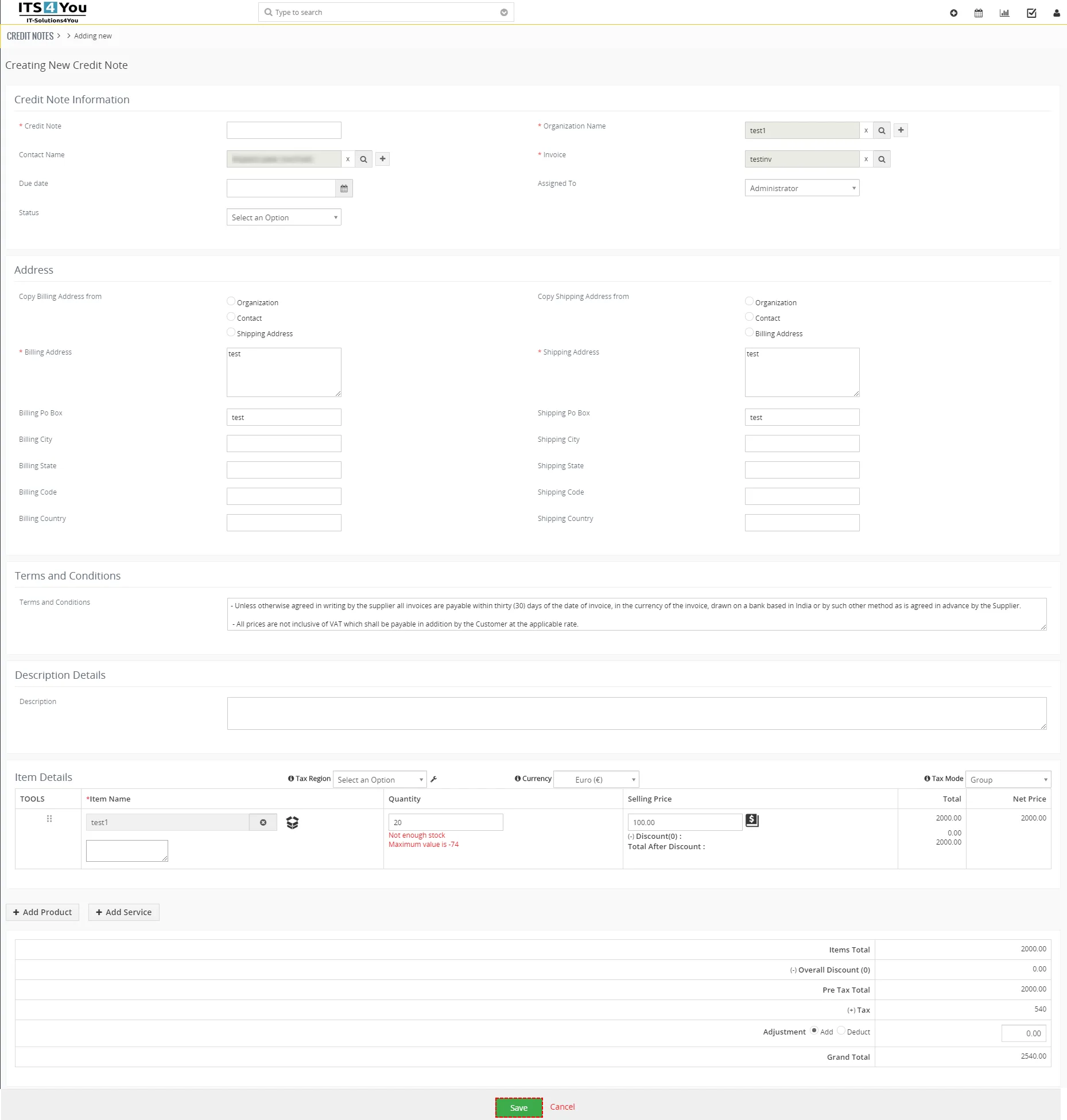
Create Credit Note from Invoice – Credit Notes 4 You Vtiger 7
4.2 Create new Credit Note
Alternately, you can create new Credit Note by using  button. To create Credit Note of Credit Notes please provide following steps:
- Click on button

Create Credit Note – Credit Notes 4 You Vtiger 7 - In appeared window please specify credit note details according to your needs
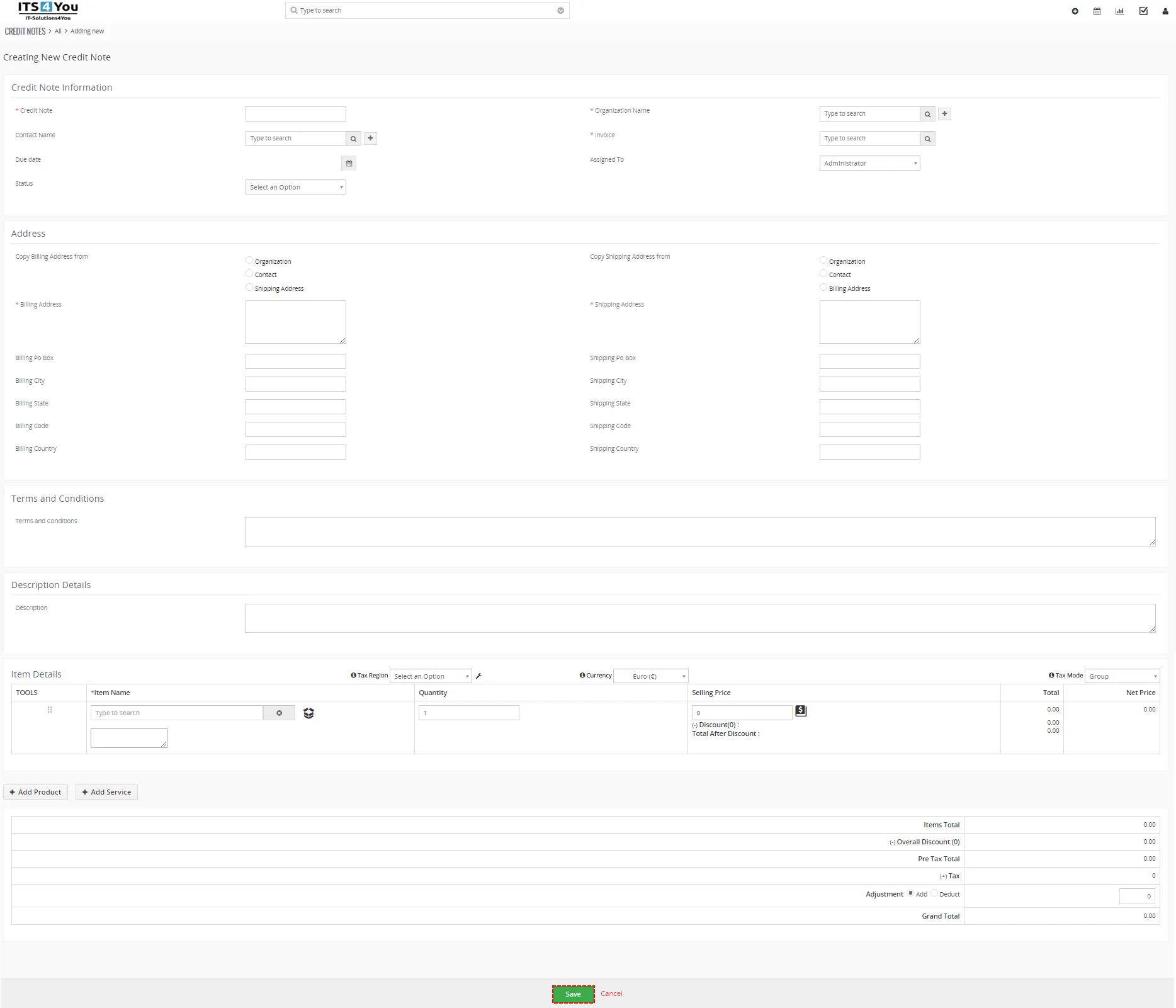
Create Credit Note – Credit Notes 4 You Vtiger 7 - Click on button
Need help with Credit Notes?
Our support team answers questions about installation, templates and settings.