
Please provide following steps in order to install Process Flow
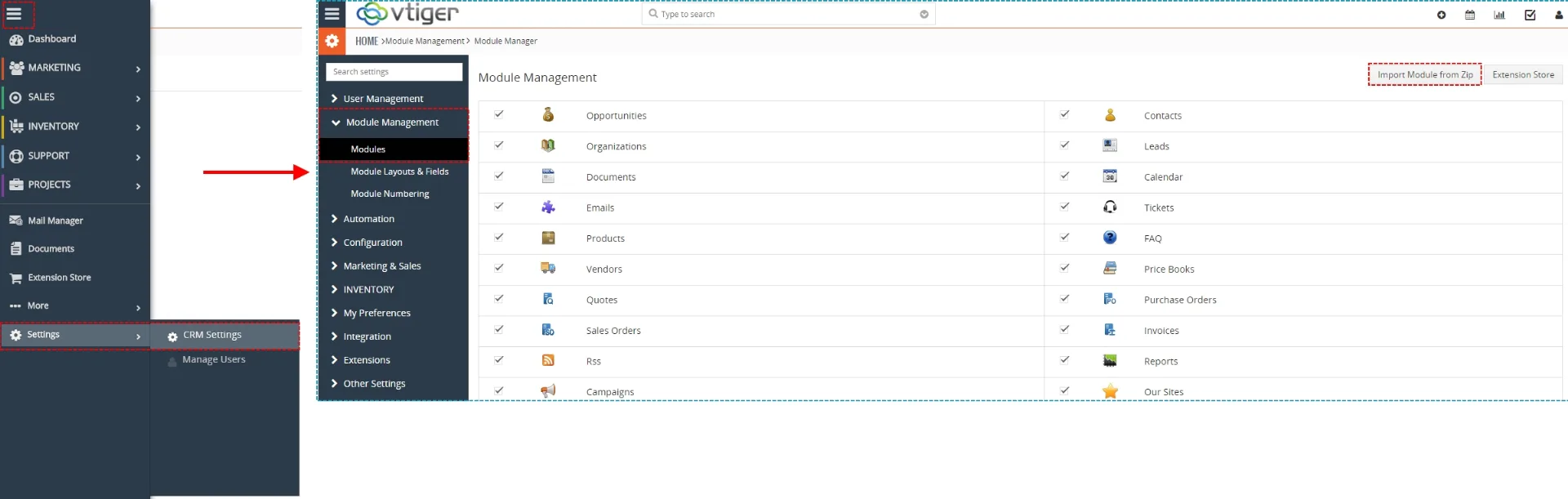
- Install the .zip (package) file of the Process Flow 4 You module via Setting -> CRM Settings -> Module Management -> Modules. Click on the Import Module from Zip.
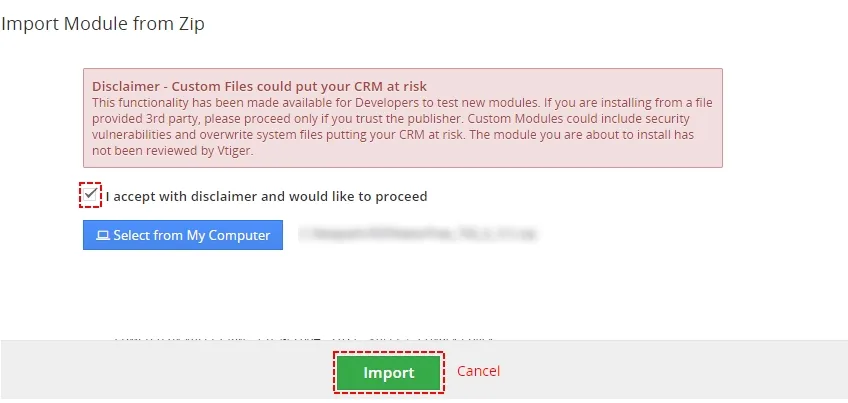
Installation step 1 -Process Flow 4 You Vtiger 7 - Select the .zip (package) file that you downloaded from our shop. Please check that you accepted the disclaimer and would like to proceed. Click on the [Import] button.
Installation step 2 – Process Flow 4 You Vtiger 7  Note: If you have after this step error message: Sorry! Attempt to access restricted file. Please check if folder test/vlib has correct write permission for browser (apache, www-data).
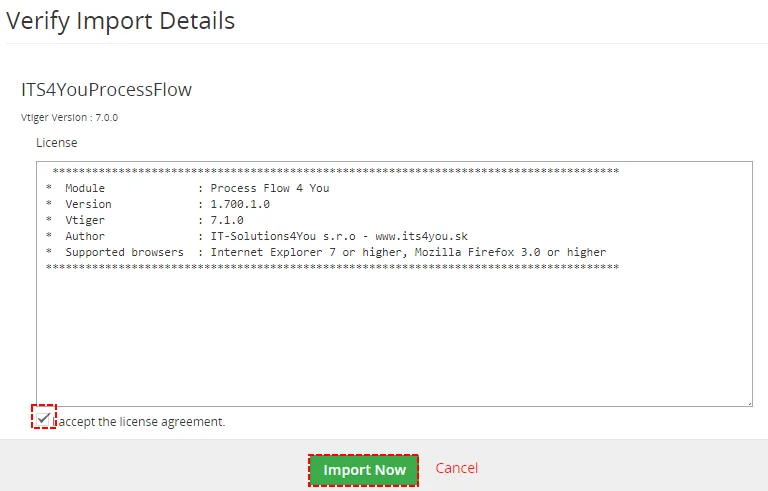
- Verify the import details parsed from the .zip (package) file. Please check that you accepted the license agreement and click [Import Now] to proceed or [Cancel] to cancel.
Installation step 3 – Process Flow 4 You Vtiger 7 - Process Flow 4 You was imported

Installation step 4 – Process Flow 4 You Vtiger 7
Need help with Process Flow?
Our support team answers questions about installation, templates and settings.