

Work area of Process Flow 4 You consists of:
- DefaultView – shows modules for which you can edit/add Process Flow. Simply click on desired module and you will be redirected to DetailView.
- DetailView – shows already created Process Flow in details. You can switch to EditView, add Actions and Add Related Process Flow.
- EditView – allows the preparation of the new Process or editing existing process.
5.1 DefaultView
Go to Setting → Other Setting → Process Flowand Process Flow 4 You DefaultView will appear on your screen.
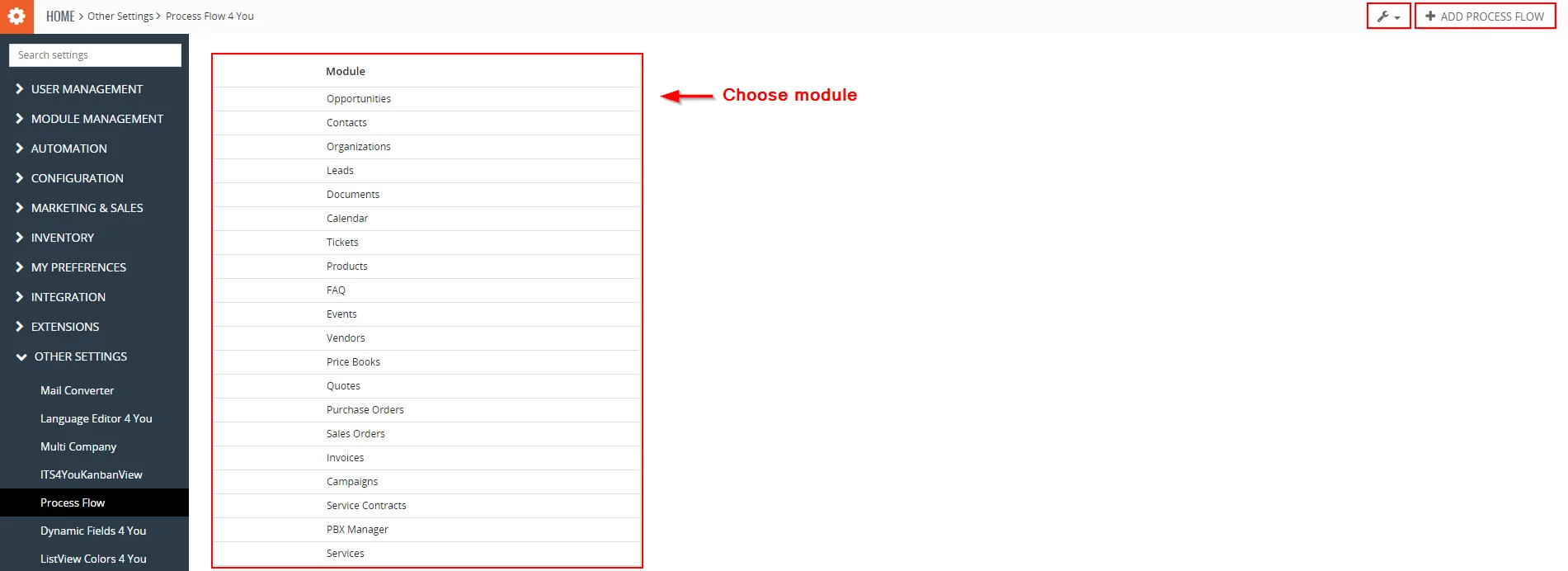
The main part of the Process Flow 4 You DefaultView is showing list of modules you can choose to create Process Flow. When you click on desired module you will be redirected to DetailView.
 – Upgrade and Uninstall options
 – Add new Process Flow

- List of available modules
5.2 DetailView
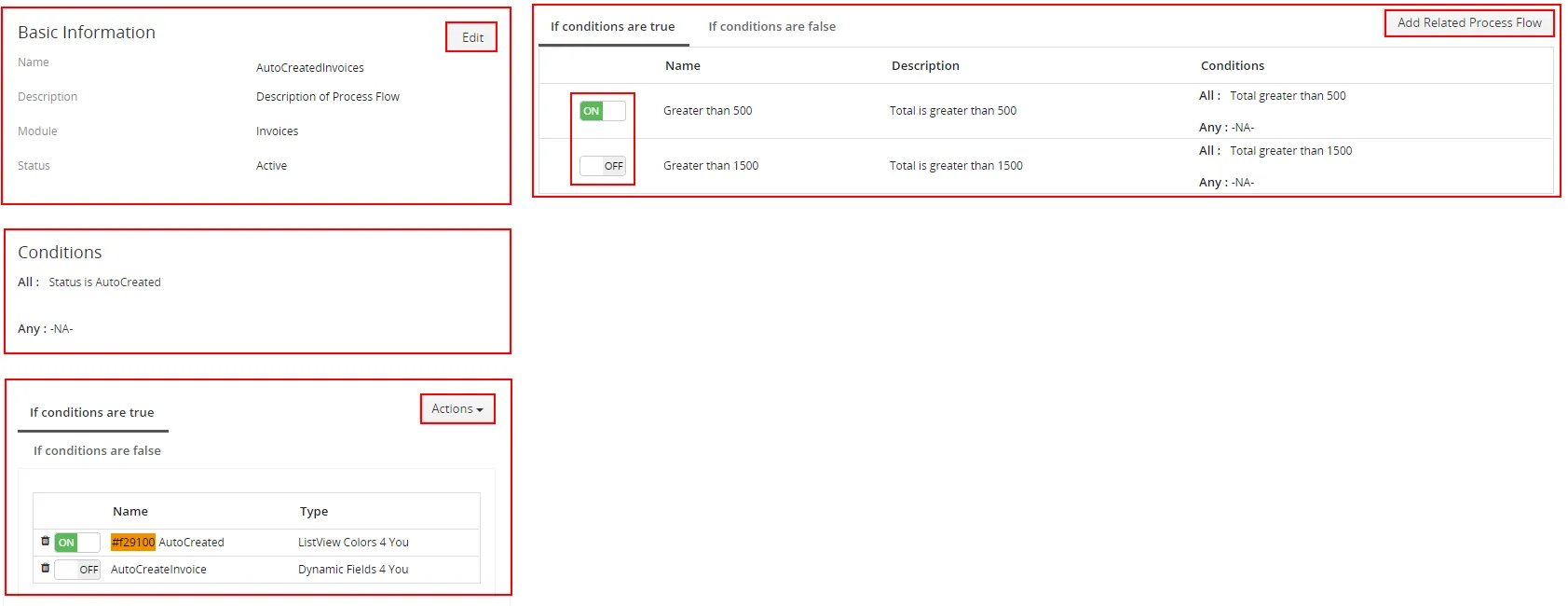
When you choose module on DefaultView you can create Primary Process Flow ( see picture below) and then create Related Process Flow.

Related Process Flow The DetailView consists of:
- Basic information of Process Flow – contains of Name, Description, Module and Status information
- Conditions part – list of conditions
- Actions part – actions provided if conditions are true or false
- List of related Process Flow – list of related Process Flow which are executed if Primary Process Flow is true or false
- Buttons part
 – switch to EditView
 – add related Process Flow
 – create or select Action of Process Flow
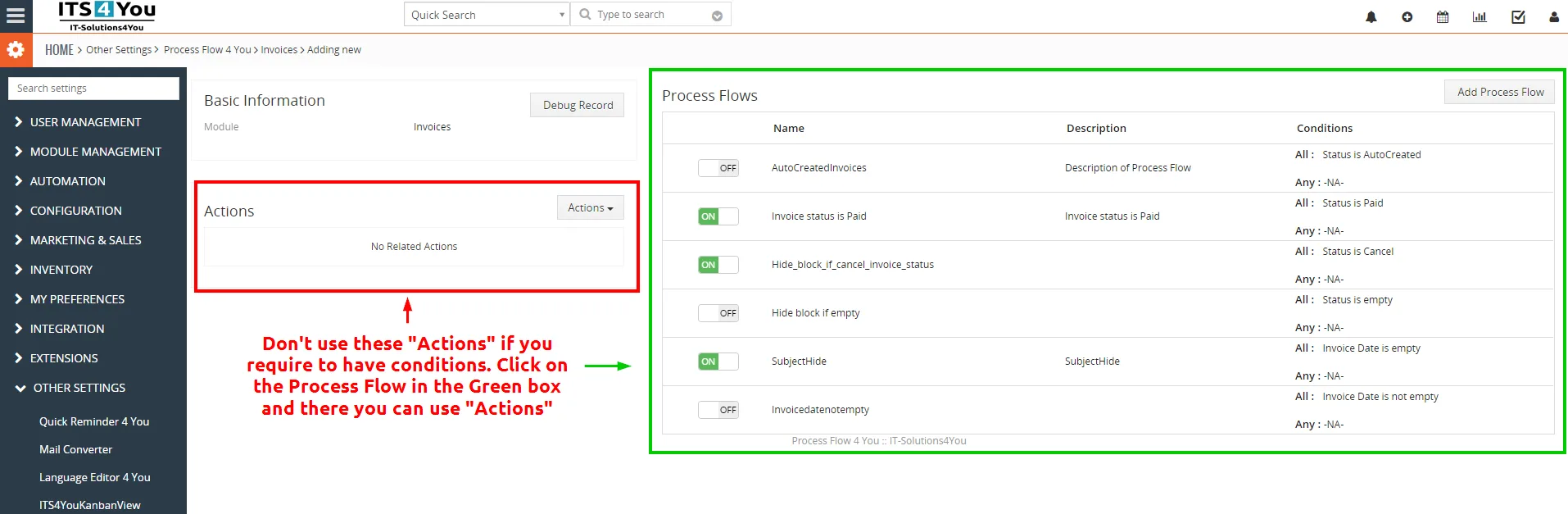
 Note: Using “Actions” in the default view when you select the module in the Process Flow will apply for example ListView Colors for all values as these don’t have conditions.
If you plan to have conditions (mostly you do) then you need to click on  and there select if you need Dynamic Fields or ListView colors and also set the Conditions.
5.3 EditView
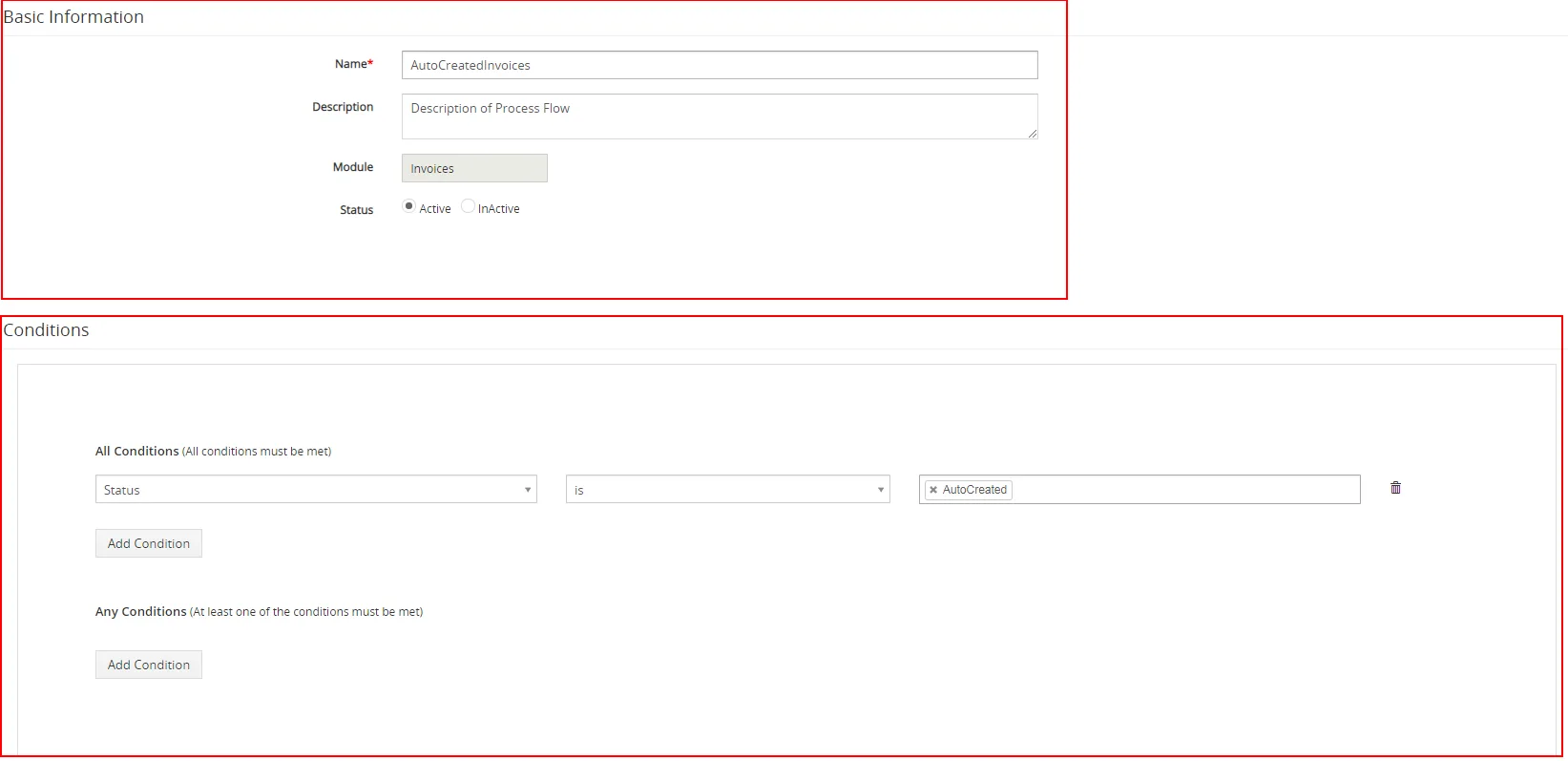
The EditView shown in the picture below allows the preparation of the new Process Flow or editing existing Process Flow. The EditView is divided into two parts:
- Basic Process Flow Information
- Conditions part
Need help with Process Flow?
Our support team answers questions about installation, templates and settings.