

This chapter describes a few of an uncountable set of usage examples in a simple way, i.e. how to define fields, filter and set up a calculation.
7.1 The Annual revenue per Organization for current Fiscal Year
In this example the annual revenue is calculated per organization and result is written to already existing Vtiger organization module field “Annual Revenue”.
- Select target module, Organizations
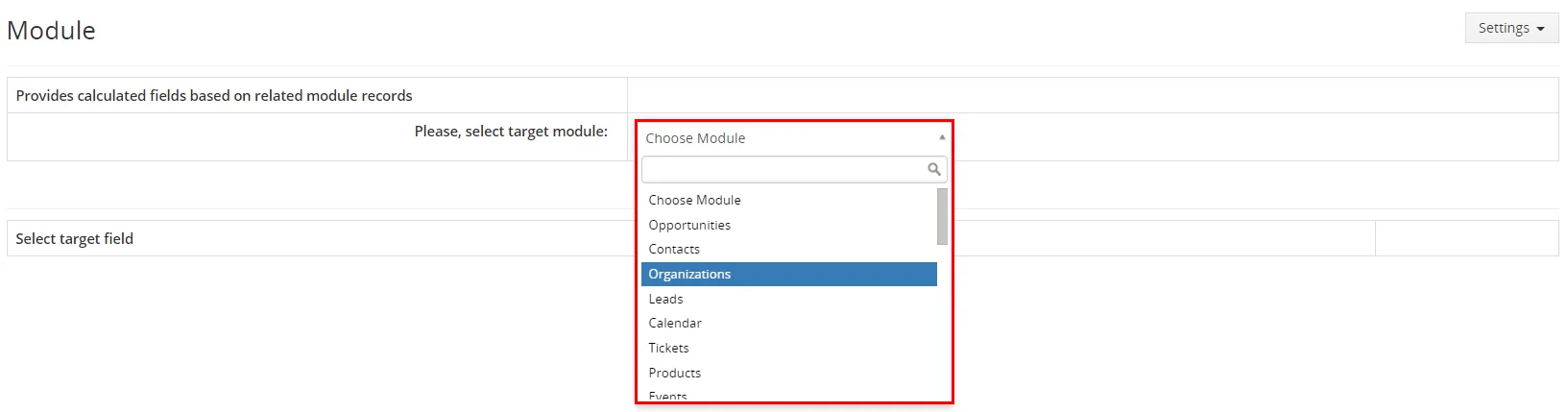
Example step 1 - Select target field “Annual Revenue”

Example step 2 - Select related module “Invoice”
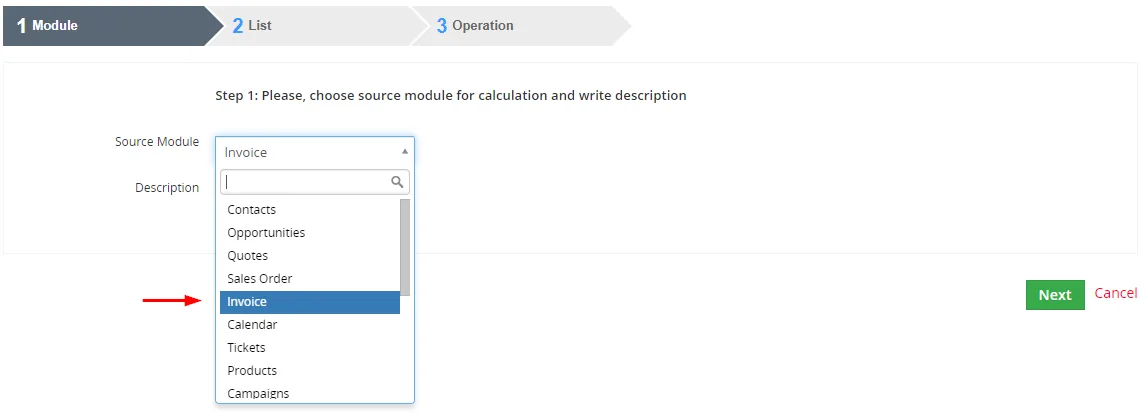
Example step 3 - In order to achieve this we need to create custom view/filter in the related module Invoice
To define that you would like to see only invoices from Current FY and in addition only Paid invoices as seen below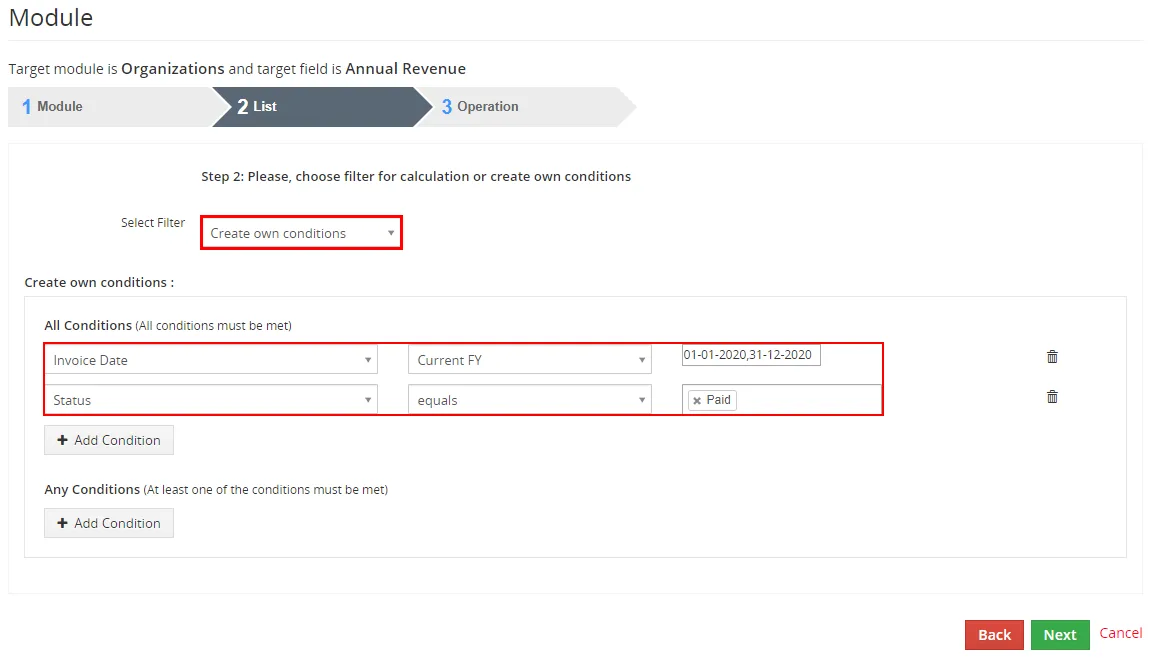
Example step 4 - Select operation “SUM”
- Select column/related field “Total”
- Click on
 button
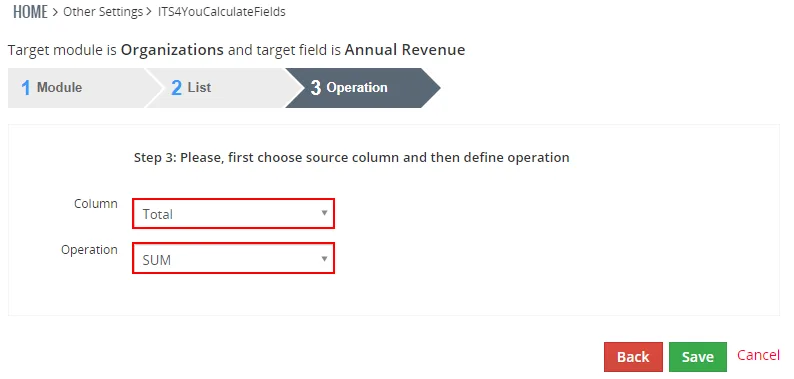
Example steps 5, 6, 7
Some examples of possible modifications:
- Change the period of interest using standard filter.
- Change the advanced filter to see not paid invoices, etc.
- Change the operation to see average revenue per invoice or to see the count of the invoices.
7.2 Our Tip for You
When you create a Field that is calculated by Calculate Fields, good option is to have this Field as Read Only.
How to make field as Read Only:
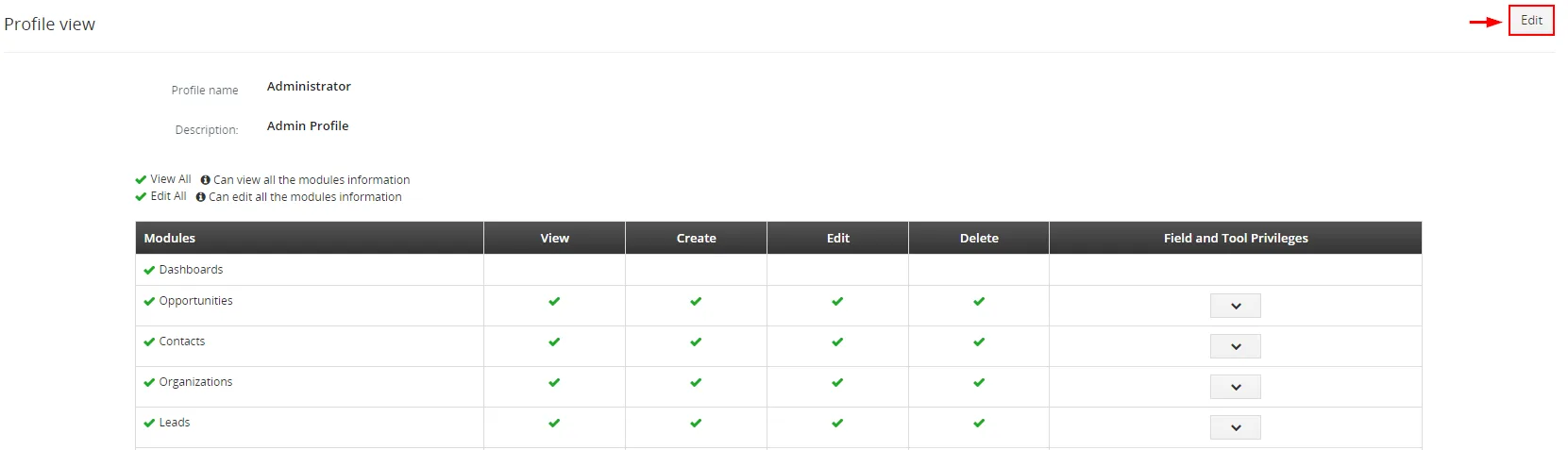
- Go to Menu – CRM Settings – User Management – Profiles
Choose Profile you want to change by clicking on name of the profile
Tip - Now, please click on
 button
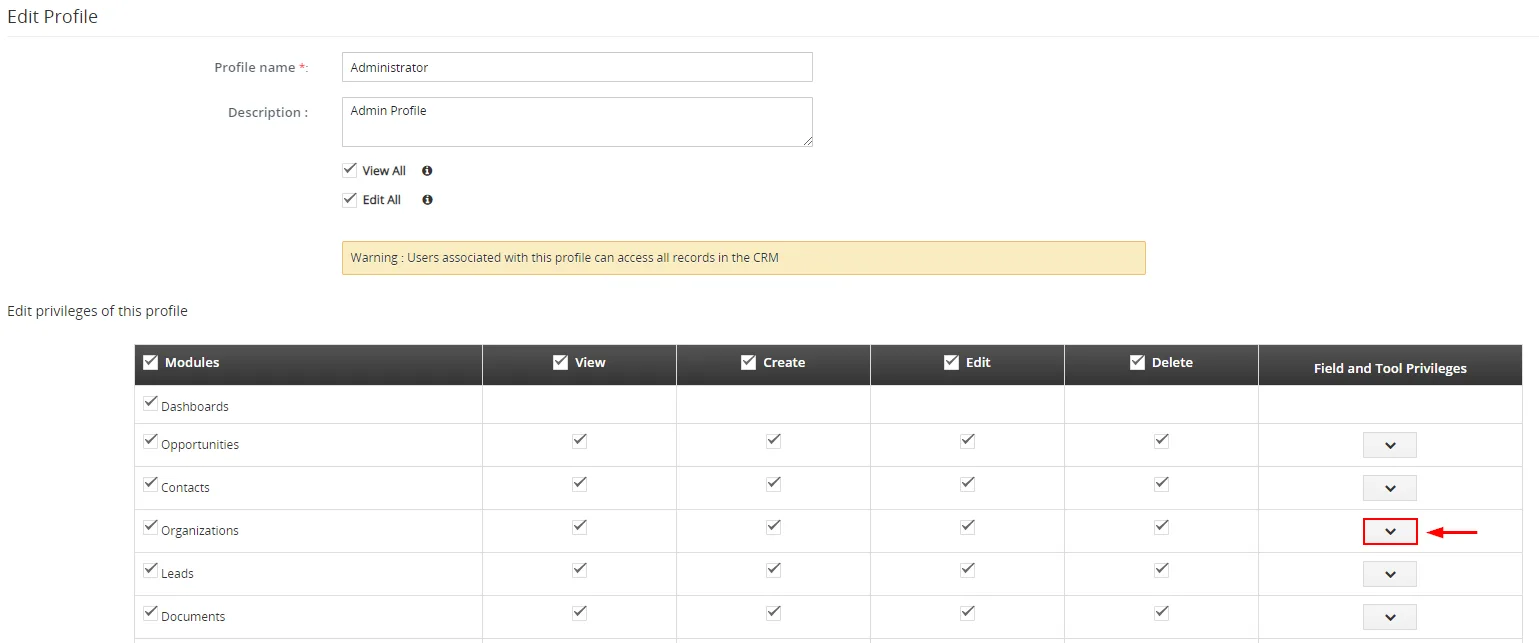
Tip - Next, find your module and click on

Tip - Find your Field(s), set to Read Only and save it by using button
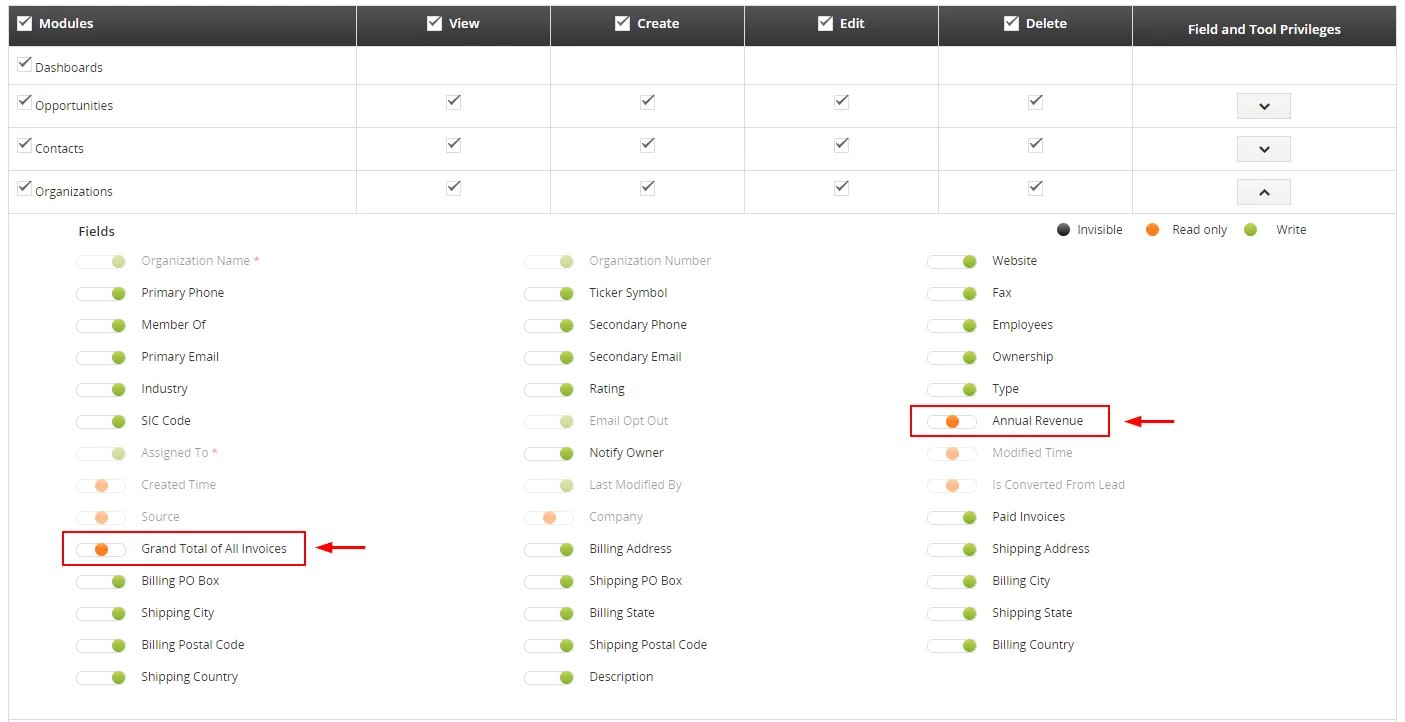
Tip Now, your Field(s) is(are) protected.
Need help with Calculate Fields?
Our support team answers questions about installation, templates and settings.