

6.1 Support of PDF Maker
The PDF Maker is extension tool designed by ITS4You for vtiger CRM. It is powerful and flexible tool which allows users of vtiger CRM to create own pdf templates.
Before creating PDF file you need to create template of PDF Maker. To create template please check manual for PDF Maker: www.it-solutions4you.com/manuals/vtiger7/pdfmaker
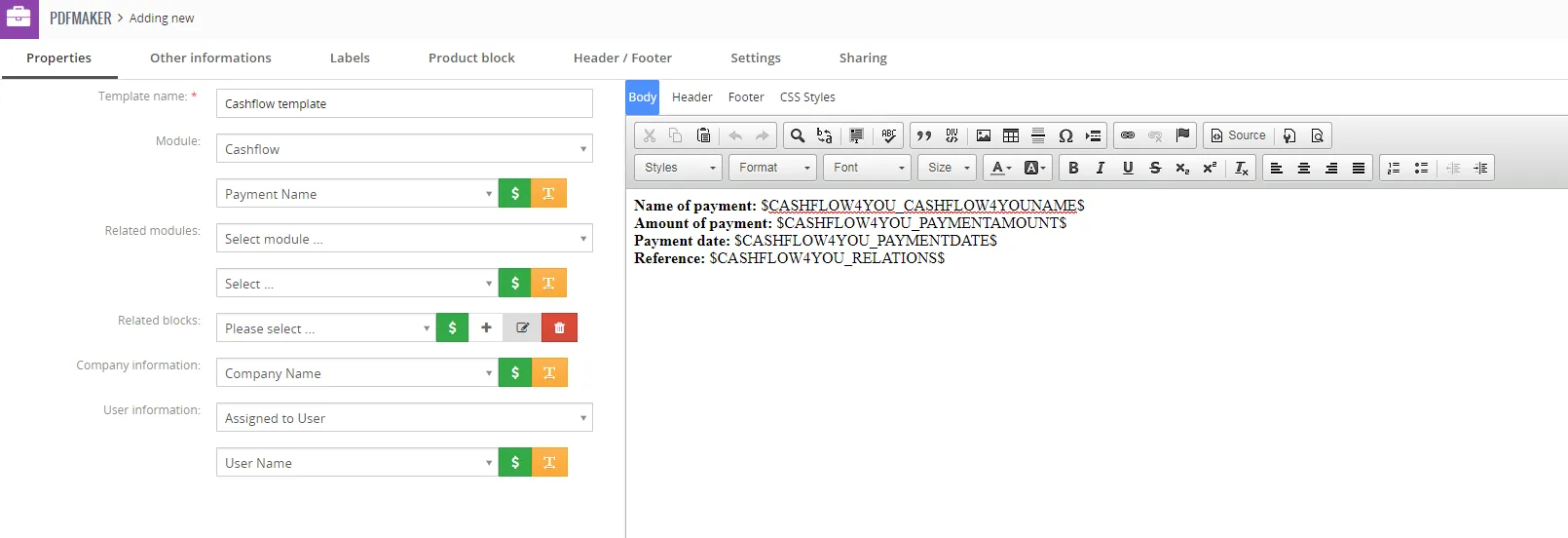
You are able to export PDF from DetailView/ListView of Cashflow.
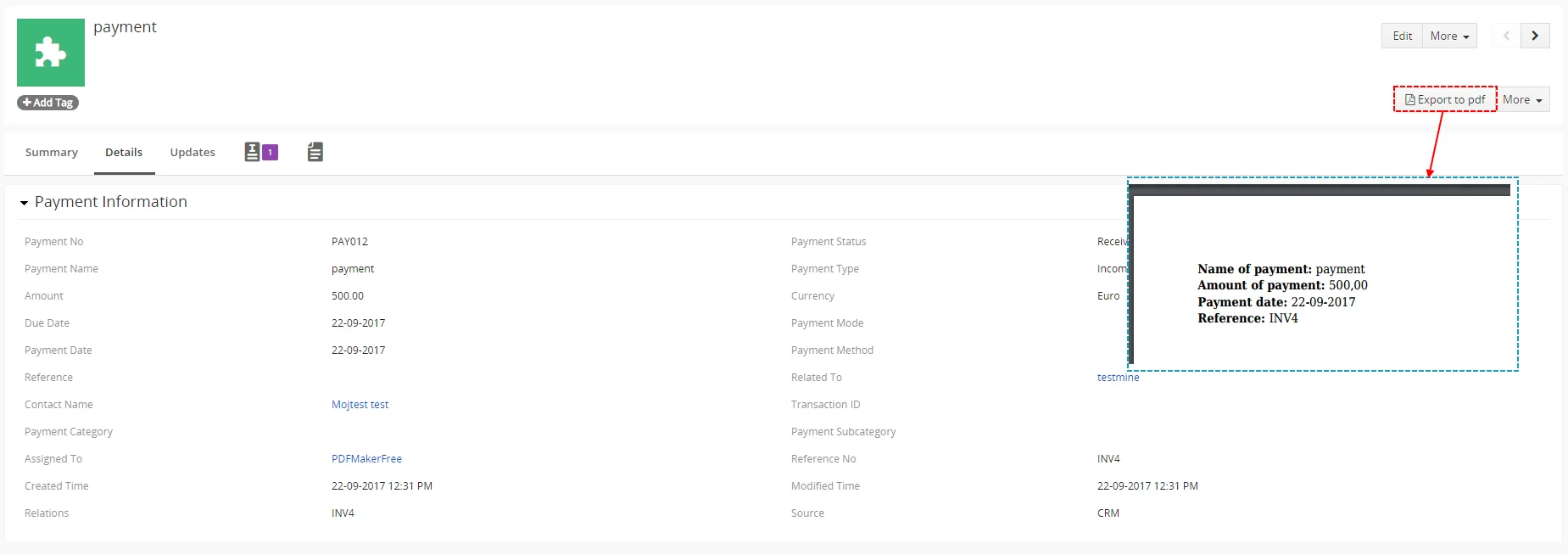
Note: Please check also: 6.2 Correction showing Cashflow Information block values in PDF Maker.
6.2 Support of Document module
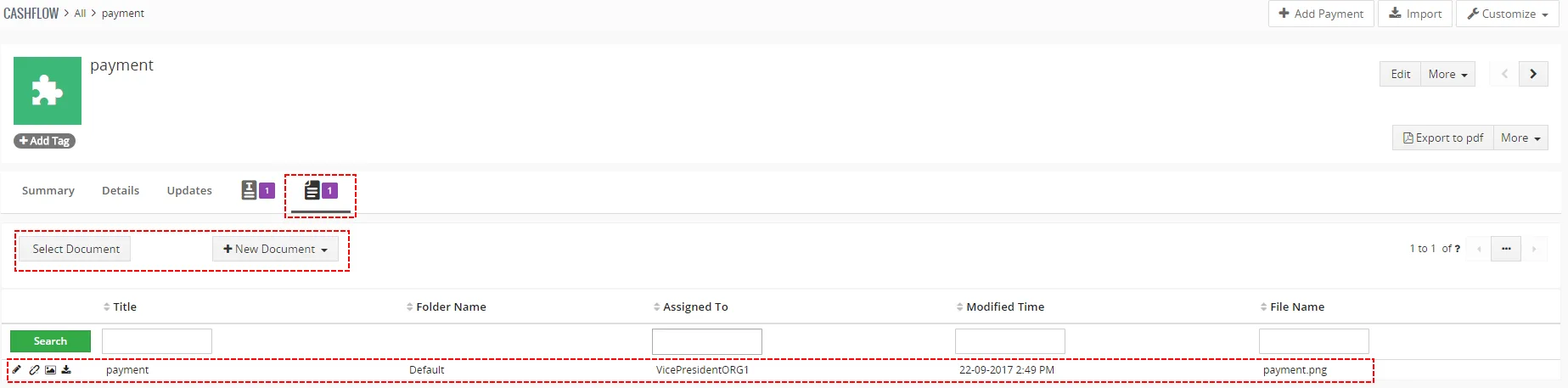
The Cashflow4You allows you to attach the documents to payments. It can be simply done using buttons  and
 in the DetailView of Cashflow.
6.3 Invoice status changes
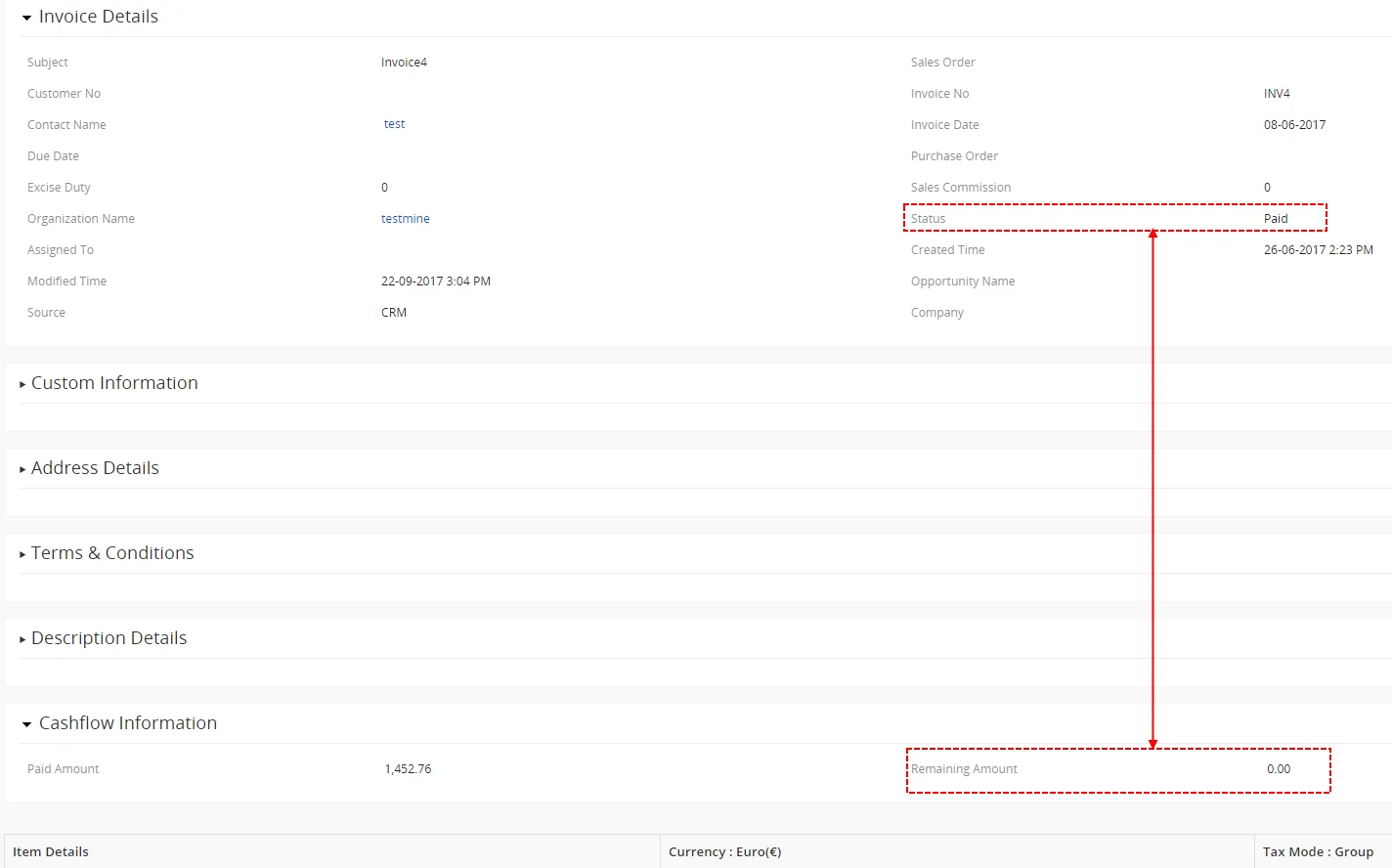
As already mentioned, in the module Invoice the new tab Cashflow information is introduced with field Remaining Amount. Status of the invoice is automatically changed based on value of Remaining Amount:
- PAID – when Remaining Amount = 0
- CREATED – when Remaining Amount > 0 ; for example also in case the payment is remove, change amount of payment etc.
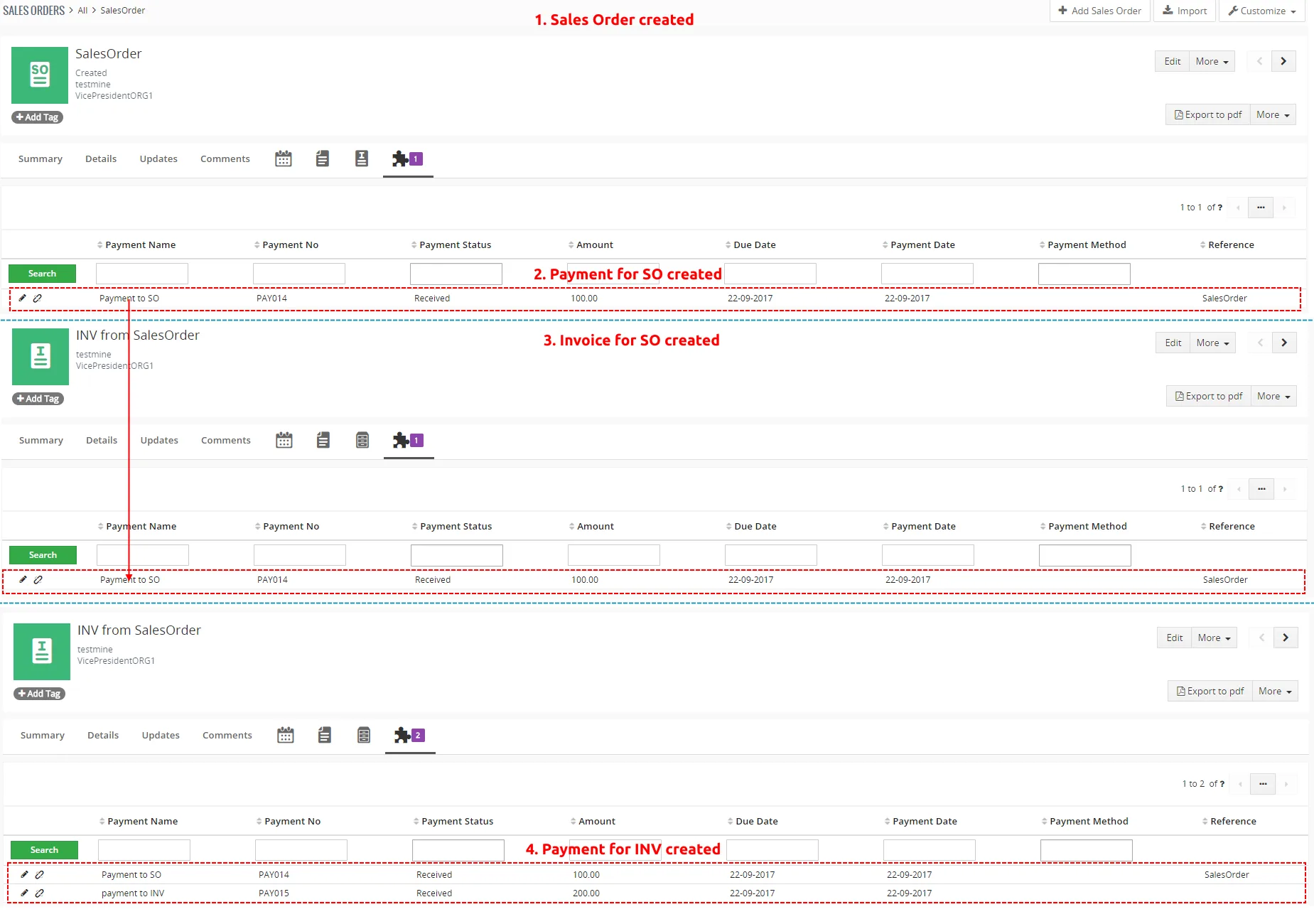
6.4 SO – payment – INV – payment scenario
It is also supported inside Cashflow4You to monitor and take into account the payments done within Sales Order to related Invoice.
Need help with Cashflow?
Our support team answers questions about installation, templates and settings.