

8.1 Correction showing Cashflow Information block values in Reports
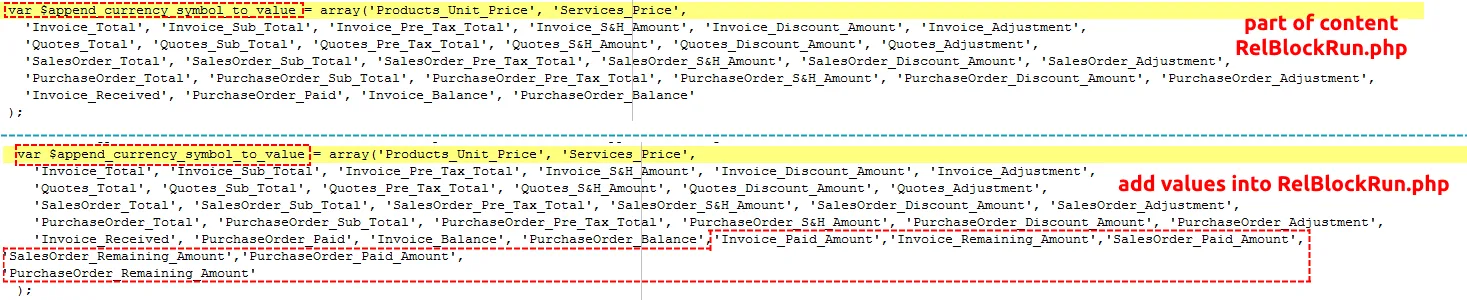
If you want to show values from Cashflow Information block in Reports you need to do some changes in vTiger source code. Please provide following steps.
- open file modules\Reports\ReportRun.php
- find value var $append_currency_symbol_to_value
- add this all:
,’Invoice_Paid_Amount’,’Invoice_Remaining_Amount’,’SalesOrder_Paid_Amount’,
‘SalesOrder_Remaining_Amount’,’PurchaseOrder_Paid_Amount’,
‘PurchaseOrder_Remaining_Amount’
into var $append_currency_symbol_to_value
8.2 Nicer formatting of Cashflow ListView values
Would you like to have formatting like on following picture?
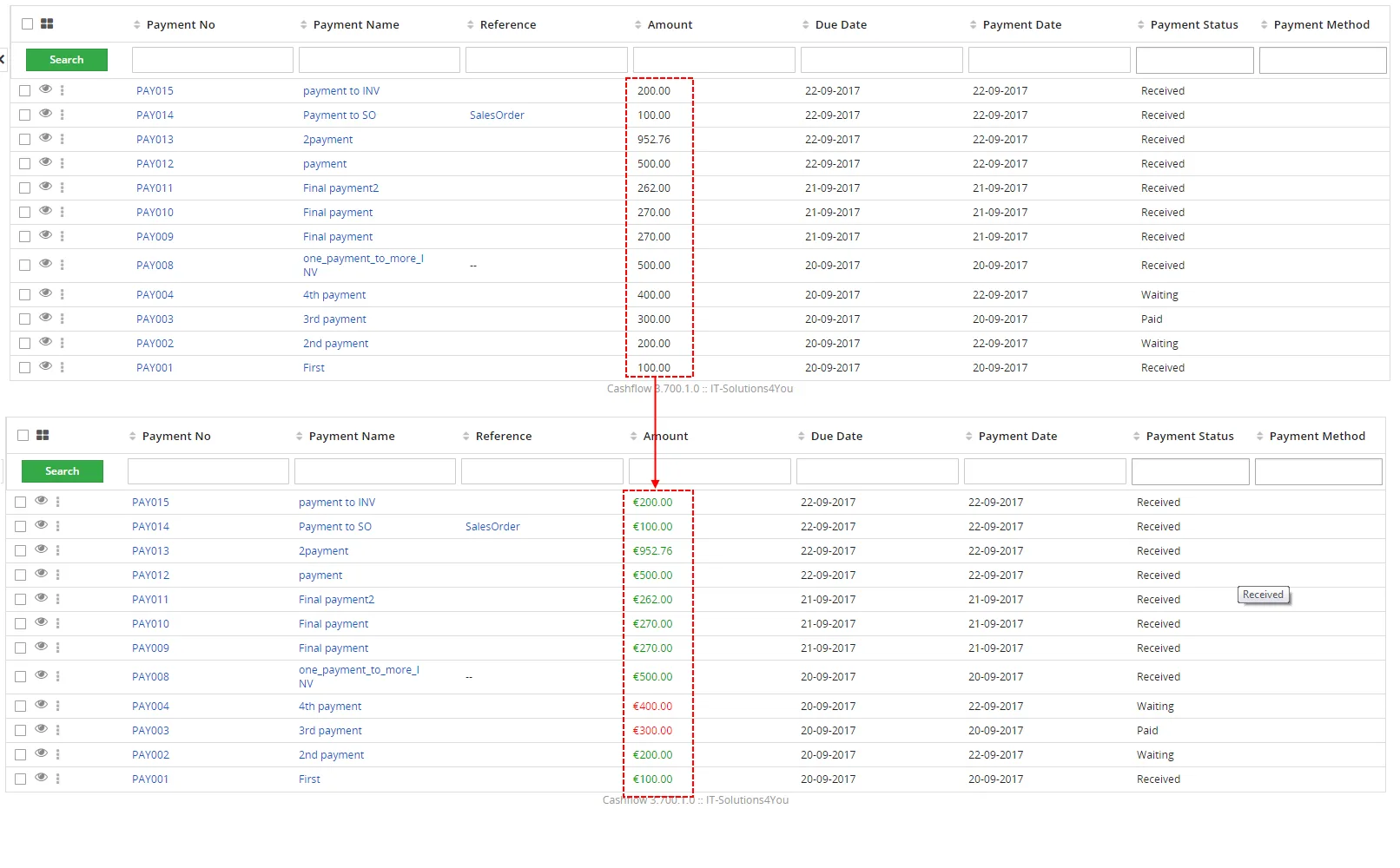
Please provide next step
1. Provide SQL commands:
UPDATE `vtiger_field` SET `uitype`= '72' WHERE `tablename`= 'its4you_cashflow4you' AND `columnname`= 'paymentamount'
UPDATE `vtiger_field` SET `uitype`= '72' WHERE `tablename`= 'its4you_cashflow4you' AND `columnname`= 'vat_amount'
UPDATE `vtiger_field` SET `uitype`= '72' WHERE `tablename`= 'its4you_cashflow4you' AND `columnname`= 'total_without_vat'
Need help with Cashflow?
Our support team answers questions about installation, templates and settings.