

The upgrade of the module is initiated manually or via our Installer.
Updating via Installer:
- open the Installer in the CRM
- in the Modules tab find your installed module and you should see the
 button available
- If the new version is available, you will be notified via Installer Notifications icon

Updating Cashflow manually:
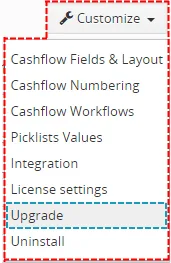
Click on Upgrade link in list view of Cashflow. So please refer to above installation part for details how to initiate the import of the module from the file.
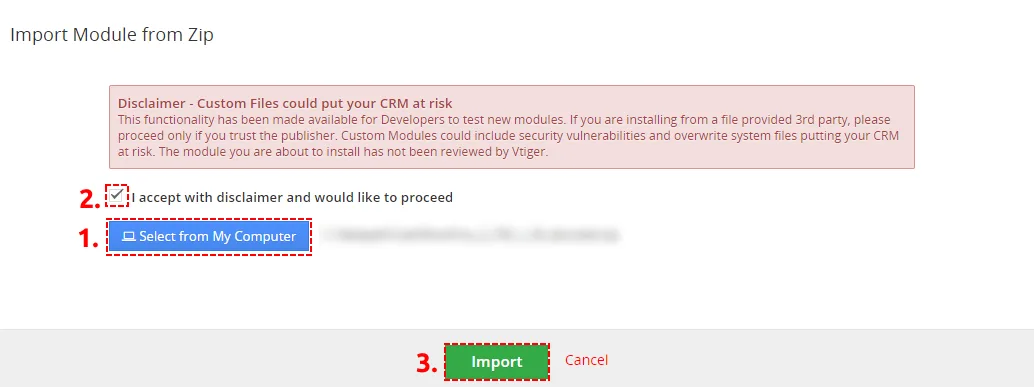
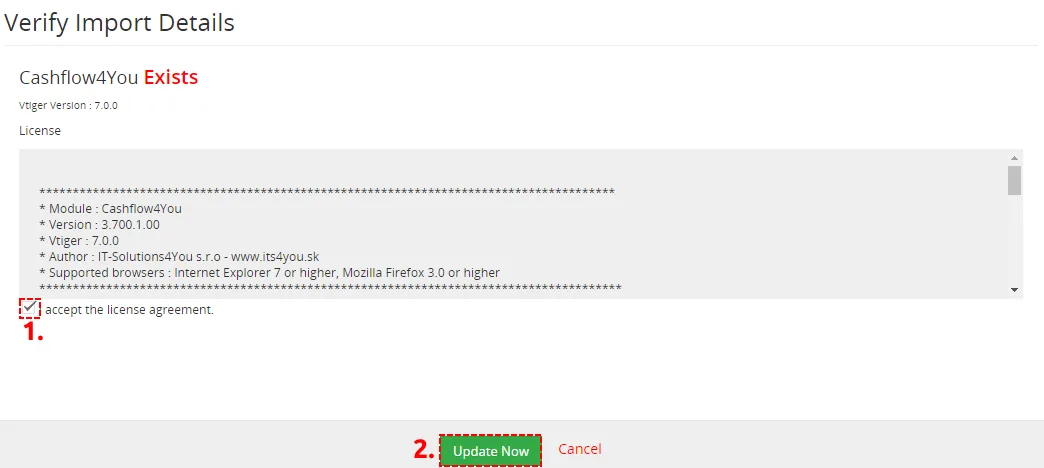
As you can be seen on the Picture below you will be notified that the Cashflow module already exists. Confirm License agreement and upgrade will start immediately when you click on the  button.
After upgrade the notification about successful upgrade is shown.
Need help with Cashflow?
Our support team answers questions about installation, templates and settings.