

8.1 Show converted Leads
As you may know, converted Leads are no more shown in your Vtiger CRM. But for lot of customer it is important to see these Leads. With Reports 4 You you have option to show these Leads or no. It is really up to you. Since 7.1.1lead version is default filter for Leads module “Converted [None] Yes”:
 .
Now, you have 3 options of making your Report:
- Report of not converted Leads – instead of “None” please use condition: not equal to
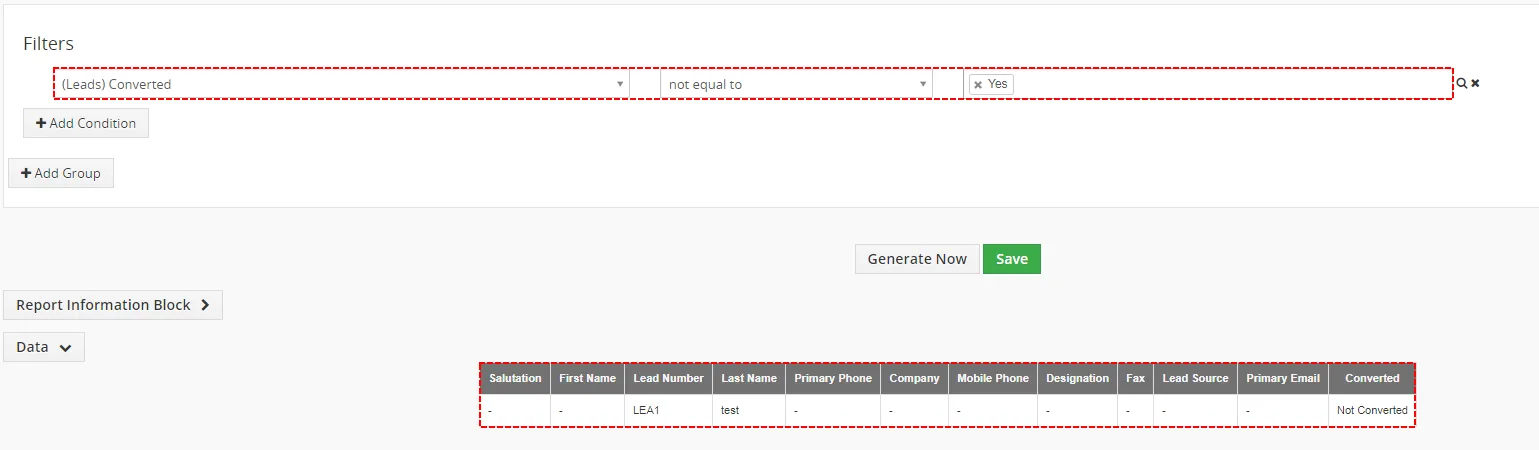
Report of not converted Leads – Reports 4 You Vtiger 7 - Report of converted Leads– instead “None” please use condition: equals
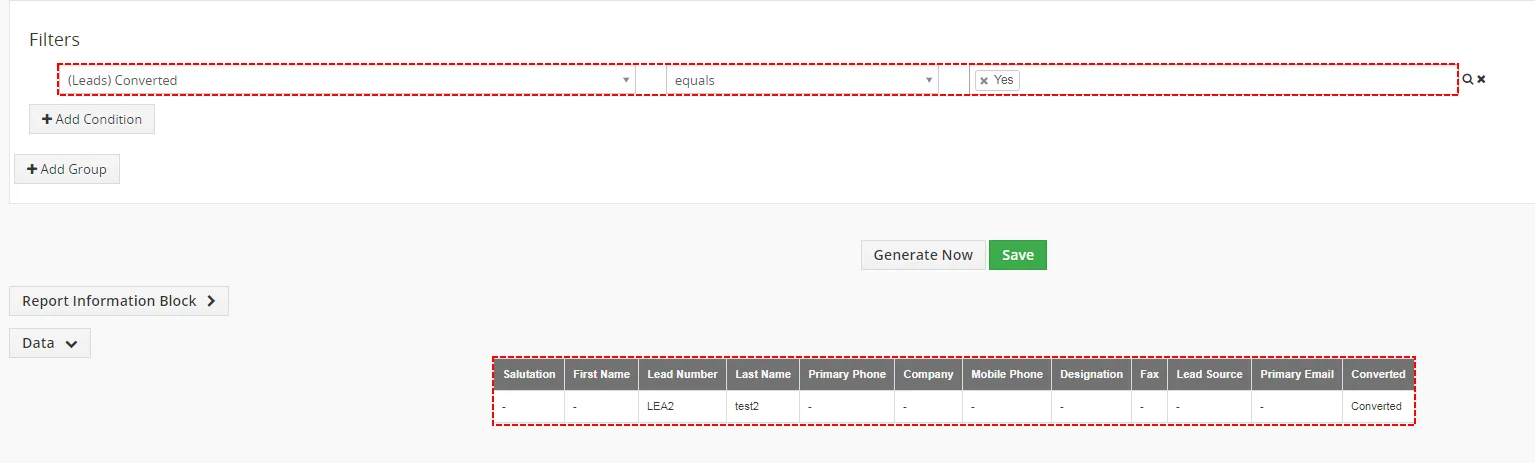
Report of converted Leads – Reports 4 You Vtiger 7 - Report of all Leads– remove please this filter
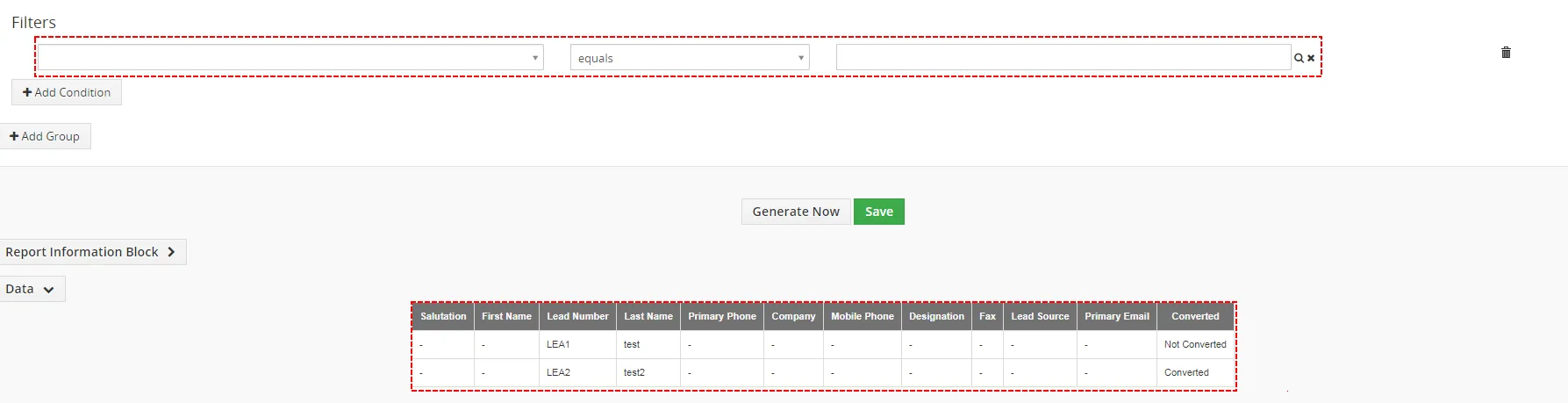
Report of all Leads – Reports 4 You Vtiger 7
8.2 Report based on Multi Company
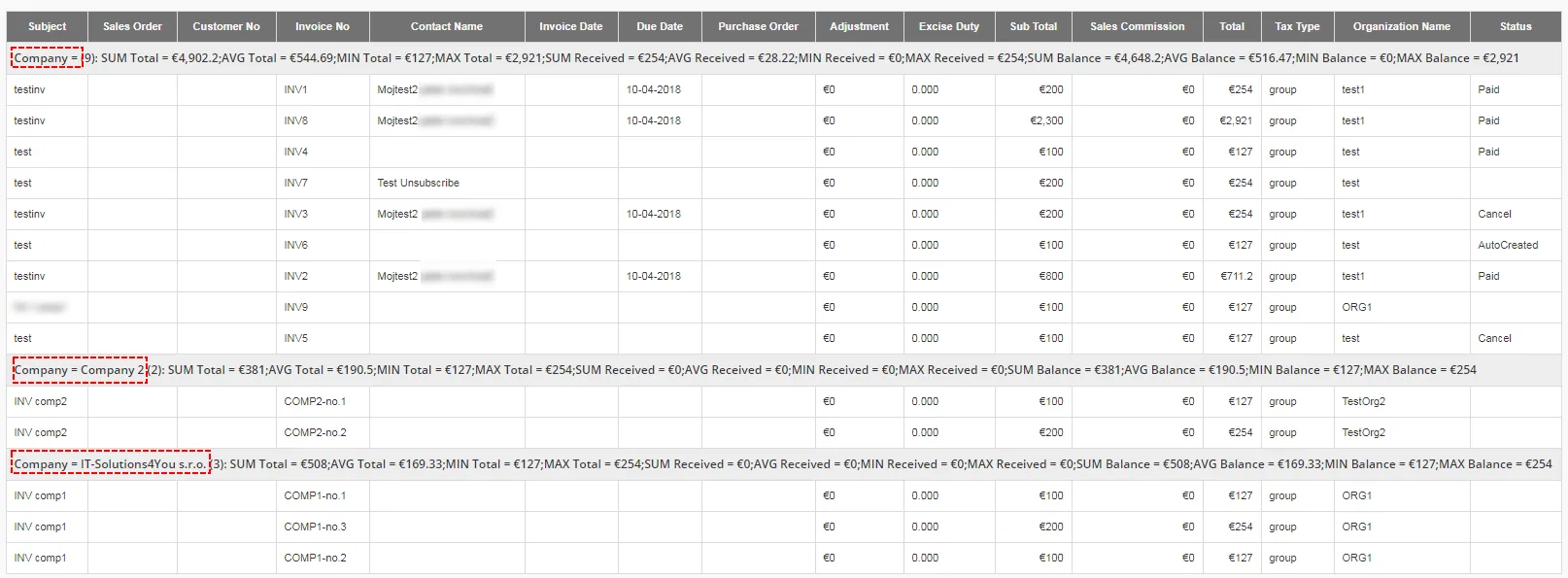
There should be also question how can CEO see Reports across all Companies created by Multi Company created by IT-Solutions4You?
This option should be possible for Summaries Report, Summaries with details and Matrix Report.
You just need to use grouping by field Company.

Need help with Reports 4 You?
Our support team answers questions about installation, templates and settings.