
In following sections is described how synchronization work and how to automate Google->Vtiger CRM way.
4.1 Vtiger CRM -> Google Calendar
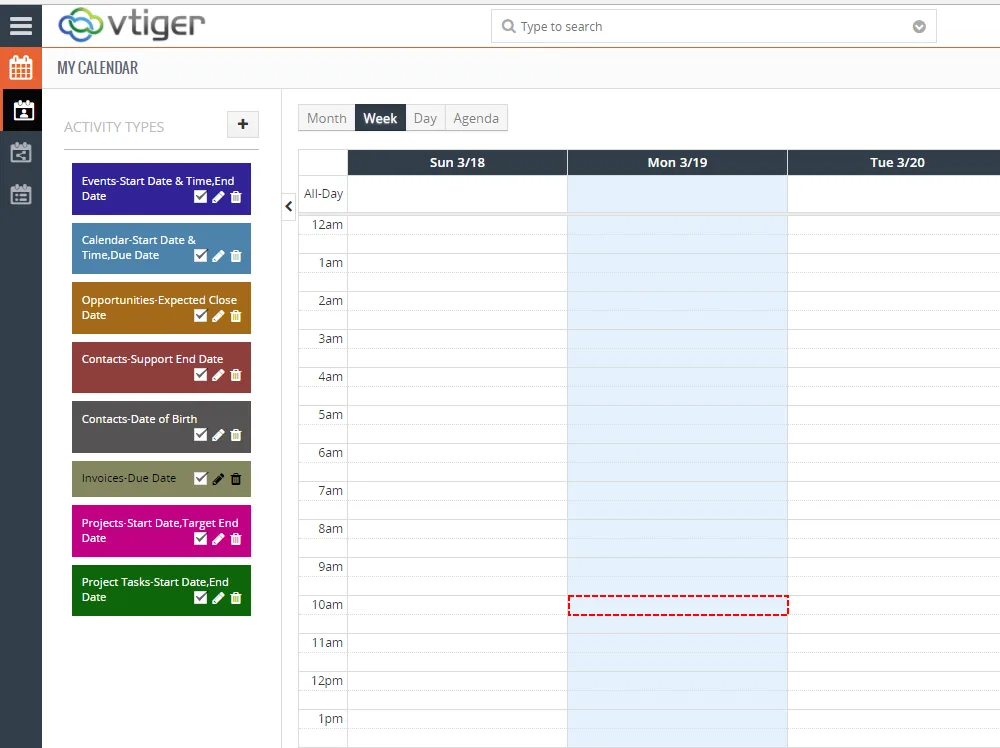
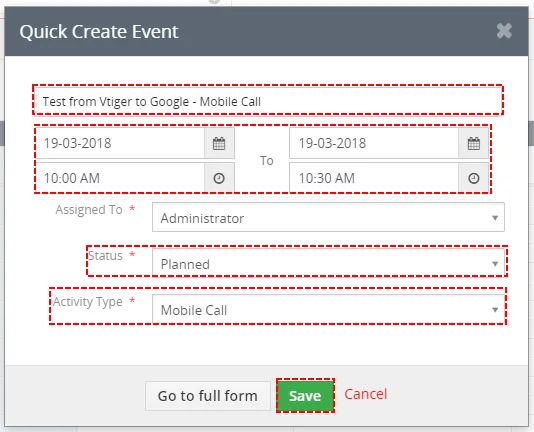
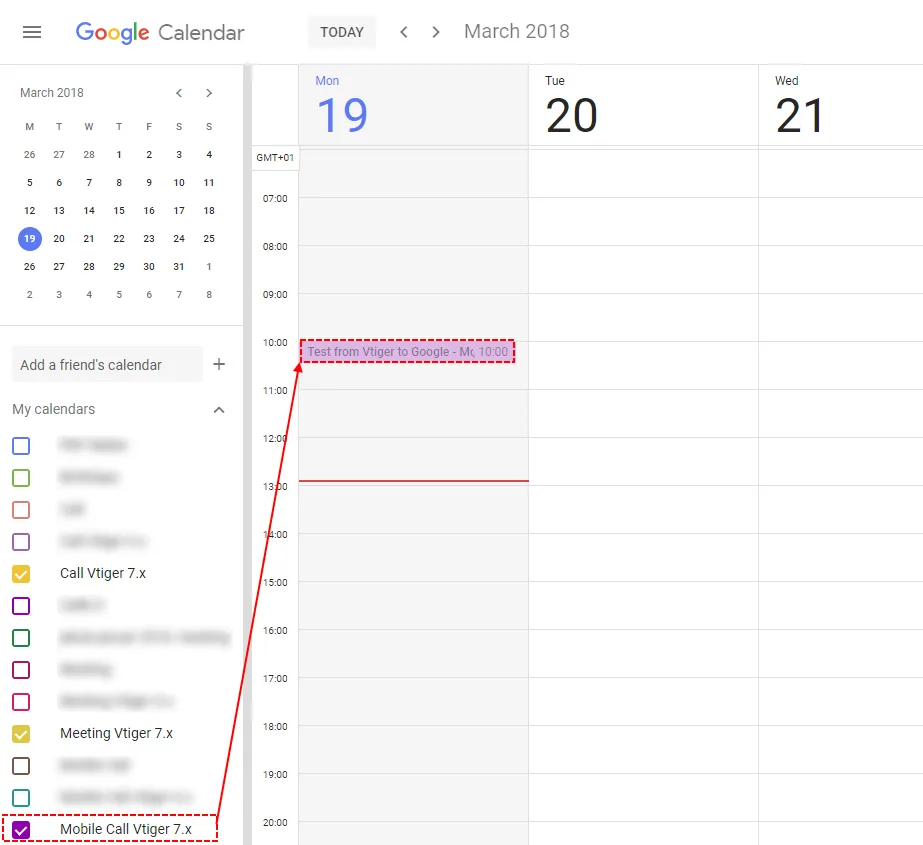
If you create event in your Vtiger, record is immediately sent to Google calendar that you select in mapping setting.
4.2 Google Calendar -> Vtiger CRM
To create record in Google please provide following steps:
- In your Google Calendar please click on date and time or on
 button
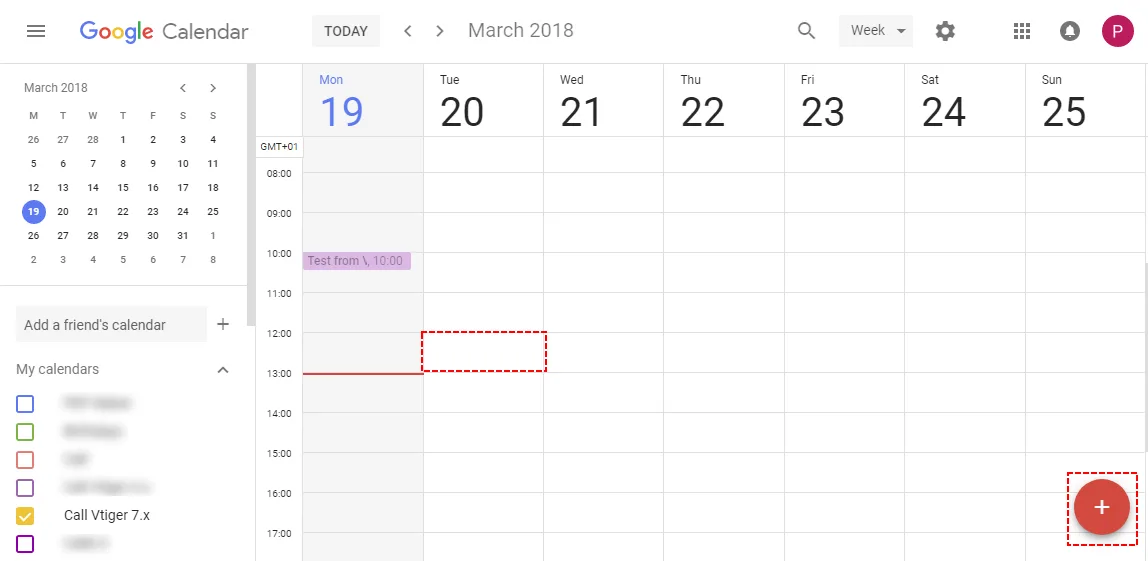
Create record within Google – Google Calendar Vtiger 7 Sync - Fill title of record, select your Calendar (in Vtiger it is “activity type”) and save it
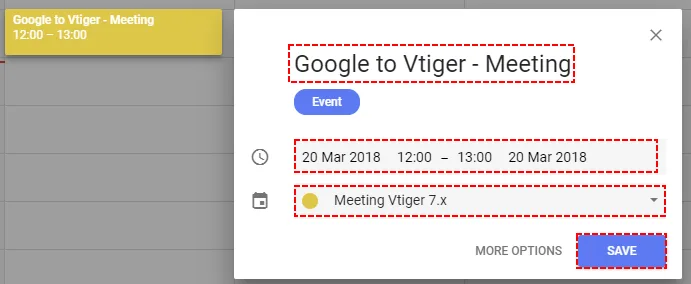
Save record within Google – Google Calendar Vtiger 7 Sync - Your records is now created within Google Calendar
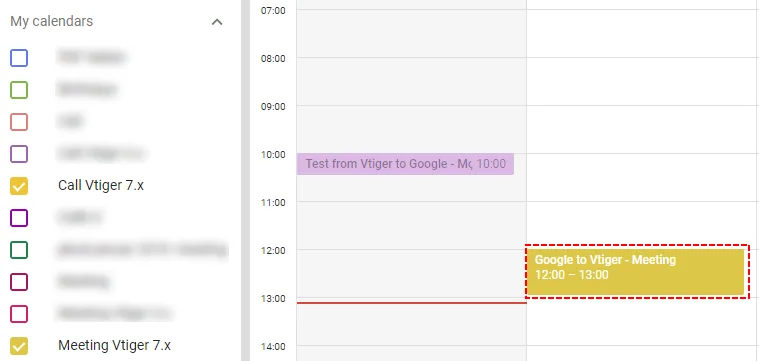
Saved record within Google – Google Calendar Vtiger 7 Sync - But, record is still missing in your Vtiger CRM. To synchronize it please click on
 button
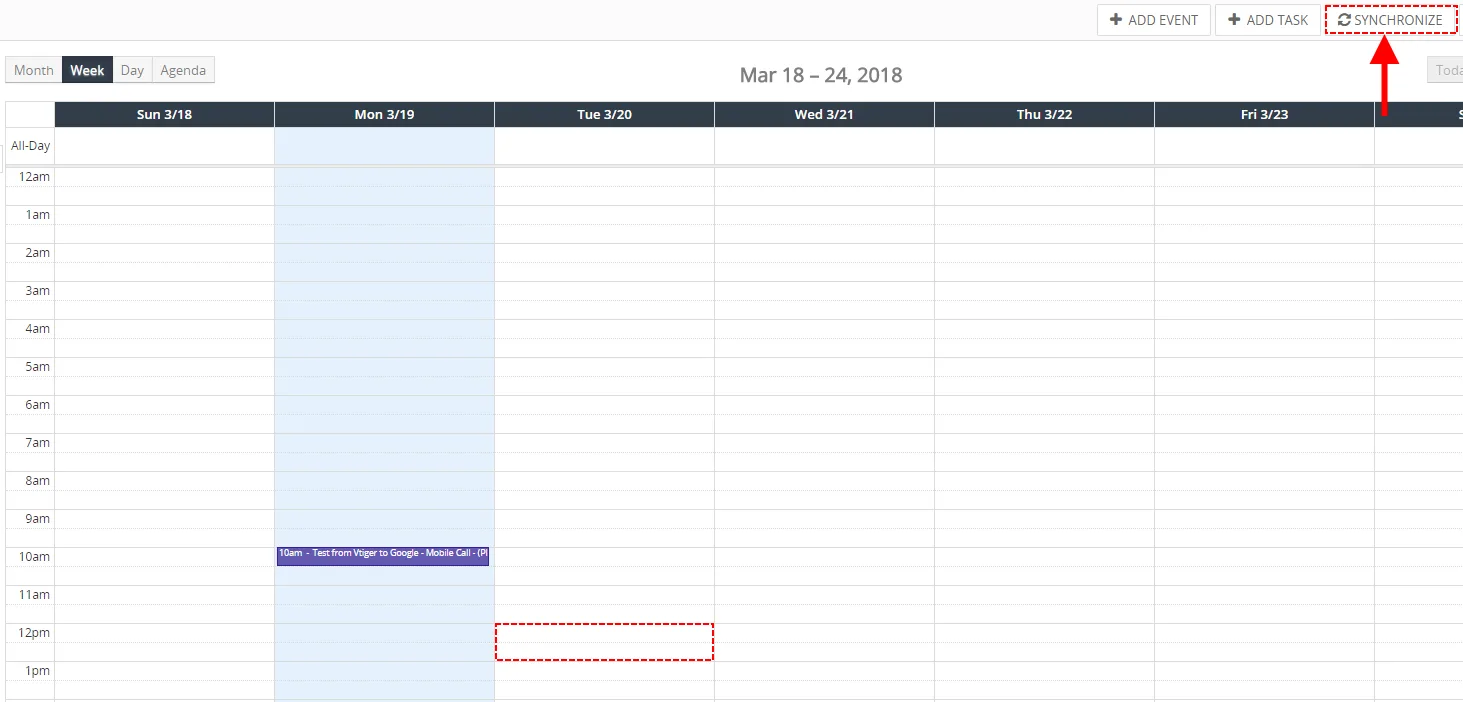
Record from Google is not displayed – Google Calendar Vtiger 7 Sync - Now, you can see your record from Google Calendar in your Vtiger 7 CRM.
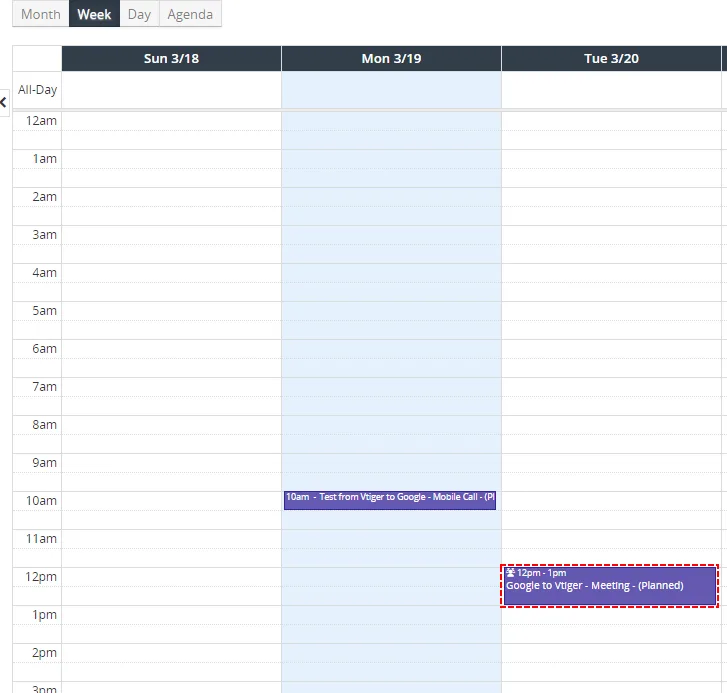
Record from Google within Vtiger – Google Calendar Vtiger 7 Sync
4.2.1 How to automate Google -> Vtiger CRM synchronization
To automate Google->Vtiger 7 CRM Sync you can use our default Cron Job. It is Active by default but you can check it.
To check and activate our Cron Job please provide like admin:
- Go please to Settings -> CRM Settings -> Automation -> Scheduler and andcheck if Schedule ITS4YouGoogleCalendarSyncis Active or Inactive.
- if it is Active then each 15 min (or Frequency that you set) your Vtiger synchronize recorods from Google into your Vtiger
- if it is Inactive then please provide following steps
- If it is Inactive please click on
 button in our Schedule ITS4YouGoogleCalendarSync

How to automate Google step 1 – Google Calendar Vtiger 7 Sync - Set status to Active, set Frequency of cron job and save it
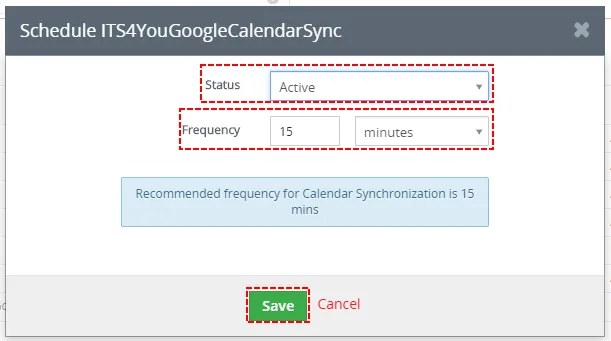
How to automate Google step 2 – Google Calendar Vtiger 7 Sync - Now, your cron has been set. And depends on your frequency Synchronization be starting automatically
Need help with Google Calendar Sync?
Our support team answers questions about installation, templates and settings.