
After installation of Warehouses your Vtiger will contain these modules:
- Warehouses – add Warehouses into your Vtiger
- Warehouse Transfer – transfer Product between Warehouses
- Receipt Card – serves to add Products to your Warehouse
- Issue Card – serves to issue Product from Warehouse
- Incoming Products – evidence of incoming Products
- Outgoing Products – evidence of outgoing Products
- WH Delivery Notes – allows you to create Delivery Notes
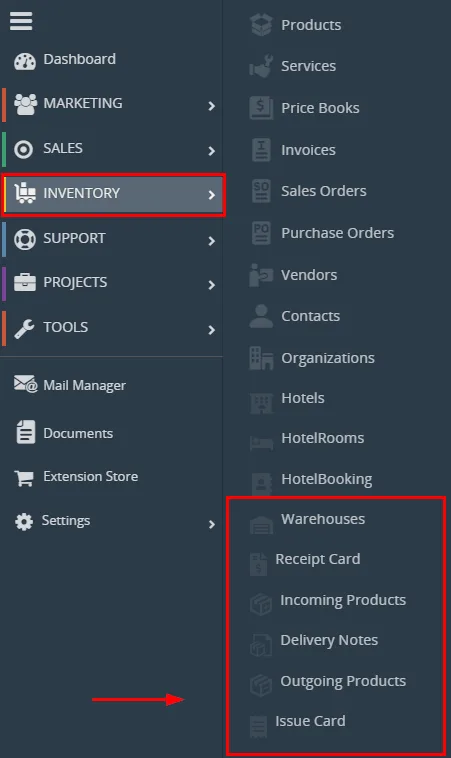
Now, you can read a short description of these modules. Usage will be described in process of usage.
3.1 Warehouses
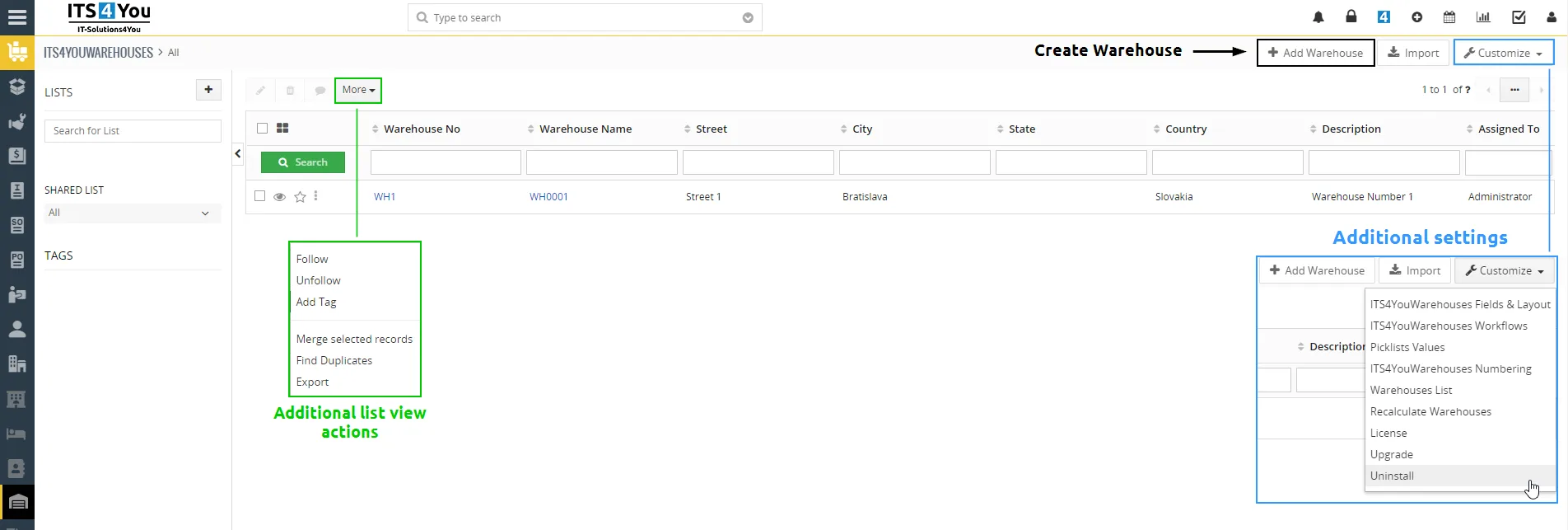
This is a main module, here you can create and manage your Warehouses.
In the image below you can see a list view of the module. Via  button you can create/add new Warehouses.
3.2 Warehouse Transfer
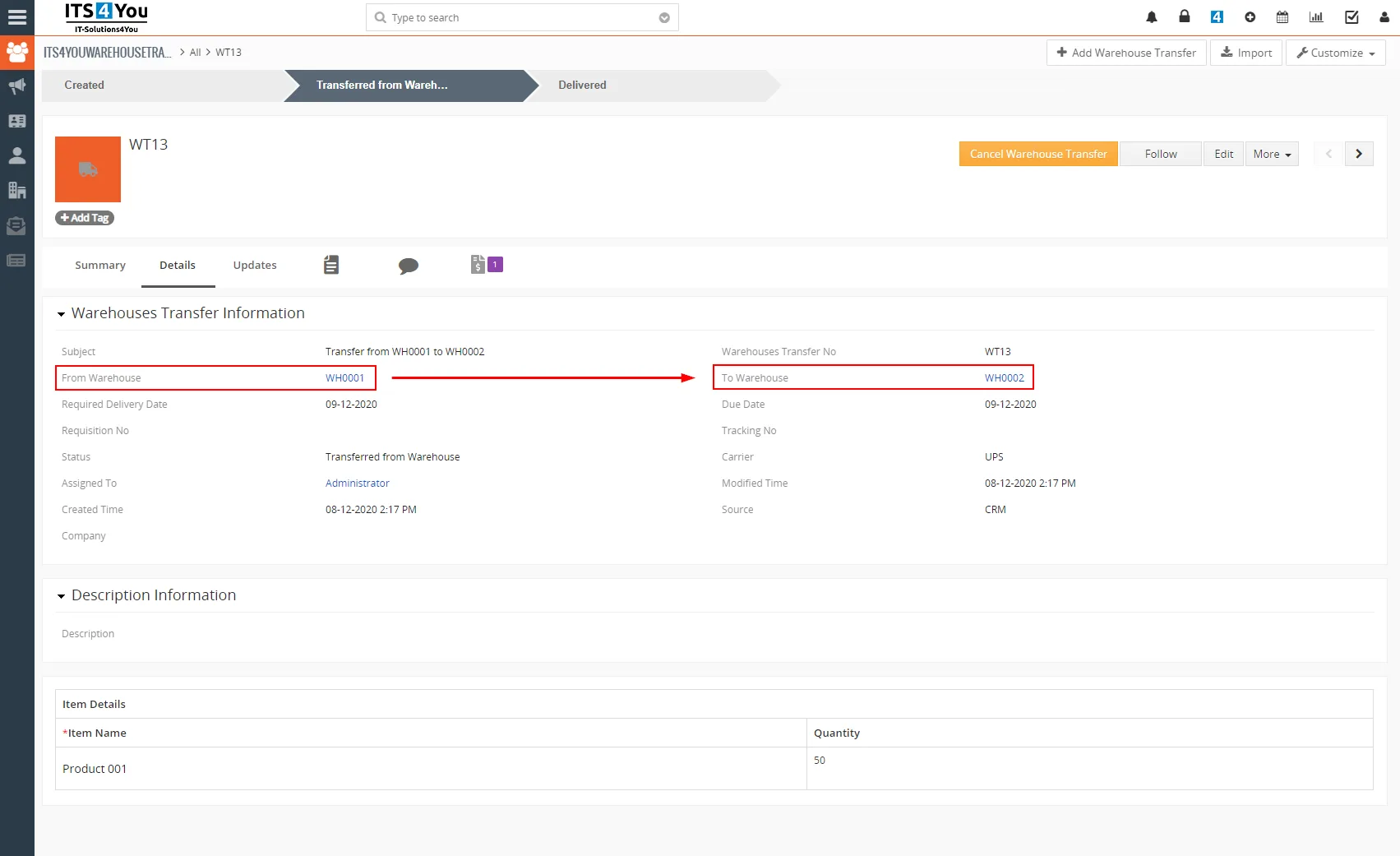
Warehouse Transfer is used for transferring Products from one warehouse to other warehouse.
The quantity of products included in the Warehouse Transfer will be transferred from the warehouse to the warehouse, according to the selection of warehouses.
Example:
- In warehouse WH0001 we have 100 products quantity in stock, we want to transfer 50 products quantity to warehouse WH0002 stock.
- We create Warehouse Transfer for 50 products from WH0001 to WH0002.
- When warehouse transfer is created, 50 products are deducted from WH0001 automatically (because they are transferring and they left the warehouse already).
- After confirmation, that the products have been delivered to the warehouse WH0002 from the warehouse WH0001, the total quantity of products in stock for warehouse WH0002 is updated.
 Note: Important are dates: Required Delivery Date and Due Date.
There is also option to cancel warehouse transfer via button  in the detail view.
3.3 Receipt cards
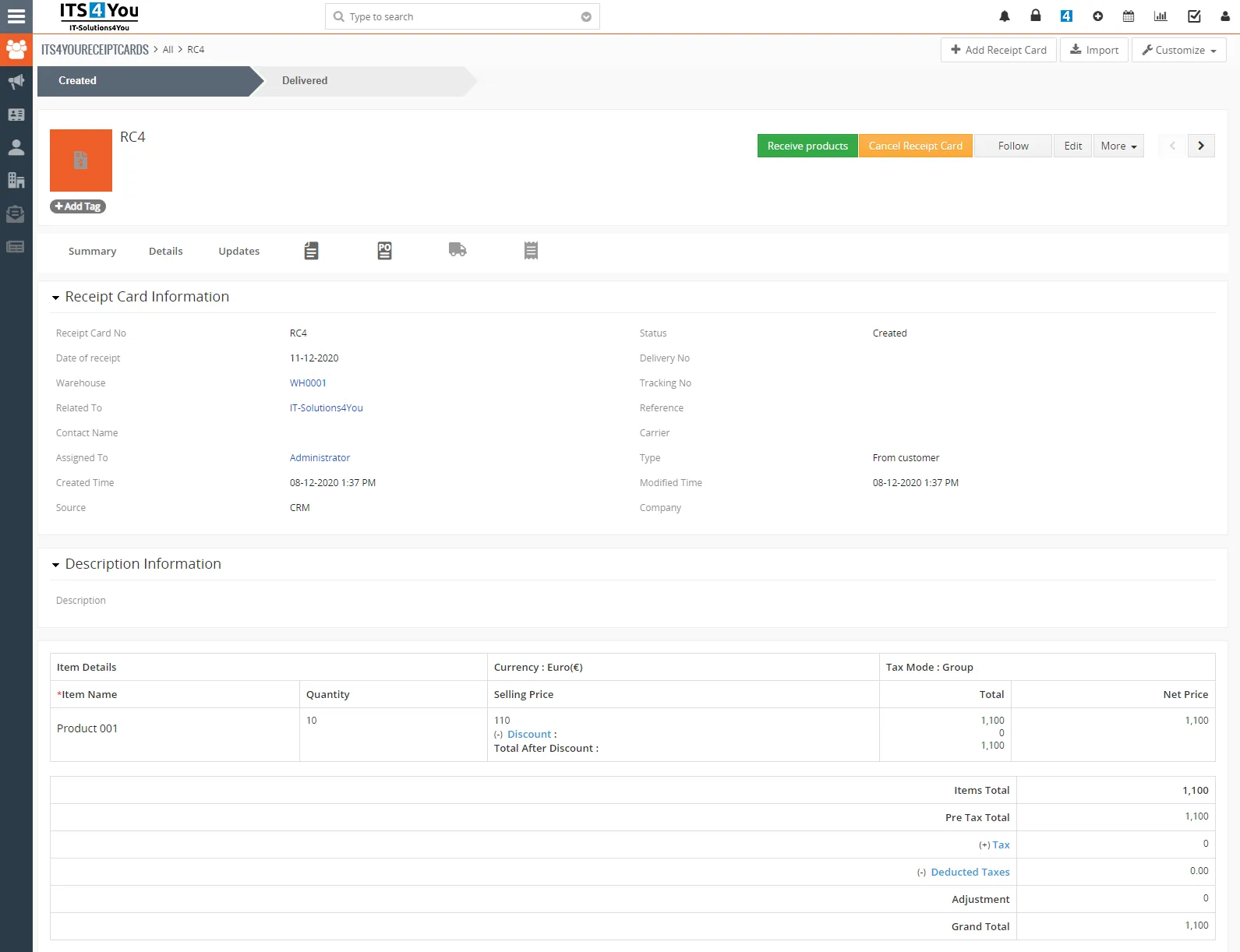
The Receipt Card module is used for adding Products to your Warehouse.
You can see here Warehouse transfers (*creating Warehouse Transfer will create also Receipt Card).
Also, you can see receipt products from your Purchase Order(s).
Actions for this module in detail view are:
 – instantly receive products into the warehouse
 – cancel receipt card = products will be not received into the warehouse
- Other default actions are: Edit, Duplicate, Delete & Follow
3.4 Issue cards
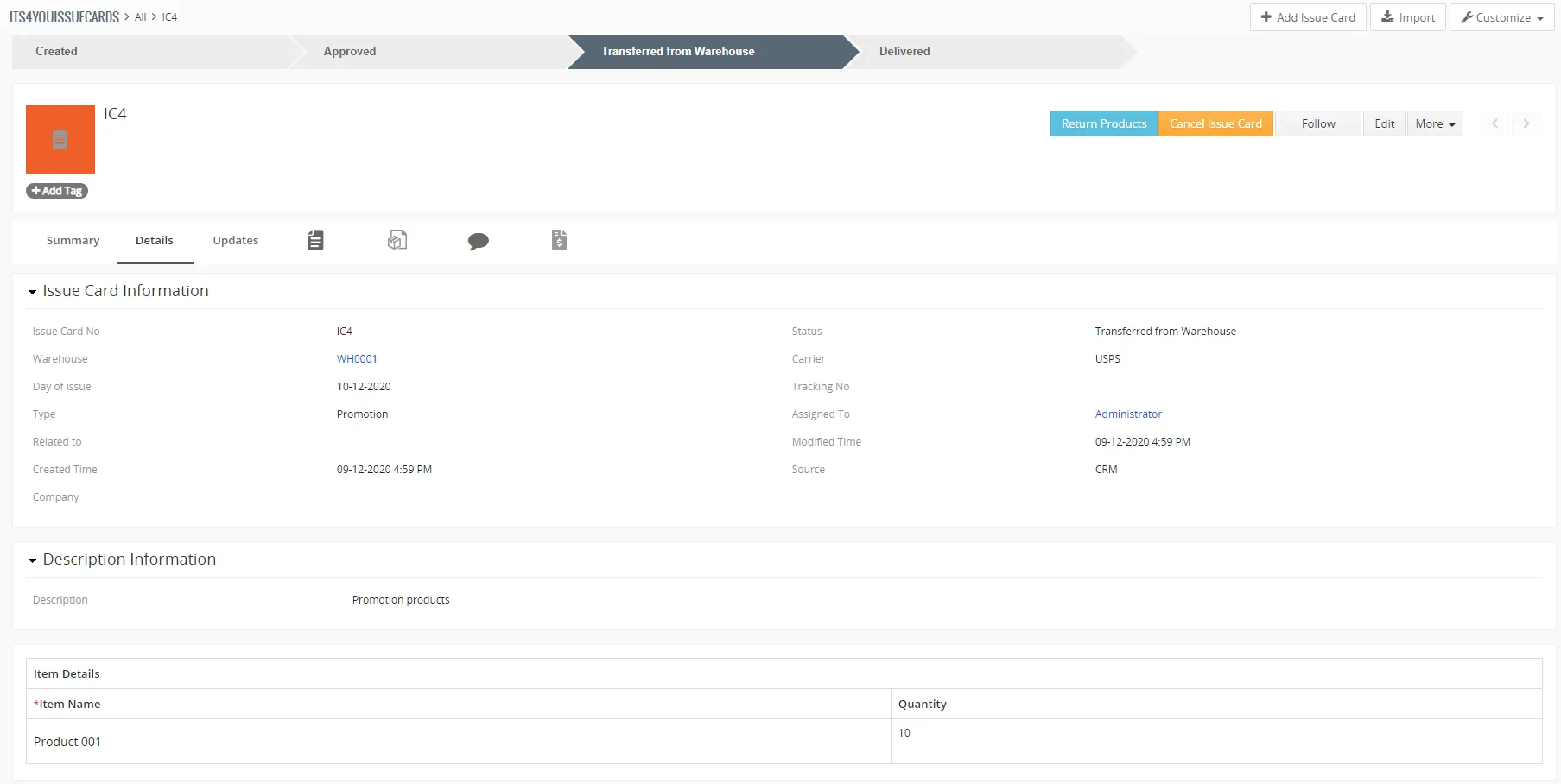
Issue Card serves to issue products from warehouse.
The reason may be Promo action or similar, also you can create Delivery Note based on Issue Card.
Actions in detail view are:
 – return products back to Warehouse by creating Receipt Card.
 – cancel Issue Card, status will be changed to Canceled.
 – create Delivery Note via
 button.
3.5 Incoming products
Incoming Products serve as evidence of Products, which are ordered but not receipted yet.
For example, when you create Purchase Orders, products will be presented here.
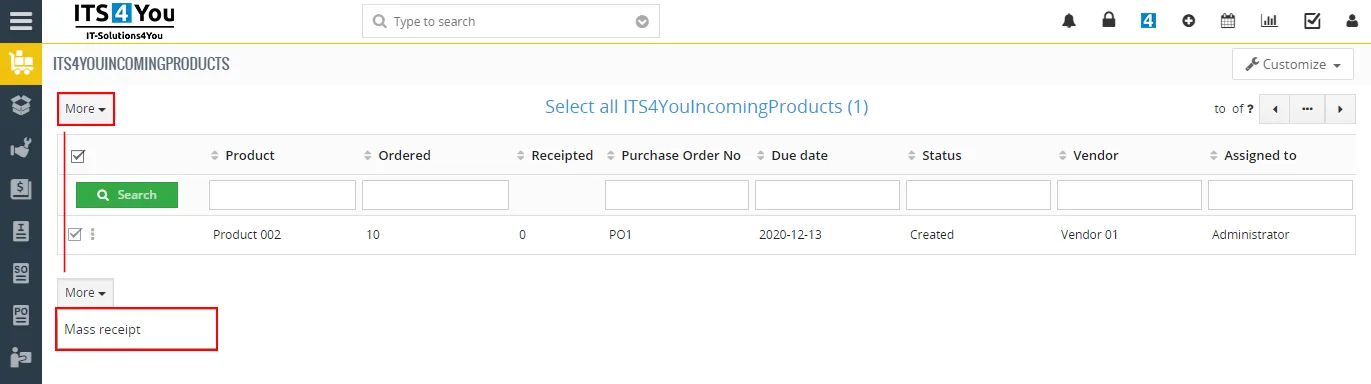
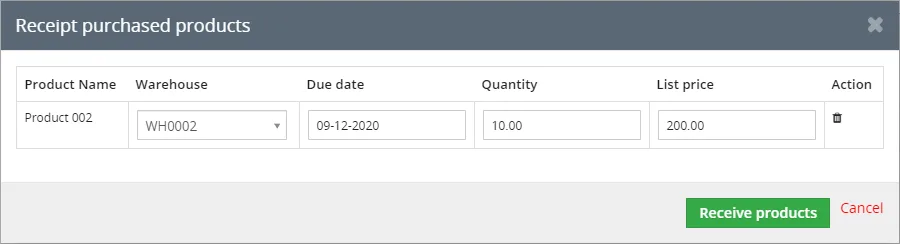
You can also perform Mass Receipt action via button, when the records are selected.
3.6 Outgoing products
Here you can see Products that are Ready to Deliver.
These Products are in you Warehouses and you are able to deliver these Products.
Products from this Delivery Note you can see in Outgoing Products module too.

3.7 WH Delivery notes
Warehouse Delivery Notes module allows you create Delivery Notes and manage them.
In list view, you can see which Delivery Notes have status:
- Ready to Deliver
- Delivered
- Invoiced
Also, you can perform additional actions when selecting records by click on button or access settings and features via  button in the list view.

More about Delivery Notes module you can read here: https://it-solutions4you.com/vtiger-extensions/delivery-notes/
Need help with Warehouses?
Our support team answers questions about installation, templates and settings.