

In order to start the EMAIL Maker tool please provide following steps:
- In vtiger CRM menu , please go to PROJECTS and click on EMAIL Maker.
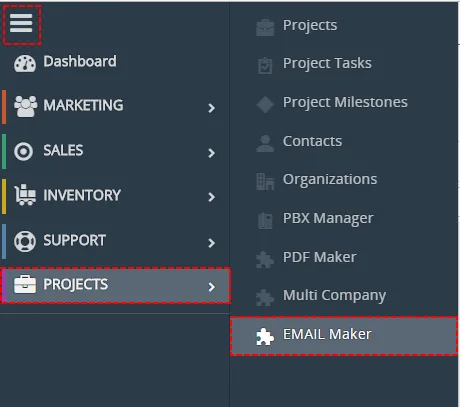
How to start EMAIL Maker - The screenshot below shows EMAIL Maker ListView which is lunched after previous step. As can be seen in the picture below, there are no any email templates created yet. In order to add new template you can click button or link Create New Template.
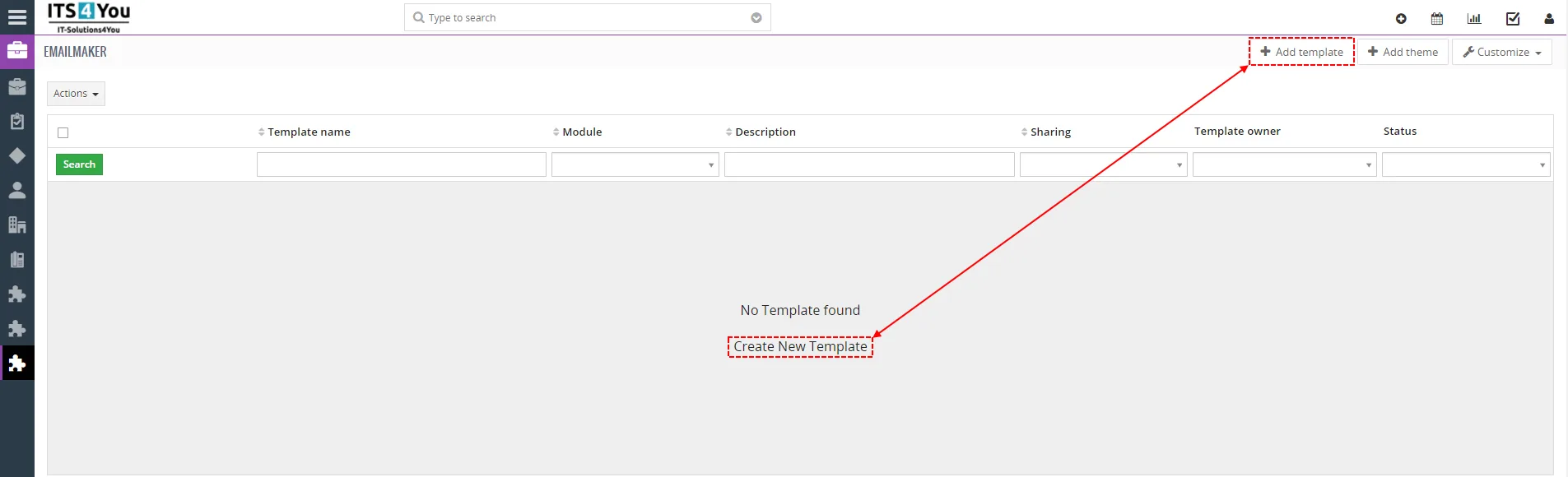
How to start EMAIL Maker
How to create and edit email templates please refer to the chapter Create new email template. Next chapter describes the whole work area of the EMAIL Maker.
Need help with EMAIL Maker?
Our support team answers questions about installation, templates and settings.