

Additional features for Descriptions are:
- Support of PDF Maker
- Support of EMAIL Maker
- Support of Custom Text area fields
6.1 Support of PDF Maker
The PDF Maker is extension tool designed by It-Solutions 4 You for Vtiger CRM. It is powerful and flexible tool which allows users of Vtiger CRM to create own PDF templates. For more information check following link:
https://it-solutions4you.com/extensions/vtiger/pdf-maker/
Before creating PDF file you need to create template of PDF Maker. To create template please check manual for PDF Maker:
https://it-solutions4you.com/manuals/vtiger7/pdfmaker/
How to use Descriptions extension with PDF Maker
Create template with PDF Maker
Create description
Insert description, for example into your Invoice
Go to PDF Maker template for Invoice and insert variable for descriptions $INVOICE_DESCRIPTION$
6.2 Support of EMAIL Maker
The EMAIL Maker is an extension tool designed for the Vtiger CRM. Using EMAIL Maker, you can create email templates with predefined information and send them from all the modules. There are available all the fields from source and related modules, the fields related to recipients, the company information and many more.
The intention was to provide powerful and flexible tool which allows users of Vtiger CRM to create own email templates. Using the email templates you can send mass emails from the List view (e.g. Invoices, Quotes, Products, etc.) and finally save a lot of your time. Sending is running in the background. You are informed about sending process by a small pop-up window.
For more information check following link:
https://it-solutions4you.com/extensions/vtiger/email-maker-extension-vtiger-crm/
Before sending email you need to create template of EMAIL Maker. To create template please check manual for EMAIL Maker:
https://it-solutions4you.com/manuals/vtiger7/email-maker-vtiger-7/
How to use Descriptions extension with EMAIL Maker
Create template with EMAIL Maker
Create description
Insert description, for example into your Invoice
Go to EMAIL Maker template for Invoice and insert variable for descriptions $s-invoice-description$
6.3 Support of Custom Text area fields
You can add your description or text into your own Custom Fields for all modules, that are “Text area” type. To create own Text area fields please provide following steps (if you have created your Custom Text area field already, you can skip steps 1-3):
- Click on
 in module you want to edit and choose Fields & Layouts
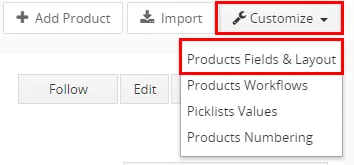
Descriptions – Custom fields – step 1 - Next, click on
 button

Descriptions – Custom fields – step 2 - Choose Text area and type name of your field. You can also set field as mandatory or choose other settings for this field. Click
 on and your field will be created
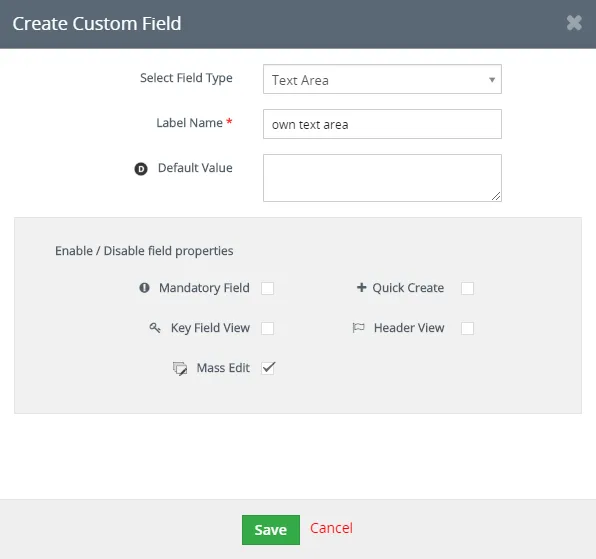
Descriptions – Custom fields – step 3 - Now you can use Custom field in Edit view and add your own Description template
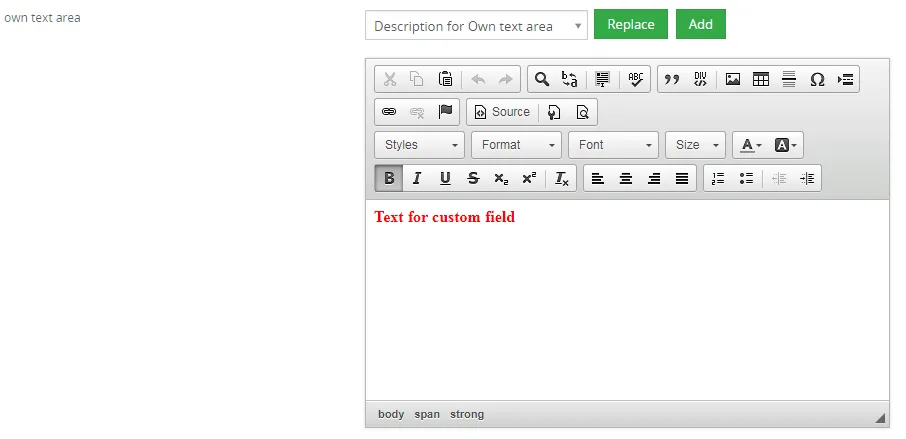
Descriptions – Custom fields – step 4 - Your description in Detail view
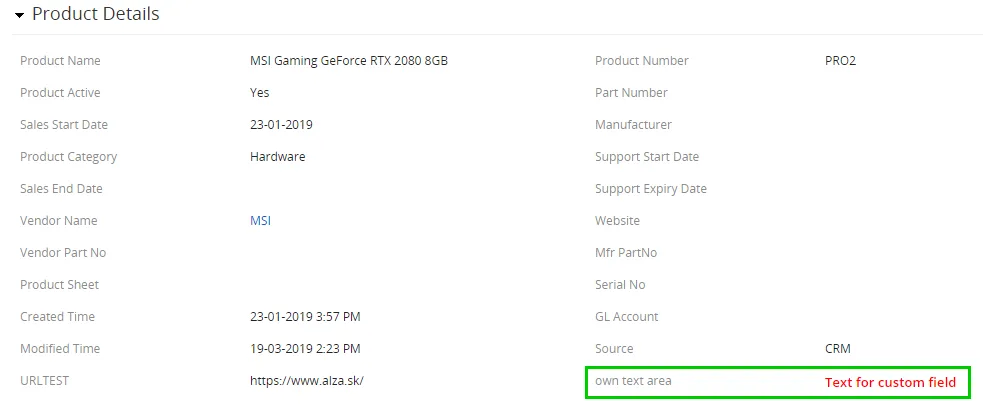
Descriptions – Custom fields – step 5
Need help with Descriptions?
Our support team answers questions about installation, templates and settings.