
11.1 How to define background image
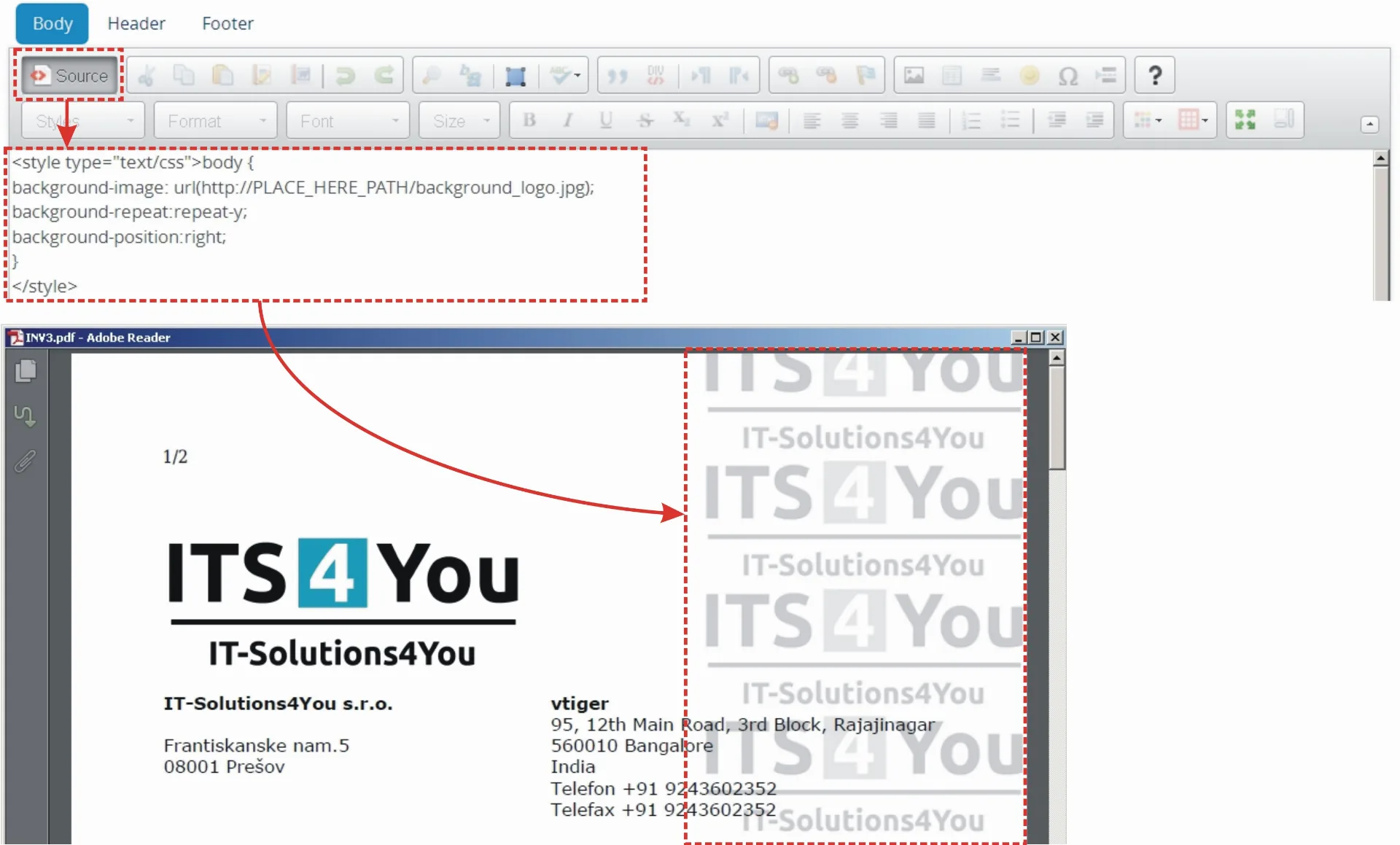
It is possible to define background image for PDF template as shown in the picture below. Just click on
and insert following code (see Picture 8.1):
body {background-image: url(https://PATH_TO_IMAGE/picture.name);background-repeat:repeat-y;}background-position:right;
In addition, you can define background image repeat property via “background-repeat:value;” by values:
- repeat – default value i.e. not necessary to define
- repeat-x – the background image will be repeated only horizontally
- repeat-y – the background image will be repeated only vertically (example below)
- no-repeat – the background-image will not be repeated
or background position via “background-position:value”.
11.2 How to print labels, envelopes and more
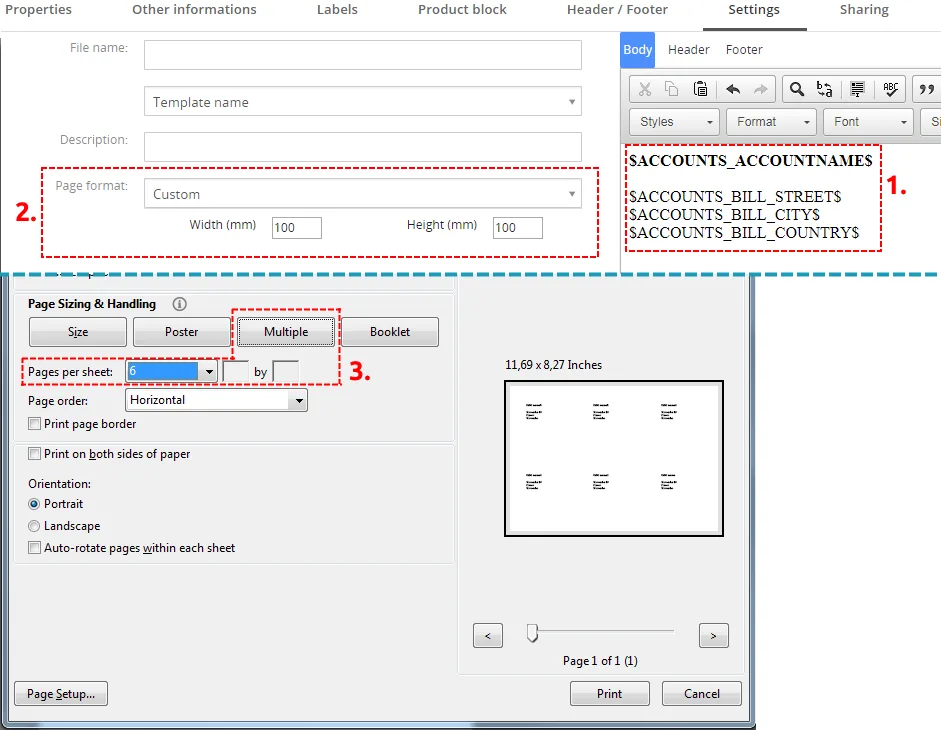
Below is simple example how to print envelopes/labels. Please provide following steps:
- Define simple PDF template – for example with fields for organization address.
- Set minimum size of PDF template (100×100 mm).
- Use option “Multiple” for Page sizing & Handling according to your needs.
Need help with PDF Maker?
Our support team answers questions about installation, templates and settings.