

Where did the team's working hours go today? When support tickets, customer requests and project tasks all compete for attention, it helps to record time directly where the work happens.
With Log Work Time for Vtiger CRM, teams can measure work with a built-in timer or add a manual time entry. Each work log stays connected to a HelpDesk ticket or Project Task, with worked hours and internal costs calculated inside CRM.
Where work time management helps most
Know how much time each ticket takes
Track investigation, troubleshooting and follow-up work on HelpDesk tickets. Separate work sessions are recorded against the same customer request, so teams can see the total effort involved.
Keep Project Task hours visible
Capture time spent on implementation, configuration, testing or other Project Tasks. Review logged work to understand the effort behind each task.
Both workflows use the same Log Work Time extension, without needing a separate system for recording work performed on CRM records.
Measure actual work with the built-in Timer
Open a HelpDesk ticket or Project Task and select Start Timer. You can pause or resume a session from the timer menu in the Vtiger CRM header. When the work is done, select Stop to open a prefilled Log Work Time form, review the entry and save it.
The module supports timers on several different records, with one timer per record. This helps when switching between customer tickets and project tasks throughout the day.
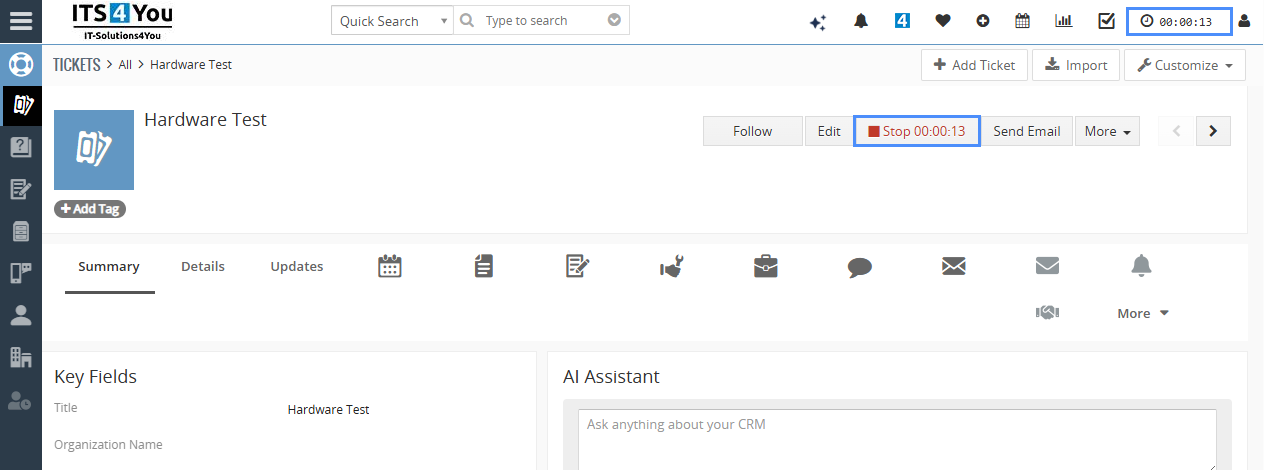
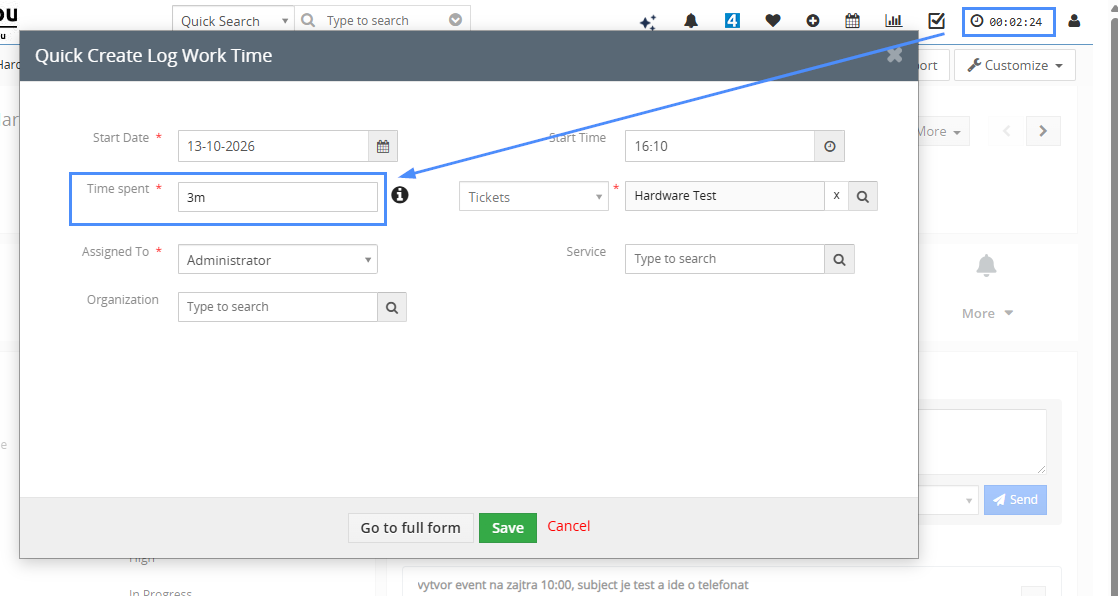
Useful detail: Stopping a timer opens the form but does not save the log automatically. If you close the form, the stopped timer remains paused and its measured time is preserved. Discard timer removes that unsaved time.
For the complete workflow, see the step-by-step Timer guide.
Record completed work without starting a timer
Some activities are easier to record afterwards. On the HelpDesk ticket or Project Task, select More > Add Log Work Time. Enter the start date, time spent and description, then save. Durations can be entered as 15m, 2h 30m or combinations of weeks, days, hours and minutes.
You can also create a record from the Log Work Time module. The manual work log instructions on the product page include screenshots of Quick Create and the full form.
Turn time entries into useful hours and cost information
Once a work log is saved, the extension converts its duration into decimal Worked Hours. It recalculates the Hours field on a HelpDesk ticket or Project Task Hours on a Project Task from the saved logs.
For internal cost tracking, administrators can configure a default hourly rate and optional individual user rates. Each saved entry stores the applicable rate and calculates Cost Amount = Worked Hours × Worked Hour Rate.
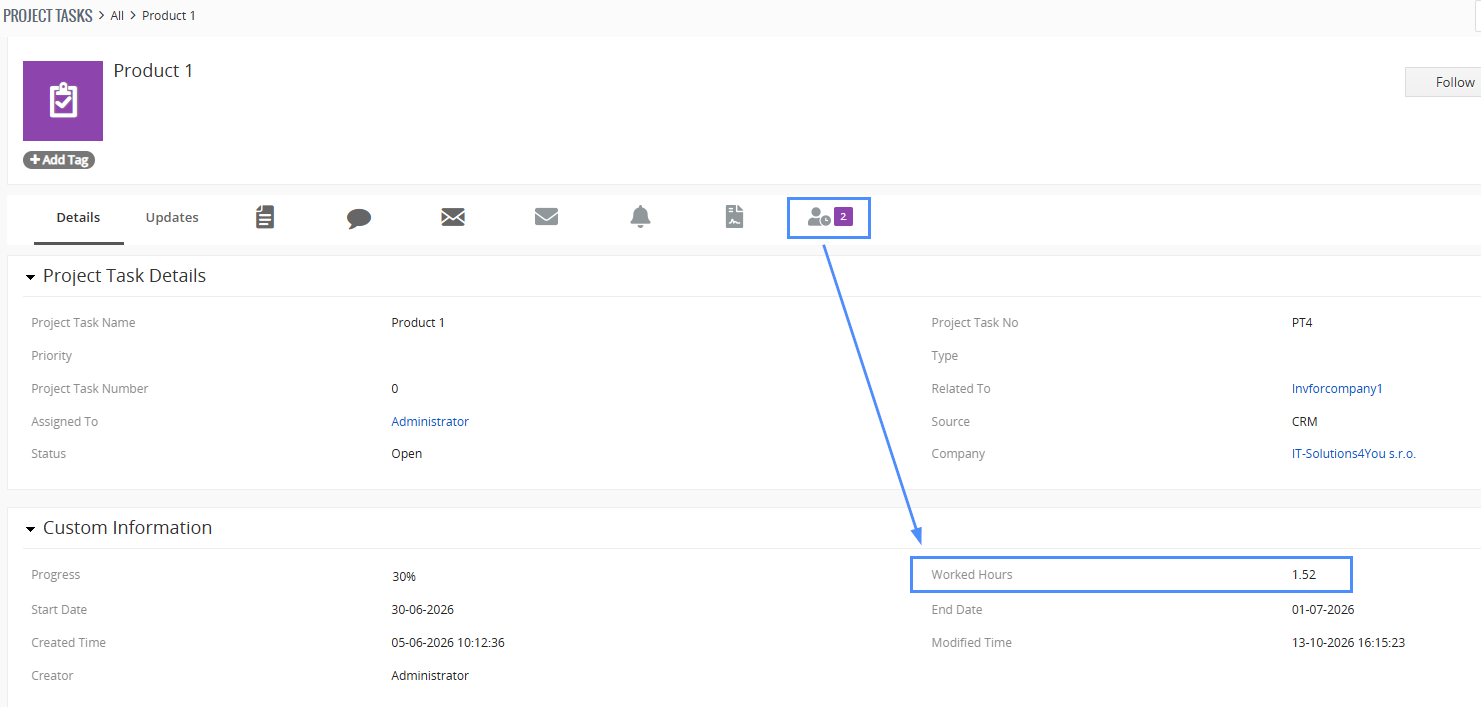
The extension records internal costs and provides a billing marker; it does not generate invoices. For full details, see how work hours are totaled and the cost calculation features.
Log Work Time in Vtiger extension packages
Log Work Time is available as a standalone extension and is also included in the Mini, Extended and All Access Vtiger extension packages. If you use multiple ITS4YOU modules, a package may be a more practical option than purchasing each extension separately.
Check the Vtiger extension packages for the current comparison, or explore all ITS4YOU Vtiger extensions to see other tools you can use alongside time tracking.
Manage working hours inside Vtiger CRM
Whether your team handles customer support tickets or Project Tasks, Log Work Time keeps manual entries, measured sessions, worked hours and internal costs connected to the work itself.


Leave a Reply