

Recurring projects are easier to manage when the team does not have to rebuild the same structure every time. A consistent starting point helps preserve proven steps, reduce setup work and keep delivery more predictable.
In Vtiger CRM, this matters for implementation projects, recurring audits, maintenance work, campaigns and other processes where the structure stays similar while dates, owners and individual tasks may change.
Why repeatable project structures save time
Many project teams repeat the same preparation steps. Someone creates a new Project, adds familiar Project Tasks, recreates milestones, checks assignments and adjusts dates. This works, but manual repetition creates unnecessary setup work and increases the chance that a task, milestone or required step is forgotten.
A reusable structure gives the team a better starting point. Instead of rebuilding a project, you begin with a proven model and change only what is different for the new customer, period or assignment.
Keep important steps from being forgotten
When the same task sequence works well, reusing that structure helps teams follow the same delivery process across similar projects.
Spend less time on repetitive setup
Project managers can focus on dates, ownership and customer specific changes instead of recreating the same tasks and milestones from scratch.
Practical principle: reuse the structure, but review the data. A copied project should still be checked before work starts because dates, assignments, statuses and scope can change.
Four useful ways to reuse project structures in Vtiger CRM
Repeat implementation projects
A software implementation or onboarding project often follows the same broad sequence for every customer. Reusing the structure lets the team keep familiar milestones and tasks while changing dates, owners and customer specific work.
Start the next yearly or quarterly cycle
Audits, maintenance projects, recurring reviews and campaign planning often repeat on a schedule. A previous project can provide the structure for the next cycle without carrying over completed work as active progress.
Use a reference project as a practical template
A well structured Project can act as an internal blueprint. Keep the process organized in one reference project, then use it as the basis for similar work when a new project is required.
Reuse the process with a different owner
When another team or user handles the next project, the same task structure can still be useful. Update the assigned users and the project details instead of reconstructing the full workflow.
Decide what should carry over and what should start clean
Copying a project is most useful when the team distinguishes between structure and execution data. Some values describe the plan and may be worth keeping. Other values describe completed work and should often be reset.
- Usually worth reviewing: project name, start date, target end date, assigned user, status and priority.
- Often reusable: task names, required fields, assignments and milestone structure.
- Often better reset: task progress, worked hours, completed status and old execution dates when a new work cycle starts.
- Always verify: which tasks and milestones are still relevant for the new project.
A simple workflow for recurring Vtiger projects
Choose the best source project
Use a project with a clear task structure and useful milestones. Avoid using a source project that contains outdated or customer specific work unless you plan to remove it.
Update the project identity
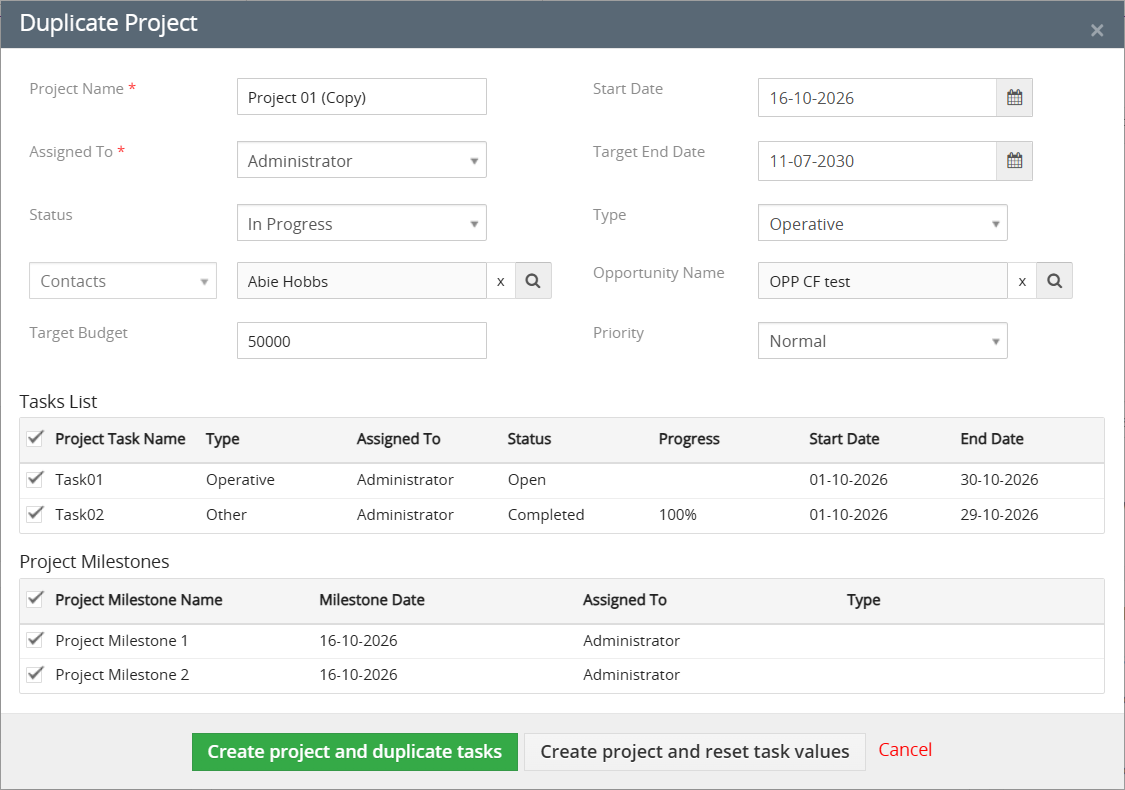
Rename the new project and review its dates, owner, organization, status and other project level fields before creation.
Keep only relevant tasks and milestones
Recurring projects are rarely identical. Remove anything that does not belong to the new scope so the team starts with a clean and relevant work plan.
Choose whether task values should remain
If the new project should mirror the original closely, keep the task values. If the team is starting a new work cycle, reset execution values and keep the reusable structure.
Keep the new project independent from the previous one
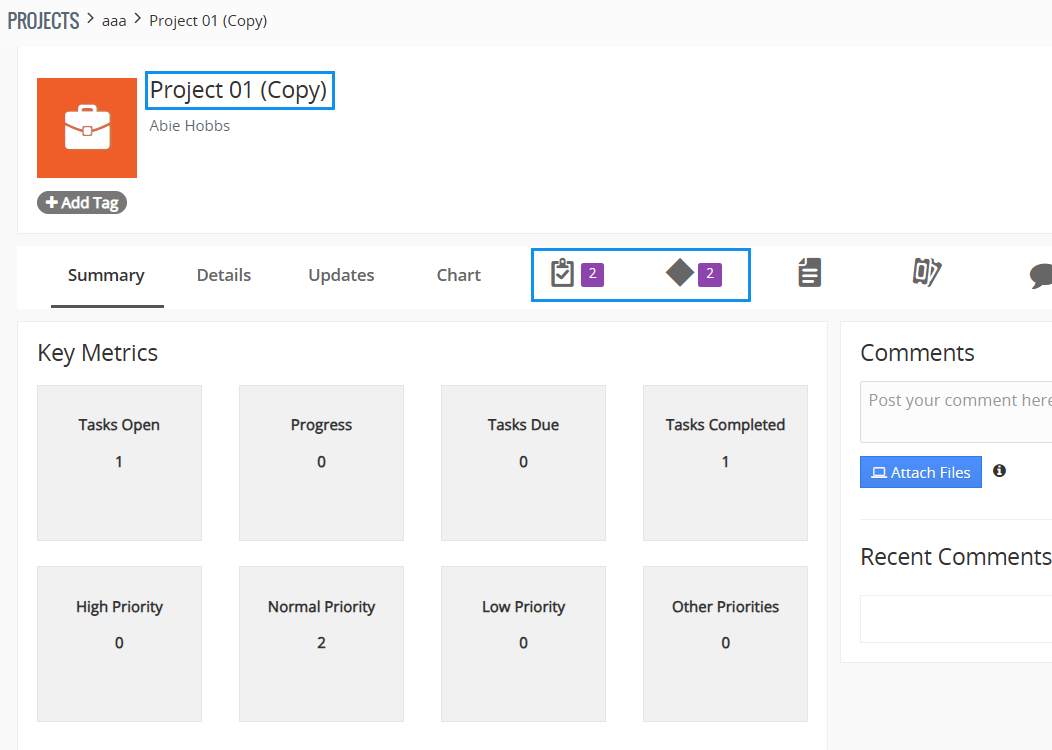
A recurring project should be easy to trace as its own piece of work. The new Project, its copied Project Tasks and its copied Project Milestones should have their own records, creation dates and workflow history.
At the same time, not every related record needs to be duplicated. Comments, update history, activities, emails, tickets and directly attached files may belong only to the original project. This separation keeps the new project focused on the work that actually belongs to the new cycle.
When you want to speed up this workflow in Vtiger CRM
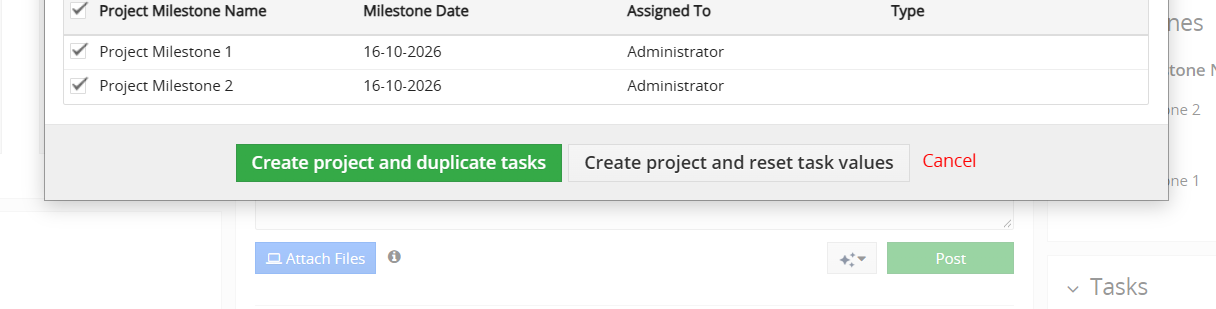
If your team repeats this process regularly, Duplicate Projects for Vtiger CRM adds a dedicated Duplicate Project action to the Project detail view. It lets you review project fields, select Project Tasks and Project Milestones, and then create the new Project using either copied task values or reset task values.
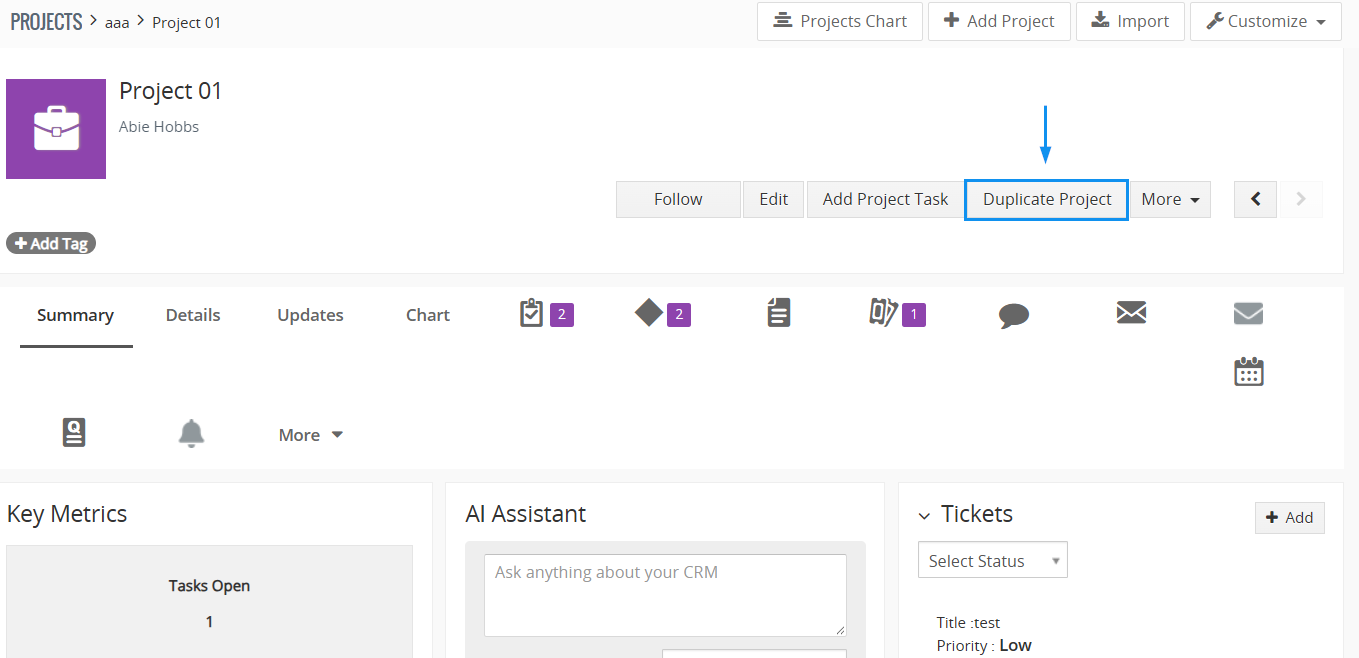
The extension is compatible with Vtiger CRM 7.x and 8.x. It is available separately and is also included from the Mini package upward, including Extended and All Access.
Duplicate Projects pricing
If the workflow fits your team, Duplicate Projects is available as a standalone Vtiger CRM extension with monthly and yearly licensing.
If you use several ITS4YOU extensions, compare the Vtiger extension packages. You can also browse all Vtiger CRM extensions for related project, reporting, document and productivity tools.
Make recurring project setup more consistent
A good recurring project workflow starts with a reliable structure, a clear decision about what should carry over and a quick review of the new project before work begins. That approach reduces repetitive setup while keeping each new Project independent and relevant.


Leave a Reply